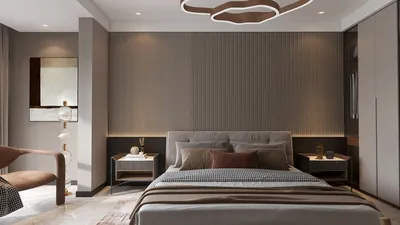


Transforming a basement into a functional space begins with a thoughtful design strategy and precise planning. When using a basement design app, I prioritize three essential features: dependable layout tools, lighting simulation capabilities, and diverse material options. A streamlined digital workflow can significantly mitigate unexpected issues—particularly regarding ceiling height, escape routes, and moisture control. Research supports this approach; for instance, the WELL v2 Light concept highlights the importance of adequate lighting and glare reduction for user comfort, while IES suggests aiming for task lighting between 300–500 lux for common household activities, a benchmark often neglected in basement environments without strategic fixture placement and reflective techniques.
Creating a comfortable and productive atmosphere goes beyond surface finishes. Insights from Steelcase indicate that minimizing acoustic distractions can enhance concentration; thus, implementing well-placed sound-absorbing materials in basements is vital. Additionally, color psychology is a significant factor; according to Verywell Mind, warm neutral tones can foster a welcoming ambiance, whereas cooler shades can promote tranquility and a sense of spaciousness. Using a layout tool enables you to evaluate circulation widths, sightlines, and sound zoning before finalizing your design.
Essential Features of a Free Basement Design App
At the very least, I expect precise floor-plan creation, ease of adding furniture with drag-and-drop functionality, and control over ceiling heights. If the app has a room design feature, I can check clearance requirements for seating areas, gaming zones, or compact home office setups. Since basements often serve multiple purposes—such as media rooms, guest suites, workout areas, and storage—a smart planner aids in confirming adjacency and traffic flow, ensuring that a noisy treadmill is not situated next to a tranquil guest room. When designs become intricate, a room planner with visualization capabilities is invaluable for simulating furniture sizes, soffits, and the effects of columns, thereby minimizing framing errors. Consider utilizing a layout simulation tool to understand how lighting interacts with low ceilings and beam placements.
Data-Driven Design Priorities
Lighting: In line with IES recommendations for residential environments, aim for lighting levels of 300–500 lux for essential tasks, with ambient zones at 150–300 lux. The WELL v2 framework advocates for layered lighting and glare control, which in basement settings often translates to using indirect wall washes, adjustable downlights with lower beam angles, and task lighting positioned near seating or desks.
Acoustics: Research from Steelcase correlates reduced noise levels with improved focus. To manage echoes in open basements, incorporate acoustic ceiling tiles (NRC 0.70+), rugs, soft furnishings, and wall panels. Strategically zoning noisy activities (such as children’s play, music, or exercise equipment) away from quieter areas enhances the sense of privacy.
Color and Materials: Verywell Mind's color psychology insights suggest using warm tones to create a cozy environment and cool tones for calming effects. Pairing light-reflective paints (LRV 60–80) with matte finishes can help reduce glare. Choosing moisture-resistant materials—such as luxury vinyl plank flooring, porcelain tiles, and closed-cell rigid foam insulation—ensures both comfort and durability.
Designing the Layout
Begin by acknowledging the structural realities—columns, beams, mechanical chases, and existing plumbing. Establish clear circulation paths that are 36–42 inches wide to connect different zones. Ensure that escape routes remain unobstructed, with bedrooms only located near legally compliant windows. If managing multiple activities, an interior layout planner can assist in testing adjacency diagrams—such as placing the media area close to stairs for easy access, situating fitness zones near mechanical areas for proper ventilation, and organizing storage in proximity to existing utility walls. Employ a room design visualization tool to refine furniture proportions and control sightlines to avoid visual distractions, ensuring screens are not in view from every angle. For rapid adjustments, use a design layout tool to simulate door movements, soffit depths, and HVAC provisions to avoid unnecessary rework.
Lighting Design for Low Ceilings
Basements thrive with a layered lighting design: ambient (wide-beam downlights or cove lighting), task (portable lamps and under-shelf lights), and accent (wall washers to illuminate vertical surfaces). Target lighting levels of 300–500 lux in areas focused on tasks and 150–300 lux in relaxation zones following IES guidelines. Keep color temperatures between 2700K and 3500K for a homely ambiance; combine high CRI (90+) bulbs to accurately reflect skin tones and materials. Minimize glare using baffled trims and indirect lighting solutions. A well-designed lighting plan in your app should outline fixture spacing, beam distributions, and dimming options to accommodate various activities like movie nights, workouts, and study sessions.
Acoustic Comfort and Zoning
Open-concept basements can feel echoey if sound absorption isn't addressed. Introduce bookshelves, fabric panels, or acoustically treated wood to disrupt parallel surfaces. If sound levels are a concern, devote an enclosed area for media use. Soft finishes such as area rugs, upholstered furniture, and curtains can help manage reverberations. Carefully map out noisy areas away from bedrooms and quiet workspaces. The visualization capabilities of your design app can assist in placing sound absorbers where reflections are most pronounced, typically at first reflection points near speakers and hard surfaces.
Color Psychology and Visual Cohesion
Low ceilings benefit from brighter, higher-LRV paints on ceilings and upper walls, coupled with deeper accent colors for added depth. Warm neutrals like sand or taupe create an inviting atmosphere, while cool colors like blues or sage greens promote serenity. Maintain a consistent color rhythm: repeat materials or hues across zones for visual coherence. Reduce visual clutter by incorporating closed storage solutions for toys, hobby supplies, or seasonal items. Your design application should feature a material library allowing you to preview finishes under various lighting scenarios to prevent tonal mismatches.
Human Factors, Ergonomics, and Ease of Movement
Comfort relies on appropriate dimensions: lounge chairs should have an 18–20 inch seat height, counter stools should be 24 inches, and desk surfaces should be 30 inches deep for optimal monitor and keyboard positioning. Maintain a minimum of 36 inches for circulation around seating clusters and 42 inches in main pathways. Position desks to face windows or light sources perpendicularly to reduce screen glare. In gym areas, allow for 36 inches clearance around equipment and ensure flooring is slip-resistant. Utilize the app to confirm clearances and door functionalities, guaranteeing workable aisle spaces in storage and laundry locations.
Integration of Storage and Utility
Basements must effectively balance storage solutions with living spaces. Plan for a dedicated storage wall featuring adjustable shelving, ventilated cabinets for gear, and a workbench if engaging in hobbies. Ensure utilities remain easily accessible—avoid hiding shutoff valves or panel boards. Your layout simulation tool can help assess the impact of pocket doors, bifold doors, or curtain panels on the usability and budget of the space.
Moisture Management, Comfort, and Sustainability
Controlling moisture is crucial: incorporate drainage systems, vapor barriers, and dehumidifiers prior to applying finishes. Opt for durable materials like LVP, porcelain tiles, and low-VOC paints. Insulate rim joists and use continuous rigid foam insulation whenever possible to minimize thermal bridging. For a sustainable approach, favor LED lighting systems with dimmers and smart controls, and utilize zoned circuits to cut down on energy consumption while maintaining comfort as advocated by WELL.
Workflow: From Concept to Construction
Begin with a scaled drawing, labeling structural elements and outlining various zoning plans. Use your basement design app to create iterations for multi-functional areas such as media rooms, guest accommodations, gyms, and storage solutions. Test lighting scenarios with varying beam spreads and color temperatures. Assemble a materials palette and compare light reflectance values under your chosen lighting setup. Export comprehensive plans for contractors, including schedules for fixtures and locations for acoustic treatments.
Frequently Asked Questions
For essential tasks, aim for 300–500 lux per IES guidelines; lounge areas can comfortably sit at 150–300 lux. Layering ambient, task, and accent lighting can prevent dark corners and reduce glare.
Aiming for a color temperature of 2700K–3500K ensures a warm residential feel without leaning toward overly cool lighting. Opt for high CRI (90+) bulbs for precise color representation of finishes and skin tones.
Incorporate sound-absorbent materials—such as acoustic panels (NRC 0.70+), rugs, and upholstered furniture—and zone loud functions away from quieter spaces. If necessary, enclose a separate media room.
Absolutely; as long as it provides precise drafting and a comprehensive interior layout planner. You’ll be able to model columns, soffits, and mechanical chases to verify dimensions for furniture and door placements.
Ensure a minimum of 36 inches around seating arrangements and 42 inches for primary pathways. Confirm door movements and equipment spacing through the app.
Luxury vinyl plank, porcelain tiles, closed-cell rigid foam insulation, and low-VOC paints pair well. Ensure proper drainage systems, vapor barriers, and effective dehumidifying solutions are in place.
Regulate sightlines to make sure that screens aren’t visible from all seating positions. Use wall washing techniques to illuminate vertical areas and adjustable ambient lighting to counteract glare.
Bedrooms should only be located where adequate egress options are available. Position sleeping areas away from mechanical systems, and verify regulatory requirements prior to framing.
Design an organized storage wall incorporating adjustable shelves and enclosed cabinets. Ensure that utility areas are readily accessible and check aisle widths for smooth mobility.
Warm neutrals lend a cozy backdrop, while cool tones encourage tranquility. Higher-LRV paints on ceilings enhance brightness and give an illusion of height in basements.
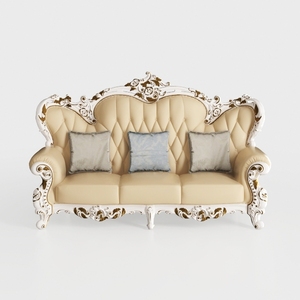
Baroque Luxury Leather Tufted Three Seat Sofa 3D Model


Round Oak Wood 60 in. Column Base Dining Table Sea
Coaster Home Furnishings - Camacho - Upholstered C
Looking to revamp your space? Homestyler is your go-to online design platform! Its user-friendly design tool, stunning 3D renderings, and inspiring DIY video tutorials ensure that anyone can create their dream home effortlessly. Start designing today and unleash your creativity!
Zaprojektuj teraz za darmo
































