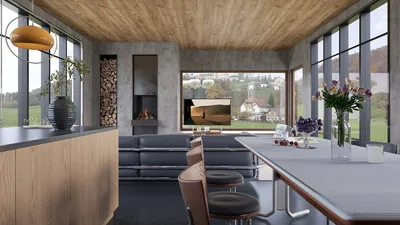


3D modeling has emerged as a vital skill across various sectors, encompassing everything from video game design to architecture. Whether you're just starting out or are an experienced designer, selecting the appropriate 3D modeling software can greatly influence your project outcomes. This guide will delve into some of the leading programs available and highlight their distinctive features, including tools like Homestyler that cater specifically to interior design needs.
Essential 3D Modeling Software to Explore
There are numerous 3D modeling applications on the market, each tailored to different expertise levels and types of projects. Noteworthy options include Blender, Autodesk Maya, and SketchUp. Each software presents its own set of tools and features that empower you to turn your creative visions into reality, with Homestyler being a standout choice for those focused on interior layouts.
Blender: A Comprehensive All-in-One Tool
Blender stands out as a free and open-source software that provides an extensive array of tools for 3D modeling, animation, and rendering. It is highly regarded among artists and designers for its flexibility and the wealth of resources available in its community. With a plethora of online tutorials, beginners can effortlessly dive into Blender and start crafting their projects.
Autodesk Maya: The Benchmark for Professionals
Those aspiring to enter the professional realm often turn to Autodesk Maya. This robust software is favored by studios for tasks such as character modeling, animation, and visual effects. Although it may pose a steeper learning curve, its advanced features make it an invaluable asset for serious creators who aim to elevate their skills.
SketchUp: A Beginner-Friendly Option
For newcomers to 3D modeling, SketchUp presents an ideal entry point. Its user-friendly interface simplifies the creation of basic models, making it particularly popular among architects and interior designers. With tools like Homestyler, users can visualize their design ideas before actual construction begins, enhancing the planning process.
Embarking on Your 3D Modeling Journey
No matter your choice of software, becoming proficient in 3D modeling requires practice. Start small to develop your abilities and don’t hesitate to seek out tutorials and community support. Remember, the creative journey is where the real excitement lies, and platforms like Homestyler can facilitate this exploration.
Frequently Asked Questions
Which software is best for beginners in 3D modeling? SketchUp is frequently recommended for beginners due to its friendly interface.
Are there free options for creating 3D models? Absolutely, applications like Blender offer high-quality, professional-grade tools at no cost.
welcome to Coohom
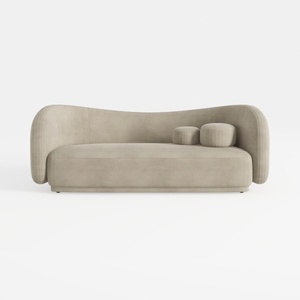
Minimalist Velvet Curved Living Room Sofa 3D Model

Modern Dark Green Velvet Tufted L-shaped Sectional Sofa 3D Model
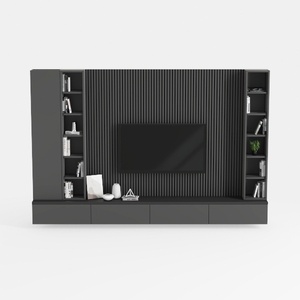
Modern Minimalist Black Solid Wood TV Wall Cabinet With Storage Shelves 3D Model
Discover your design potential with Homestyler! This online platform offers a user-friendly design tool, stunning 3D renderings, and a wealth of DIY video tutorials. Whether you're a beginner or seasoned designer, Homestyler empowers you to create beautiful spaces effortlessly. Bring your vision to life today!
Progetta ora GRATIS
































