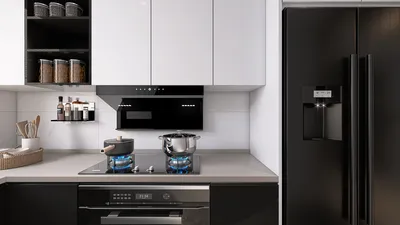


Bringing unique 3D designs to your Minecraft Bedrock experience on Windows 10 can significantly enhance your game world. Although the Bedrock Edition does not allow direct imports of traditional 3D file types such as .obj or .fbx, players have found creative solutions through the use of third-party software to transform and integrate custom models. Here’s an easy-to-follow guide for the process:
As a designer, I highly recommend envisioning your concepts before moving them into the Minecraft realm. Utilizing a 3D Floor Planner can give you the flexibility to fine-tune your designs in a virtual space, ensuring a smooth transition into Minecraft’s distinctive block-based environment. This method promotes accuracy and can save you significant time when you begin constructing in-game.
Tips 1:
It's essential to maintain a low polygon count in your models and keep textures optimized to fit within the performance limits of Bedrock Edition. Minecraft has certain constraints, and excessively detailed models could lead to lag or prevent proper rendering.
FAQ
Q: Is it possible to import .obj files directly into Minecraft Bedrock?
A: No, Minecraft Bedrock does not directly accept .obj files. You will need to convert them using tools like Blockbench to change them into the required Minecraft .json model format.
Q: What software is recommended for converting models for Minecraft?
A: For creating, editing, and exporting models that are compatible with Minecraft Bedrock, Blockbench is highly suggested.
Q: Where should I store my custom models or resource packs on Windows 10?
A: You should place them in the “resource_packs” folder found within the com.mojang directory located in your user Documents or AppData folder.
Q: Will I need to alter any files besides the model itself?
A: Yes, you typically have to make modifications to .json files to establish textures and model relationships within the resource pack.
Q: Are custom 3D models usable in Minecraft Bedrock multiplayer?
A: Resource packs can function in multiplayer, provided that all players have enabled the same pack. However, keep in mind that the resource pack does not alter the core mechanics of the game on its own.


Looking to design your dream home? Homestyler offers an intuitive online design tool that allows you to create stunning spaces with ease. Enjoy impressive 3D renderings, a variety of design projects, and engaging DIY video tutorials to inspire your creativity. Transform your ideas into reality today!
Concevez maintenant gratuitement
































