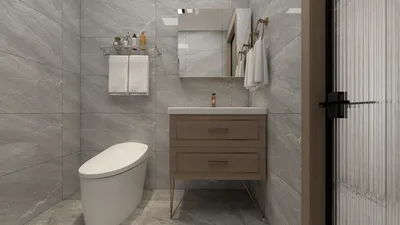


Incorporating a 3D model into your images dramatically enhances visual storytelling, transforming your designs into captivating and immersive experiences. This extensive guide will explore effective methods to elevate your visuals with 3D models, ensuring they blend seamlessly with your overall design narrative, particularly through the use of Homestyler.
Choosing the Right Software
The first step towards a successful project is selecting the appropriate software. Popular programs like Blender, Adobe Dimension, and Homestyler stand out for their capability to integrate 3D models into your images effortlessly. Each software offers unique advantages; Blender is praised for its intricate rendering and extensive customization options, while Adobe Dimension provides a user-friendly interface for streamlined design. Homestyler, on the other hand, is specifically designed for efficient and easy home design tasks. Therefore, evaluate your needs—whether you prioritize complexity, design objectives, or user experience—before making your decision.
Importing Your 3D Model
Once you've chosen your software, the next step is to import your preferred 3D model. This typically involves downloading models from reputable online sources or creating your own if you have the relevant skills. It’s important to ensure that the models you choose are in compatible formats, such as .OBJ or .FBX, to prevent any technical issues during the import process.
Placing the 3D Model
With your 3D model successfully imported, it's crucial to place it strategically within your image. Pay close attention to the scale and perspective to ensure it aligns harmoniously with the background image, enhancing the overall visual appeal. Adjusting lighting and shadows to match the scene will also elevate the realism of the composition, creating a captivating experience for viewers.
Rendering and Saving Your Image
Once you’re satisfied with the arrangement, it’s time to render the image and produce your final masterpiece. Be careful to save your work in a high-resolution format suitable for its intended use, whether it’s for websites or printed materials. This ensures that the final product showcases your hard work without compromising quality.
FAQ
Q: Which software is best for adding a 3D model to an image? A: Blender, Adobe Dimension, and Homestyler are among the best options, each designed to meet varying levels of complexity and user preferences.
Q: Is it possible to create my own 3D models? A: Definitely! Many software solutions offer the necessary tools for crafting your own models, though they may come with a learning curve.
Q: How can I ensure my 3D model fits well with my image? A: It’s crucial to match the model's scale and perspective with that of the background. Additionally, adjusting the lighting will help achieve a cohesive and realistic integration.

Minimalist Concrete Planter Pot with Indoor Greenery 3D Model
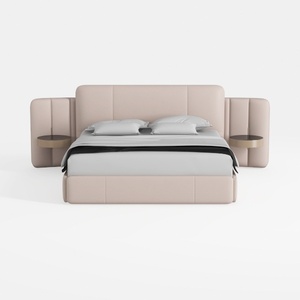
Minimalist Blush Fabric Upholstered King Bed with Attached Side Tables 3D Model

Homestyler is your go-to online home design platform, perfect for bringing your creativity to life. With its user-friendly design tool, stunning 3D renderings, and a wealth of DIY video tutorials, you'll effortlessly transform your space into a personalized masterpiece. Explore endless design possibilities today!
立即免费设计
































