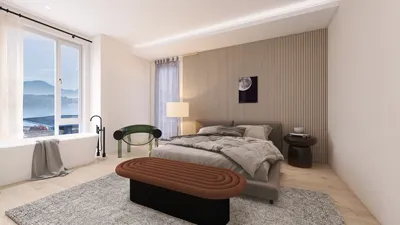


Incorporating 3D models into 360 videos adds a dynamic element that captivates your audience. This article will guide you through a few straightforward steps to achieve this!
Understanding the Basics of 360 Videos and 3D Modeling
Before we delve into the methods, it's crucial to grasp what 360 video is and how it differs from traditional video formats. A 360 video allows viewers to navigate freely within a three-dimensional space, creating a more immersive viewing experience. Adding 3D models to this format can elevate the engagement level, enabling viewers to interact seamlessly within a virtual environment, especially with tools like Homestyler.
Next, familiarize yourself with 3D modeling software such as Blender or Maya to create or import your models. Ensure your models are optimized, as high-polygon models can hinder playback performance.
Steps to Add 3D Models
1. **Create or Import Your 3D Model**: Use your modeling software to create a model or import an existing one, saving it in a compatible format like .fbx or .obj.
2. **Set Up Your 360 Video Editing Software**: Utilize programs capable of handling 360 videos, such as Adobe Premiere Pro or Final Cut Pro, and import your video footage onto the timeline.
3. **Position Your 3D Model in the Scene**: Import the 3D model files into the video editing software. Position and scale the models appropriately based on the perspectives of the 360 environment to ensure they look good from all angles.
Rendering and Exporting Your Video
After positioning your 3D models, configure the rendering options specific to 360 video and export your project. It's imperative to review the final product to check for any distortion or visual inconsistencies that may arise from the placement of the models.
Tips for Successful Integration
Keep the scale of the models consistent, ensure the lighting matches between the 3D models and video, and enhance the interaction performance to enrich the viewer's experience rather than distract from it.
Frequently Asked Questions
Q: What software do I need to add 3D models to a 360 video? A: You will require 3D modeling software, such as Blender or Maya, and 360 video editing software like Adobe Premiere Pro or Final Cut Pro.
Q: Can I use any 3D model? A: You can utilize any model, but it should be performance-optimized and compatible with your editing software.
Q: How can I ensure my models look good in a 360 environment? A: Make sure to check the lighting, scale, and placement from various angles to achieve a seamless integration.

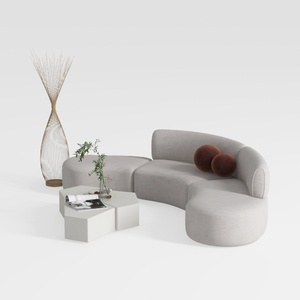
Minimalist Fabric Curved Sectional Sofa 3D Model
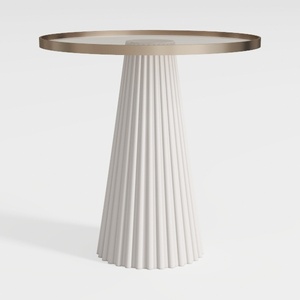
Modern Minimalist Fluted Base Glass Top Side Table 3D Model
Homestyler is your go-to online home design platform, perfect for anyone looking to bring their ideas to life. With an intuitive design tool, stunning 3D renderings, comprehensive design projects, and helpful DIY video tutorials, creating your dream space has never been easier!
Дизайн сейчас бесплатно
































