


Integrating 3D models into your website can significantly enhance user engagement and experience. By utilizing 3D modeling, visitors can interactively visualize products and spaces in a remarkably realistic way. Are you interested in learning how to effortlessly add these captivating elements to your site? Below is a comprehensive, step-by-step guide to help you effectively embark on this exciting journey.
Understanding the Advantages of 3D Models:
Before incorporating 3D models, it is essential to understand what they are and the benefits they offer. In essence, 3D models are digital representations of physical objects created with specialized modeling software. They deliver an interactive experience that immerses users in a vivid and engaging environment. Imagine presenting your interior design projects where prospective clients can explore the intricate nuances of a space from various angles! Such an innovative portrayal can greatly increase interest in your services.
Additionally, businesses that embrace 3D models on their websites often see improved conversion rates. The interactive features of these models captivate more visitors and enrich the narrative aspects of your brand, leading customers on a memorable journey.
Selecting the Right 3D Software:
Choosing the right software is essential for launching your 3D modeling adventure. Designers frequently opt for tools such as SketchUp, Blender, and Homestyler, each providing distinct capabilities suited for various design needs. Are you familiar with these programs? Most of them allow exporting models in web-ready formats, making the integration process smoother.
Embedding 3D Models into Your Website:
Once you have created your 3D models, the next step is to embed them on your website. You can leverage various web technologies such as WebGL, Three.js, or utilize embed codes from services that host 3D models. While this process may require some knowledge of HTML and JavaScript, a multitude of online resources can guide you through successfully embedding your models.
Testing and Optimization:
After embedding, thorough testing of your 3D models across different devices and browsers is crucial. Ensure that they load quickly and provide a seamless user experience. Furthermore, consider optimizing the models for better performance, which may involve reducing file sizes or tweaking details without sacrificing quality.
Engaging Users with Interactive Features:
To maintain user interest, consider incorporating interactive elements like clickable hotspots that reveal additional information or animations demonstrating product functionalities. How do you think your audience would respond to a more immersive experience on your website? Such enhancements could distinctly differentiate your brand in a competitive marketplace.
Frequently Asked Questions (FAQ)
Q: What are the best formats for 3D models online? A: The most widely used formats include OBJ, FBX, and GLTF. GLTF is particularly beneficial for web applications because it balances quality retention with reduced file size.
Q: Can 3D models be utilized for e-commerce? A: Absolutely! 3D models can significantly enhance product displays, allowing customers to enjoy a 360-degree view of items, thus increasing their confidence in making purchase decisions.
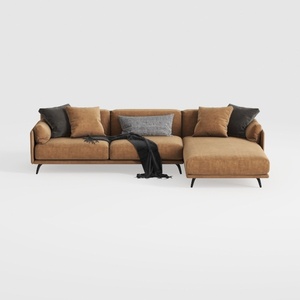

Coaster Home Furnishings - Camacho - Upholstered C

Bohemian Rattan Round Coffee Table 3D Model
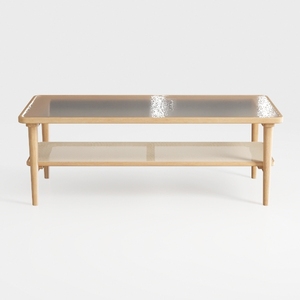
VECELO Coffee Table with 2-Tier Storage Shelf X-Fr
Looking to transform your home with ease? Homestyler offers an intuitive online design tool paired with stunning 3D renderings and a wealth of design projects. Plus, dive into DIY with comprehensive video tutorials. It's perfect for bringing your creative vision to life—no design experience needed!
Concevez maintenant gratuitement
































