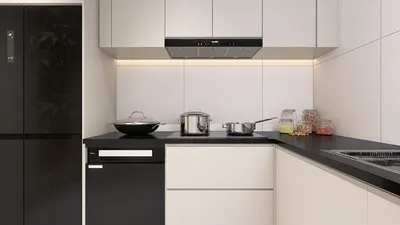


Utilizing 3D-rendered electrical designs with Homestyler can greatly elevate your project presentations and enhance your communication with clients. Thanks to its intuitive interface and powerful features, Homestyler enables designers to create realistic visualizations of electrical layouts, ensuring every element integrates flawlessly into the overall design framework.
Exploring the 3D Features of Homestyler
Homestyler is designed for flexibility, offering tools that simplify the design workflow. Whether your project is residential, commercial, or industrial, the software’s 3D rendering capabilities facilitate the creation of precise models that accurately depict real-world installations. This aspect is especially valuable for electrical designs, where the arrangement of space plays a crucial role.
A Comprehensive Guide to 3D Electrical Rendering with Homestyler
To embark on 3D rendering in Homestyler, simply follow these steps:
Essential Practices for Electrical Rendering
To enhance your electrical designs in Homestyler, consider implementing the following essential practices:
Frequently Asked Questions
Q: Which software can be integrated with Homestyler for electrical rendering? A: Homestyler is compatible with a range of CAD software, ensuring smooth integration and efficient workflow management.
Q: Is it possible to render in both 2D and 3D at the same time? A: Absolutely, Homestyler enables users to switch between 2D and 3D views effortlessly, allowing for a thorough examination of designs from various angles.
Welcome to the Leading Home Design Software
Design Now for FREE
































