

Incorporating images into your 3D models can significantly enhance your designs and infuse them with a creative touch. Whether you are working on a product prototype or crafting a virtual art piece, the skill of applying pictures to 3D models is invaluable. This guide will provide you with all the necessary steps to do this efficiently, especially if you are using Homestyler for your design projects.
Exploring Texturing in 3D Modeling
Texturing involves applying surface textures or images to your 3D models. Utilizing a picture as a texture breathes life into your designs, and mastering this art requires a solid understanding of how textures interact with the surfaces of 3D objects.
Before you start, make sure you have access to a 3D modeling platform, like Blender, Maya, or Homestyler, which supports image texturing. The right software can transform the appearance of your designs without necessitating changes to the 3D geometry itself.
Step-by-Step Guide to Applying an Image
Here’s a detailed step-by-step guide for applying an image onto your 3D model:
Begin by choosing a 3D modeling software. Different platforms have distinct features tailored for texture mapping.
Make sure your image is saved in a suitable format (such as JPEG or PNG) and prepare it for mapping. Consider editing the image to align perfectly with your model's surface.
If you haven’t designed your model yet, now is the ideal moment. While creating, consider the best placement for your image.
UV mapping is essential. This process involves flattening your 3D model into a 2D representation, allowing you to identify how your image will project onto the model’s surface. Ensure your UV layout closely matches the areas where you want the image applied.
Import the prepared image into Homestyler or your chosen software and apply it as a texture. Make necessary adjustments to scaling and positioning for optimal fit on your model.
After applying the texture, you may need to tweak settings such as opacity and blending options based on the software you're using. These adjustments can significantly enhance your model's realism.
When you are satisfied with the appearance, proceed to render your model. This step allows you to preview the final result before concluding your project.
Common Challenges and How to Overcome Them
Applying images onto 3D models can present several challenges, like issues with scaling or aligning the image. If you find a mismatch,
FAQ
Q: Is it possible to apply multiple images to a single model? A: Absolutely! You can layer multiple textures by utilizing different image layers and UV maps to achieve this.
Q: Which types of images are best suited for texturing? A: Images that are high in resolution and clarity work best. Steer clear of overly intricate images that may overwhelm the design.
Q: Can I animate the image on my model? A: Yes, many software applications, including Homestyler, allow for animated textures, which can add dynamic elements to your design.


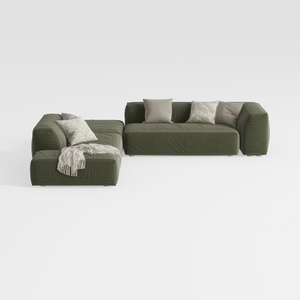
Minimalist Modern Fabric L Shaped Sectional Sofa with Throw Pillows 3D Model

Minimalist Boucle Curved Sofa 3D Model
Homestyler is an exceptional online home design platform that empowers you to create stunning spaces effortlessly. With its user-friendly design tool, vibrant 3D renderings, and a wealth of DIY video tutorials, you can transform your vision into reality and elevate your home decor game like never before!
Progetta ora GRATIS
































