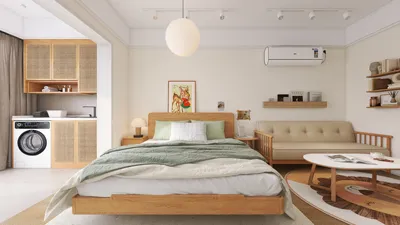


Enhancing the visual attractiveness of your digital projects like animations, games, or interior design visualizations can be achieved by adding 2D faces to 3D models. This innovative technique involves applying flat, illustrated facial textures to three-dimensional shapes, enabling the models to embody the charm of hand-drawn artwork while still capturing the depth and realism offered by 3D dimensions. Effective methods generally include UV unwrapping, acquiring or creating 2D face textures, and skillfully applying these textures to your models using materials or shaders within programs such as Homestyler.
Begin by preparing your 3D model, ensuring that the facial area is smooth and cleanly designed. Utilize UV mapping tools to flatten the face, providing a surface for your 2D face texture. You can either illustrate your facial features or select stylized images, and then apply these onto your UV map with a graphic editing tool like Photoshop. Once the texture is ready, import it into your 3D software, be it Blender, Maya, or 3ds Max, and assign it to the face using a material node or shader. Be sure to adjust the texture placement so that facial features align perfectly with your 3D geometry.
For interior design visualizations, incorporating this technique into your Homestyler workflow can preserve a unique and stylized aesthetic, without compromising the spatial depth and lighting accuracy that 3D models inherently provide. From the designer's viewpoint, merging 2D faces with 3D forms presents versatile storytelling opportunities. This approach is ideal for whimsical children's rooms, engaging wall art, or bespoke furniture pieces, catering to clients who desire both character and spatial authenticity. Additionally, this hybrid method expedites the design process, as facial expressions can be altered quickly at the texture level, eliminating the need for reshaping 3D forms.
Tip 1:
When creating designs for interiors, play with scale and positioning—large 2D faces on furniture or decorative items can become striking focal points, while smaller, subtle faces can provide charm and interest in otherwise simple settings. Always test the lighting in your 3D scene to ensure the 2D face texture remains vivid and doesn't lose definition in shadows or highlights.
FAQ
Q: Which software can I utilize to apply 2D faces onto 3D models?
A: Popular 3D applications such as Blender, Maya, 3ds Max, or Cinema 4D support texture mapping. For creating the 2D facial images, you’ll also require a graphic editing tool like Photoshop or GIMP.
Q: Is it possible to animate 2D faces on 3D models?
A: Absolutely! By using animated image sequences or adjusting texture coordinates, you can change or morph 2D faces to create dynamic animations on your 3D models.
Q: Is the 2D face mapping technique exclusively for characters?
A: Not at all—2D face mapping can also enhance interior decor or art objects within 3D room designs, infusing personality or thematic elements into your visual representation.
Q: How can I prevent stretching of textures on a 3D face?
A: Effective UV unwrapping is critical. Ensure that the UVs of your face model are distributed evenly and avoid any overlapping to maintain clarity and proper alignment of textures.
Q: What are the advantages of using 2D faces instead of fully 3D modeled faces?
A: 2D faces deliver a unique visual aesthetic, simplify the rigging and expression process, and can greatly accelerate production timelines for stylized or illustrative projects.
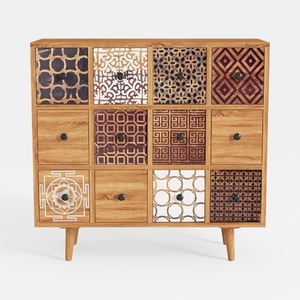
Bohemian Solid Wood Multidrawer Accent Cabinet With Patterned Fronts 3D Model

Fluted Storage Cabinet, 31.5“ Wooden Sideboards
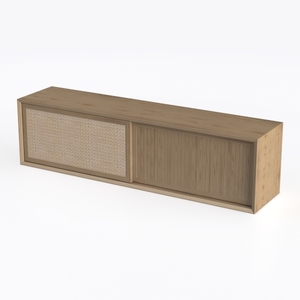
Minimalist Oak Rattan TV Cabinet 3D Model
Discover the ease of home design with Homestyler! This outstanding online platform offers a user-friendly design tool, stunning 3D renderings, a variety of design projects, and helpful DIY video tutorials. Transform your home effortlessly, regardless of your experience level!
立即免费设计
































