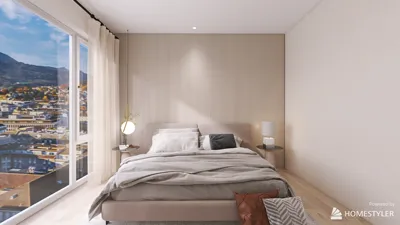


Incorporating 3D models from the CSP store into your design projects is a revolutionary method to boost both aesthetic appeal and a sense of realism. Whether your goal is to design a breathtaking interior space or create a remarkable architectural feature, utilizing top-quality 3D models is vital for actualizing your visions.
Step 1: Accessing the CSP Store
To begin the process of integrating 3D models, launch the CSP store through your design application. Make sure your account is correctly set up for hassle-free entry. Not logged in yet? Just input your login details to start your journey through the store.
Step 2: Browsing for Models
After logging in, delve into the vast library of 3D models present in the CSP store. You can refine your search by categories such as furniture, lighting, or decor. Is there a particular design element you're focused on, or are you simply seeking general ideas? Take your time to sift through the impressive selections to find what fits your project’s vision.
Step 3: Downloading Models
Once you've pinpointed the perfect model, click the download button to save it locally. Check the model's specifications to ensure it is compatible with your software. Did you know there are various formats available for many models? Choose the one that best suits your project's requirements!
Step 4: Importing into Your Project
After downloading your models, navigate back to your design software to find the import feature. Go to the folder where you saved the downloaded file and select it to incorporate it into your design space. Did everything work out smoothly?
Tips for Using 3D Models
1. Choose your elements thoughtfully: To avoid cluttering your design, pick a few standout pieces that will act as focal points.
2. Confirm compatibility: Ensuring that the model’s format is suitable for your specific design software is essential to prevent any issues down the line.
FAQ
Q: Can I alter the 3D models once they've been imported into my software? A: Yes, most design platforms—including those that integrate with Homestyler—allow for extensive customization and modification of 3D models after import.
Q: Are there any free models available within the CSP store? A: Certainly! The CSP store offers a variety of free models, so be sure to check them out!

Homestyler is an outstanding online home design platform that empowers you to create stunning spaces effortlessly. With a user-friendly design tool, impressive 3D renderings, a variety of design projects, and informative video tutorials, you can transform your ideas into reality—perfect for both beginners and experienced designers!
立即免费设计
































