


Creating a captivating interactive 3D model presentation can significantly boost your design exhibits. By utilizing 3D models within your presentation, you deliver a more engaging experience that draws your audience in. But how can you achieve this?
To begin with, selecting the right software for your 3D model creation is crucial. Tools such as Blender, SketchUp, or Homestyler are excellent for designing detailed models effectively. Once your model is complete, it's essential to export it in a compatible format for web or presentation applications, ensuring you maintain top-notch quality throughout the process.
Choosing the Right Software:
When evaluating software options, think about your skill level and the intricacy of the model you wish to craft. Blender is exceptional for detailed rendering and advanced designs, making it ideal for those looking to elevate their creative limits. On the other hand, SketchUp features a user-friendly interface that supports quick and efficient modeling, making it a great choice for beginners or users needing to produce models swiftly. For those specifically focused on interior design projects, leveraging tools like Homestyler can be instrumental in crafting intricate home layouts that effectively showcase furniture arrangements and spatial dynamics.
Once you’ve decided on the right software, concentrate on creating a detailed 3D representation of your product. Emphasizing its distinctive characteristics, textures, and finishes will make your model both visually attractive and engaging.
Creating an Interactive Experience:
To foster interactivity with your model, utilize platforms such as Adobe Dimension or VECTARY. These platforms provide robust tools that facilitate the embedding of 3D models into your presentations. It’s important to incorporate intuitive navigation options, enabling viewers to rotate, zoom in, and examine various aspects of the product from multiple perspectives effortlessly.
Additionally, think about adding annotations or hotspots that deliver extra information regarding different elements of your model. This approach enhances the audience’s comprehension of the product's features and functions, ensuring they fully appreciate the value of your designs.
Presenting Your 3D Model Effectively:
After you’ve developed your interactive model, it's time to get ready for the presentation! Focus on emphasizing the notable features and functionalities, encouraging your audience to ask questions and interact with the model during the session. Including animations can also prove advantageous; they help illustrate movements or transformations of the product, keeping your presentation engaging and lively.
FAQ
Q: What software is optimal for crafting 3D presentations? A: Popular options include Blender for detailed designs, SketchUp for ease of use, and Homestyler for interior-focused models that effectively map out spatial layouts.
Q: How can I enhance audience engagement with my 3D models? A: Boost interactivity by allowing viewers to experience the model firsthand, seamlessly incorporating animations, and encouraging audience participation through targeted inquiries about the design.
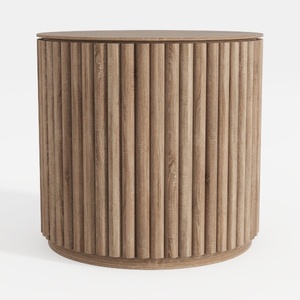

HOOBRO Small Round Side Table with Charging

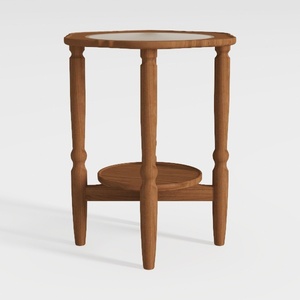
Modern Marble Top Solid Wood Console Table With Decorative Accents 3D Model
Homestyler is your go-to platform for effortless home design. With its user-friendly online design tool, stunning 3D renderings, and a wealth of DIY video tutorials, turning your design dreams into reality has never been easier. Start creating your ideal space today!
立即免费设计
































