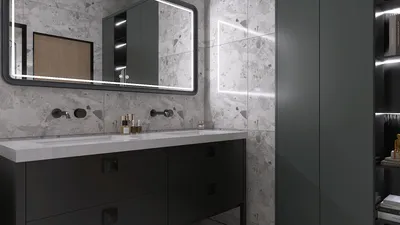


Incorporating a panel into a 3D design can greatly improve its aesthetic and functional appeal. Whether you are designing furniture, architectural features, or decorative items, panels add a layer of depth and intrigue. This guide will help you learn how to add panels to your 3D models for impressive outcomes, and we'll also highlight the capabilities of Homestyler in this process.
Familiarizing Yourself with 3D Modeling Software:
Before you begin the process of adding panels, it's important to have a good understanding of the 3D modeling software you're using. Applications such as Blender, SketchUp, and AutoCAD provide a variety of tools for creating panels, but you might also want to explore Homestyler for its intuitive design features. Knowing how to leverage the software effectively is crucial for achieving the best results.
Start by launching your project in your preferred software. Take some time to understand the layout and the tools you have at your disposal for panel creation. Familiarizing yourself with the extrusion and surface options will enhance your efficiency as you work.
How to Add a Panel:
1. **Choose the Surface**: Identify the specific area of your model where the panel will be added. Ensuring accurate selection of the surface is essential to prevent misalignment and maintain coherence in design.
2. **Draw a New Shape**: Utilize the shape tool to create a panel that meets your required specifications. Generally, starting with a rectangle or square is best based on your project.
3. **Extrude the Shape**: After your shape is drawn, use the extrusion tool to pull it into three-dimensional form. This step will give your panel the necessary depth, making it distinct from the surrounding elements.
4. **Choose Materials and Textures**: To amplify visual appeal, remember to apply suitable materials and textures. What finish do you envision for your panel—perhaps a wooden effect or a sleek metallic surface? This is where Homestyler can also help you visualize different finishes effectively.
Strategies for Successful Paneling:
Pay attention to the scale and proportions within your model to ensure that the panel integrates seamlessly with the overall design. In many cases, a minimalist approach works best, especially in compact spaces where excessive detail might overwhelm the aesthetic.
Try experimenting with different shapes and patterns for your panels. Blending various materials can produce striking visual effects. Have you considered adding contrasting textures for extra interest?
Frequently Asked Questions
Q: Which software is optimal for adding panels to 3D models? A: Common choices include Blender, SketchUp, and AutoCAD, but don't overlook Homestyler, which provides excellent tools tailored for this purpose.
Q: Is it possible to alter existing panels in my project? A: Absolutely! Most modeling software, including Homestyler, allows you to select and modify existing shapes, making it easy to adjust dimensions and materials as needed.




Transform your home with Homestyler! This user-friendly online design tool offers stunning 3D renderings and a wealth of design projects. Plus, you can enhance your skills through engaging DIY video tutorials. Bring your vision to life effortlessly and start your home design journey today!
تصميم الآن مجانا
































