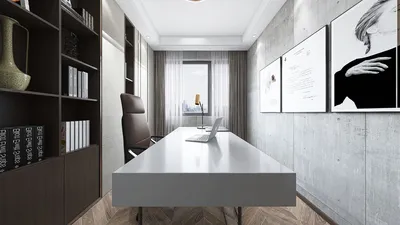


Incorporating a 3D model into your PowerPoint presentation can greatly elevate engagement levels and visual attractiveness. This guide provides an effective approach to integrating and manipulating a 3D model, ensuring your presentation captures attention.
1. Choosing the Perfect 3D Model:
Start by selecting a 3D model that aligns well with the subject of your presentation. There are numerous online resources where you can find both free and paid options, or you can craft your unique design using tools like Blender or Tinkercad. Make sure the model is saved in a format compatible with PowerPoint, such as .fbx, .obj, or .3mf, to ensure a smooth integration experience.
2. Adding Your 3D Model:
Launch your PowerPoint presentation and navigate to the specific slide where you intend to place your 3D model. Click on the Insert tab within the toolbar, then select 3D Models. From the dropdown menu, choose the This Device option to find and upload the model file saved on your computer.
3. Adjusting the 3D Model:
After inserting your model, reposition it on the slide by clicking and dragging as needed. Use the rotation handles to adjust the model’s angle for the best viewing experience. Resizing can be done easily by dragging the corner handles. To enhance visual impact, consider placing your 3D model against a contrasting background, making it stand out more effectively!
Frequently Asked Questions
Q: What file types can I use for 3D models in PowerPoint? A: PowerPoint is compatible with .fbx, .obj, and .3mf formats for 3D models, offering flexibility in your selections.
Q: Can I add animations to my 3D model? A: Yes! To animate your 3D model, select it and head to the Animations tab to discover a variety of animation options that can infuse dynamic interest into your presentation.

ZeHuoGe Chenille Two-Seater Sofa with 1 Footrest
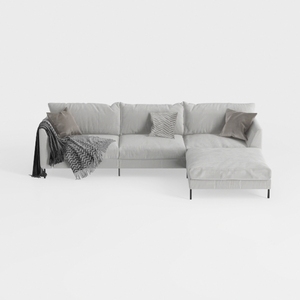
Minimalist Light Gray Fabric L Shape Sectional Sofa 3D Model
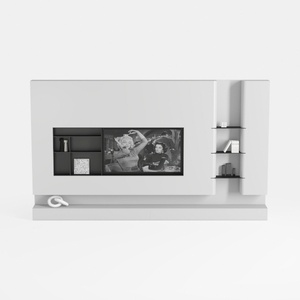
Black/White Wall Cabinet Suitable for Kitchens and
Homestyler is an amazing online home design platform that makes creating your dream space effortless. With its user-friendly design tool, stunning 3D renderings, and a wealth of DIY video tutorials, you can bring your design visions to life—even as a beginner!
Concevez maintenant gratuitement
































