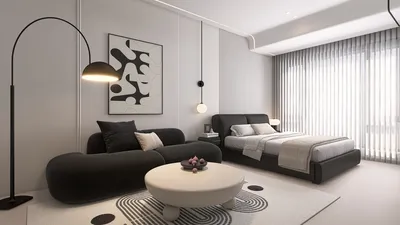


Are you interested in uploading a 2D floor plan for effortless editing? Whether you're a homeowner planning renovations or a designer working on a project, knowing how to upload your floor plan can significantly enhance your workflow. This guide will take you through the necessary steps, ensuring that you can bring your ideas to life with just a few clicks using Homestyler.
Step-by-Step Process to Upload Your Floor Plan
First, navigate to the Homestyler Floor Planner. Click on the upload button and choose the desired file from your device. The supported formats usually include JPG, PNG, or PDF. Once your file is uploaded, your floor plan will be displayed on the screen, ready for editing.
Editing Your 2D Floor Plan
After uploading, you can commence editing by utilizing the various tools at your disposal. Modify dimensions, incorporate furniture, and play around with colors and materials. A thoughtfully designed floor plan allows you to visualize the final appearance of your space. Keep in mind that every detail matters when crafting a cohesive design.
Frequently Asked Questions
Can I edit my floor plan after uploading? Absolutely! Once your floor plan is uploaded, you have the freedom to make edits as many times as you need until you're fully satisfied with your design.
What if I don’t have a digital floor plan? No worries! You can easily scan a hand-drawn floor plan and upload it to Homestyler. Just make sure the image is clear to achieve the best results.
What’s your biggest challenge in uploading and editing a floor plan? Feel free to share your experiences below!
Welcome to the top 2D Floor Planner!
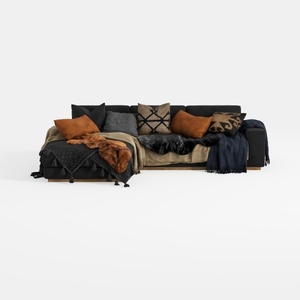
Modern Black Fabric Sectional Sofa with Decorative Throw Pillows and Blankets 3D Model
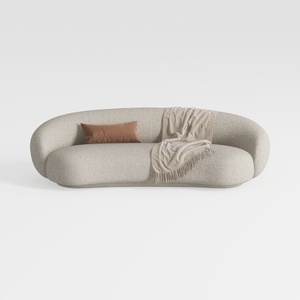

Minimalist Boucle Fabric Curved Sofa With Throw Pillow And Blanket 3D Model
Homestyler is your go-to online platform for home design! With an easy-to-use design tool, stunning 3D renderings, and a wealth of DIY video tutorials, you can effortlessly bring your decorating dreams to reality. Start creating your perfect space today!
立即免费设计
































