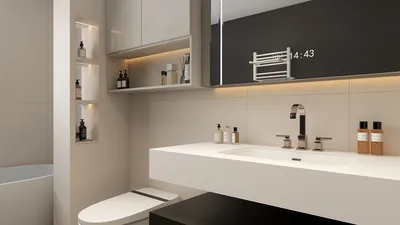


Quick Overview
- 2D applications streamline floor design utilizing intuitive, often cloud-based tools that facilitate collaboration across various devices.
- The Homestyler Floor Planner is distinguished by its user-friendly interface and comprehensive features, including 3D visualization capabilities.
- Selecting the ideal 2D application can significantly enhance the design workflow, making it both efficient and enjoyable.
Designing 2D floor plans has become increasingly straightforward thanks to the diverse range of applications available today. Whether you are an interior designer, architect, or a DIY enthusiast, finding the right tool is crucial for enriching your design endeavors. In this article, we delve into some of the leading 2D apps for crafting floor plans, spotlighting user-friendly choices that can compete with established options like AutoCAD.
Why Opt for 2D Applications for Floor Planning?
2D floor planning applications simplify the design journey by offering intuitive interfaces alongside robust tools. In contrast to traditional software such as AutoCAD, these apps are typically cloud-based and accessible from multiple devices, thereby enhancing collaborative efforts. They enable users to visualize spaces rapidly and effectively, which is vital for both professionals and beginners.
Top 2D Applications for Floor Plans
1. Homestyler Floor Planner: This application features a user-friendly interface with drag-and-drop capabilities, making it ideal for those who are new to the world of floor planning. You can easily generate detailed floor plans and visualize them in 3D as well.
2. RoomSketcher: Much like Homestyler, RoomSketcher offers a comprehensive suite of tools to create precise floor plans. It also includes 3D visualization features, which add an additional layer to your planning experience.
3. SketchUp: Known primarily for its 3D modeling abilities, SketchUp also provides useful tools for 2D floor planning, making it adaptable for various design requirements.
How to Select the Right Floor Planning Application?
When choosing a 2D application for your floor plan, consider the following aspects: ease of use, available features, collaborative capabilities, and pricing. Each tool has unique advantages, so trying a few different applications is advisable to determine the best fit for your specific needs.
Strategies for Effective Floor Planning
1. Start with a loose sketch: Sketch out your ideas on paper prior to using the app to better organize your thoughts.
2. Leverage templates: Numerous 2D applications provide pre-designed templates, which can assist you, saving time and simplifying the process.
3. Play with layouts: Feel free to experiment with various arrangements until you find the one that resonates with your vision.
Final Thoughts
Selecting the appropriate 2D application for your floor planning can revolutionize your design experience, making it more efficient and pleasurable. With tools such as Homestyler and RoomSketcher, you can create impressive floor plans tailored to your preferences and requirements.
Frequently Asked Questions
What is the top app for designing floor plans? While numerous options exist, the Homestyler Floor Planner stands out due to its user-friendly interface and extensive features.
Can I access these applications on my mobile device? Yes, many 2D floor planning applications are available for mobile platforms, allowing you to design on the move.
Welcome to the Premier 2D Floor Planner


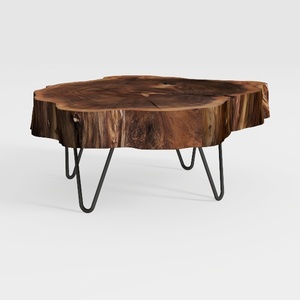
Natural Wood Coffee Table, Natural Wood Edge Conte
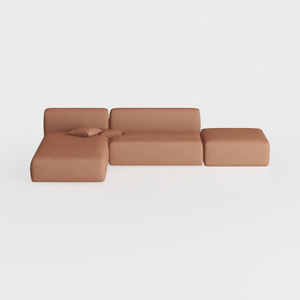
Minimalist Brown Fabric Modular Sectional Sofa 3D Model
Homestyler is an exceptional online home design platform ideal for anyone looking to transform their space. With its user-friendly design tool, stunning 3D renderings, a plethora of innovative design projects, and informative DIY video tutorials, you can effortlessly create your dream home.
Progetta ora GRATIS
































