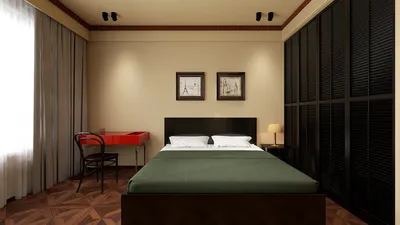


A past client of mine felt that their home office required dynamic disco-style lighting to enhance their creativity, especially during those sluggish afternoon hours. Ultimately, I convinced them to adopt a more structured lighting approach that still allowed for playful color changes after hours, greatly improving the space for focused work. When designing layouts, I often begin with a compact office layout case to visualize light zones and how glare may affect screen visibility.
Compact spaces can ignite significant ideas, and lighting serves as the nexus between functionality and ambiance. In this article, I'll present five effective lighting strategies for office environments that I've successfully utilized in various projects, complete with practical advice, real professional insight, and minor challenges to consider.
1. Multi-layered lighting: ambient + task + accent
In my designs, I incorporate three distinct layers of lighting: a gentle ambient ceiling fixture, bright task lighting for workstations, and subtle accent lights to enhance the atmosphere. This setup allows for versatility; you can dim the environment for calls while ensuring that your workspace remains adequately lit.
However, a small consideration involves planning the wiring and switch placements; it's essential to think ahead regarding circuits and dimming options. If budget constraints exist, prioritize a high-quality task lamp alongside a dimmable central light fixture.
2. Harness natural light and frame your views
Whenever feasible, I treat windows as primary features within the room. Arranging desks perpendicular to windows minimizes glare and allows for the use of sheer shades to soften the intense afternoon light. Utilizing daylight conserves energy and improves mood, but it is crucial to incorporate glare-reducing and privacy solutions as well.
For intricate layouts, I use rendering techniques to analyze how natural light interacts throughout the day — a straightforward 3D workspace render frequently unveils unexpected light hotspots that typical plan views might overlook.
save pin
3. Flexible task lighting for focused activities
A well-designed adjustable desk lamp is far more effective for concentrated tasks than decorative ceiling fixtures. I prefer lamps with adjustable color temperatures and dimmable features, allowing the same light source to be effective whether you're working on spreadsheets or engaging in creative tasks. Keep in mind that desk space is valuable — clamp-on or integrated-rail solutions can help manage this without needing permanent fixtures.
Tip: ensure uniformity in color temperatures across your task lighting to maintain visual comfort while transitioning between different work zones.
save pin
4. Utilize accent and indirect lighting to delineate spaces
Employing LED strips under shelves, using wall-washing lights, or backlighting monitors can effectively create distinct areas in an open layout or compact office. These accents not only add depth but also visually segregate work, storage, and relaxation zones without the need for physical barriers.
They are cost-effective to run, yet proper planning for installation is necessary to keep cables out of sight and ensure the lighting strips do not create unwanted visual hot spots for photography purposes.
save pin
5. Smart controls and tunable white lighting for improved wellbeing
Tunable white lighting, which adjusts between cool and warm tones, enhances focus during the day and promotes relaxation at night. Smart control systems allow users to set automated scenes — bright for intensive work sessions, softer for video calls, and warmer tones for late-night sessions.
While these smart systems can represent a higher initial cost and occasionally require firmware updates, they ultimately contribute to comfort and flexibility. If you're interested in AI-driven design or mood simulations, I sometimes test ideas through an AI home design tool like Homestyler to expedite iterations and rapidly visualize concepts.
Are you ready to implement one of these lighting strategies? Start simple — perhaps with a new task lamp or a dimmer switch — and observe how your space reacts before committing to a more extensive renovation.
save pin
Frequently Asked Questions
1. What color temperature is optimal for an office?
For effective daytime productivity, I recommend a color temperature between 4000K to 5000K (neutral to cool). Conversely, warmer lighting (2700K–3000K) is preferable for evening relaxation.
2. What brightness should my desk light provide?
A typical target for task lighting is around 500 lux on the desktop; ensure that your lamp offers adequate glare control and adjustable output.
3. Can I use LED strips as primary lighting in an office?
LED strips are excellent for accent or supplementary lighting; however, they are not the best choice for primary lighting unless they're very carefully selected for uniformity and accurate color rendering.
4. Do smart bulbs influence color rendering?
Yes, it's essential to check the CRI (Color Rendering Index). For tasks requiring color accuracy, opt for LEDs with a CRI of 90+ to prevent color distortion.
5. How can I minimize monitor glare from windows?
Place monitors perpendicular to windows, utilize adjustable shades or blinds, and consider an anti-glare finish for the monitor if necessary.
6. Is the investment in tunable white lighting worthwhile?
For individuals working extensive hours or across various shifts, tunable white lighting promotes circadian rhythm comfort, justifying the expense; however, occasional users might find that a well-chosen single color temperature suffices.
7. What lighting standard should I adhere to in office settings?
The Illuminating Engineering Society (IES) provides recommended illuminance levels for office tasks; please refer to their guidelines at https://www.ies.org for comprehensive lux recommendations and best practices.
8. How do I budget for a lighting upgrade?
Begin by swapping out task lights and integrating dimmers — this often yields significant improvements at a lower cost. For comprehensive rewiring or smart systems, obtain quotes and consider phasing the work to manage costs over time.
Homestyler is your go-to online home design platform, perfect for creating stunning spaces effortlessly. With its user-friendly design tool, impressive 3D renderings, and a wealth of DIY video tutorials, you can unleash your creativity and transform your home like a pro.
تصميم الآن مجانا
































