


Are you searching for effective methods to convert CAD files to PDF for free? Many professionals encounter similar difficulties, but transforming your CAD drawings into PDF documents doesn't need to be a daunting task. In this guide, we will examine several efficient strategies to accomplish this seamlessly, including the use of tools like Homestyler.
Using Free Online Tools to Transform CAD to PDF
One of the most straightforward approaches to converting CAD files into PDFs is through free online conversion services. Websites such as Zamzar or ConvertCADFiles provide user-friendly interfaces. All you need to do is upload your CAD document, select PDF as your desired output format, and initiate the conversion. Within minutes, your PDF will be available for download!
However, be mindful of any file size restrictions. Typically, free tools impose limits on the size of files that can be uploaded. If your CAD file exceeds these limits, consider compressing it or splitting it into smaller sections.
Leveraging Built-In Capabilities of CAD Software
For those who have access to CAD applications, such as AutoCAD, these often include built-in functionalities to export files directly to PDF. Open your CAD design, navigate to the 'File' menu, and choose the 'Export' or 'Print' option. Select PDF as your output format, and you can save your drawings as a PDF effortlessly.
This technique tends to preserve the quality of your design more effectively than many online tools, ensuring that your documents have a professional appearance.
Converting with Print to PDF Functionality
An additional option available on various operating systems is the ‘Print to PDF’ function. Open your CAD file in any compatible viewer, access the print dialog, and choose ‘Print to PDF’ as your printer. This practical feature is integrated into both Windows and macOS, making it a convenient choice for numerous users.
Be sure to adjust your settings, including paper size and orientation, to ensure that your designs are accurately rendered in the PDF format.
FAQ
Q: What are the benefits of converting CAD files to PDF?
A: PDF files are widely accepted and easy to distribute, maintaining the integrity of your designs across various devices without compromising quality.
Q: Is it possible to convert large CAD files to PDF without affecting quality?
A: Absolutely, using specialized CAD software is typically better at preserving quality compared to online converters.
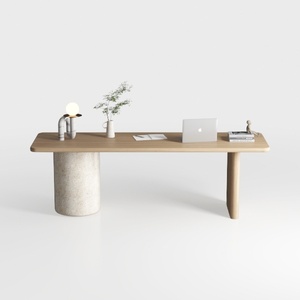
Minimalist Japandi Solid Wood Concrete Office Desk 3D Model
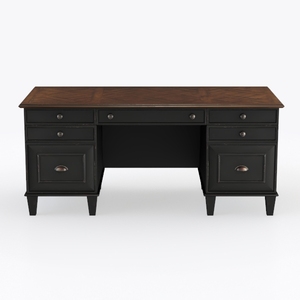
Vintage Two Tone Solid Wood Executive Office Desk 3D Model

PayLessHere Large Computer Desk 59'', Modern Writi
Discover the ease of home design with Homestyler! This online platform offers a user-friendly design tool, stunning 3D renderings, a wealth of design projects, and helpful DIY video tutorials. Perfect for anyone looking to transform their space with creativity and ease. Start your dream project today!
Progetta ora GRATIS
































