


Collaborating with friends or a remote team can be both exciting and chaotic without an established framework. With over a decade of experience in managing multi-designer interiors for both residential and commercial projects, I find that the key to success lies in having a transparent, lightweight process that keeps decisions visible and maintains clean version histories. Utilizing tools like Homestyler can facilitate natural collaboration when roles are clearly defined, a visual naming system is implemented, and workflows are synchronized with project milestones.
It's vital to set expectations using concrete data. Research from Steelcase reveals that teams with well-defined roles and visible task progress experience improvements in perceived productivity and reduced rework by 20-30%. WELL v2’s guidance on lighting underscores that coordinated decisions on illumination—like target brightness and glare control—can greatly affect performance and well-being in shared spaces. Incorporating these principles in your collaborative design sessions is essential; clarify who is responsible for lighting, materials, and layout sequencing, and include checkpoints for user comfort.
Deciding on colors during collaboration should be guided by informed choices rather than mere opinions. An overview by Verywell Mind indicates that blue hues often enhance focus and tranquility, whereas warmer accents can stimulate energy; understanding these effects can be beneficial when team members disagree on color palettes. When discussing layouts, quickly prototype alternatives using a room layout tool, like Homestyler, to facilitate comparisons of circulation, sightlines, and social zones before finalizing plans.
Define Roles Before Starting the First Scene
I begin by designating three straightforward roles: Layout Lead, Material/Finish Lead, and Lighting/Acoustics Lead. This isn’t hierarchical but rather focuses on clear responsibility. The Layout Lead oversees zoning, circulation ratios, and furniture arrangements. The Material Lead manages mood boards, finish schedules, and sustainability standards. The Lighting/Acoustics Lead focuses on ambient and task lighting, color temperature strategies, and noise control. Research from Steelcase shows that clear ownership significantly reduces duplicated efforts, making feedback more impactful in practice.
Name Everything as If You’ll Share It
Without a clear naming protocol, shared libraries can become overwhelming. I implement a prefix system: “ZON_” for zones (e.g., ZON_Living), “LAY_” for layout versions (LAY_v03_evening-flow), and “MAT_” for material sets (MAT_warm-neutral_A). Connect names to decision-making logic so that all collaborators can easily grasp their intent. This simple adjustment helps prevent confusion and supports smoother approval processes.
Start with a Quick Program and Spatial Ratios
Even for casual home renovations, it’s crucial to agree on the program: activities, user count, storage needs, and acoustic considerations. Then, establish ratios: circulation typically requires 30-35% in living areas to feel spacious, task zones need about 25-30%, and storage calls for 10-15% depending on lifestyle. These guidelines provide realistic boundaries before mood boards become overly ambitious.
Utilize Visual Checkpoints, Not Endless Discussions
In collaborative projects, I favor visual checkpoints instead of relying solely on chat updates. I recommend freezing a layout iteration, adding marked comments, and maintaining a change log in the scene notes. Each checkpoint should include a single intent statement (“shift dining to minimize glare and streamline serving paths”) alongside a visual evidence snapshot (daylight render, plan overlay). Research by Gensler frequently correlates clarity in visual communication with accelerated decision-making; teams benefit from seeing not just proposals but also the rationale behind them.
Use Color Psychology as a Collaborative Tool
Friends will have varying tastes; the color palette should adapt to collective behaviors. For focus-intensive tasks, prefer cooler neutrals with a subtle saturation; for social areas, increase warmth while controlling chroma to avoid visual strain. Verywell Mind’s insights on color psychology can help align the palette with behaviors rather than individual preferences.
Establish Light Layers That Everyone Can Agree On
Set three foundational light layers: ambient (general lighting), task (focused lighting at 300-500 lux for reading or working), and accent (for depth and visual interest). Ensure consistent color temperature across zones—2700-3000K for lounges, 3500-4000K for workspaces—to prevent chromatic conflicts. The aim is visual comfort: reduce glare using shielded fixtures and indirect washes, and maintain dimming consistency so that renders accurately reflect reality.
Prioritize Acoustic Comfort in Small Groups
A design environment can be derailed by poor acoustics. To mitigate this, incorporate soft, sound-absorbing elements—such as rugs and upholstered furnishings—particularly around conversation areas. Strive for a balanced RT60 (reverberation time): rapid decay in living rooms and slightly livelier conditions in dining areas to retain energy without excessive reflection. Your Lighting/Acoustics Lead should test material alternatives and provide A/B renders before final commitments.
Choosing Materials: Focus on Sustainability and Tactility
Select finishes collaboratively, balancing tactile comfort with durability. I employ a two-pronged approach: 1) sustainability indicators (certifications and recycled components), and 2) tactile realism (texture, sheen, and detail in close-up visuals). Document maintenance considerations; friends may adore matte black finishes until they realize fingerprints are a constant chore. For extensive material research, Material ConneXion’s library is a valuable resource to consult.
Embrace a Workflow Rhythm: Short Sprints Are This Year’s Marathons
Work in brief sprints of 48-72 hours per theme (layout, lighting, materials, styling). Each sprint concludes with a single-page summary that locks in decisions, sets aside unresolved items, and focuses on the next sprint’s goals. This practice minimizes scope creep and keeps energy levels high. Should disputes arise, revisit the program and ratios; these earlier constraints serve as arbitration tools.
Facilitate Conflict-Resistant Layout Decisions
When preferences clash, prototype two extremes alongside a balanced option: high-density seating for social gatherings, minimal seating for tranquility, and a middle-ground design. Evaluate using circulation pathways and sightline diagrams, then freeze one layout for a week to observe real-life behaviors. Using an interior layout planner like Homestyler can greatly assist in visualizing flow and adjacency—seeing paths often leads to clearer discussions than abstract debates.
Optimize Lighting and Color for Visual Tasks
If the shared space is also used for work, maintain task lighting at 300-500 lux with low-glare optics positioned to minimize shadows. Keep color temperature at 3500-4000K in work areas to support alertness and use muted accent colors near screens to reduce harsh edge contrasts. Consistency in lighting prevents eye strain and avoids the predicament of a “pretty but exhausting” space.
Establish Time-Saving Sharing Etiquette
Settle on three guidelines: 1) never override an asset without documenting it; 2) group feedback at checkpoints rather than sending piecemeal thoughts; 3) keep a record of decisions with brief explanations. These courtesies streamline communication and prevent misunderstandings that could damage trust, ultimately preserving both friendships and project integrity.
Turning Concepts into Tangible Reality
Successful collaboration culminates in a concrete plan: a finalized layout, a finish board with procurement notes, a lighting schedule with specific CCT/CRI targets, and acoustic treatments tailored to each zone. Ensure renders remain realistic: simulate daylight during typical occupancy hours and create a nighttime scene to confirm contrast levels. This is the pathway to transforming a shared vision from digital screens into physical spaces that are well-loved by all involved.
Delve into team dynamics and performance insights by exploring Steelcase’s research hub, and check WELL v2 guidance on lighting for practical benchmarks around brightness, glare management, and circadian rhythms.
FAQ
Q1: How can we define roles without complicating the project?
A: Implement three main leads—Layout, Materials, and Lighting/Acoustics. Each lead is responsible for their area of focus while welcoming input from others. This clarity preserves accountability and accelerates approvals.
Q2: What lighting levels should we aim for reading or computer work?
A: Target 300-500 lux at the task plane with low-glare fixtures, maintaining a color temperature of 3500-4000K for alertness and consistent comfort.
Q3: How can we resolve disagreements over color palettes?
A: Anchor your color choices to their functions. Use cooler neutrals in focus areas and warmer accents in social spaces. Referring to color psychology can align the palette with behavioral needs instead of personal taste.
Q4: What’s an effective method to prevent chaotic file versions?
A: Establish a naming convention with prefixes (ZON_, LAY_, MAT_) and version identifiers. Lock decisions at visual checkpoints while documenting a brief justification for each choice.
Q5: How do we ensure comfortable acoustics in a small living/dining area?
A: Incorporate soft, sound-absorbent elements in conversation zones, disrupt parallel hard surfaces, and manage reverberation to keep conversations clear without making the space feel lifeless.
Q6: Is there a quick way to evaluate various layouts?
A: Create prototypes of two extremes and one middle ground, then simulate circulation and sightlines using a layout simulation tool like Homestyler. Freeze your selected layout for a week to observe daily interactions.
Q7: What sustainability factors should we consider for materials?
A: Focus on verified certifications and recycled materials, while documenting maintenance requirements. Ensure durability is suited to the anticipated usage of the space.
Q8: How often should our team meet or conduct reviews?
A: Implement 48-72 hour sprints for each theme, concluding with a visual checkpoint. Summarize locked decisions and set the focus for the next sprint to prevent scope creep.
Q9: How can we manage glare while keeping the area bright?
A: Utilize indirect lighting, shielded task lamps, and consistent color temperatures across zones. Validate with renders based on typical occupancy hours to identify any contrast issues.
Q10: What’s the most effective way to document final decisions?
A: Craft a one-page closeout document detailing the final layout, finish board with procurement notes, lighting schedule (CCT/CRI), and acoustic treatments for each zone. This will serve as your guide for the build process.

Minimalist Solid Wood TV Stand Cabinet with Slatted Doors 3D Model
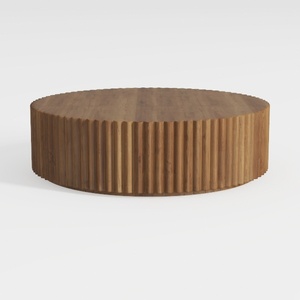
Minimalist Solid Wood Fluted Round Coffee Table 3D Model
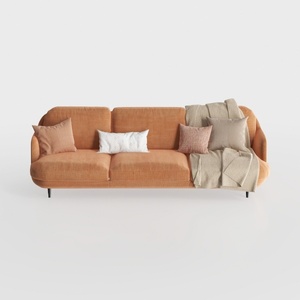

Modern Minimalist Orange Fabric Three Seater Sofa With Throw Pillows 3D Model
Looking to transform your home design experience? Homestyler offers an intuitive online design tool, stunning 3D renderings, and a variety of inspiring design projects. Plus, with easy-to-follow video tutorials, you'll have everything you need to create your dream space—effortlessly!
Дизайн сейчас бесплатно
































