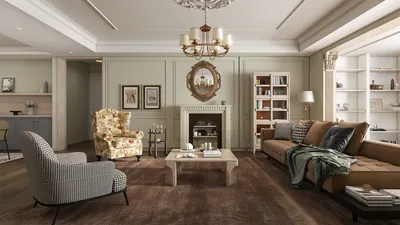


Editing pre-made models in Homestyler can open a gateway to your creative journey. Not only does it allow for personalization of existing designs, but it also assists you in mastering the software’s tools and features. Below, you will find a comprehensive guide on how to efficiently edit these pre-made models.
Familiarizing Yourself with the Homestyler Interface
Before diving into edits, take a moment to understand the Homestyler interface. The main menu includes options for importing, editing, and saving models. Knowing the layout will streamline your editing process. Have you explored the toolbar yet? Getting familiar with these options will significantly enhance your experience.
Steps to Edit Pre-made Models
To edit pre-made models, simply follow these straightforward steps:
Launch Homestyler: Start the application on your device.
Import a Model: Click on 'Import' in the main menu and select the pre-made model file you wish to edit.
Utilize Editing Tools: Employ tools like 'Select', 'Transform', 'Scale', and 'Rotate' to adjust the model as needed.
Add or Modify Elements: Use the 'Add' feature to either merge new elements or alter existing features.
Save Your Edited Model: Once you are satisfied with your modifications, make sure to save your creation!
What modifications are you considering? Let your creativity guide you!
Tips for Effective Editing
Here are some tips to enhance your editing experience:
Work in Layers: If your model supports layering, utilize this feature to easily manage different components.
Experiment with Different Textures: Adding textures can significantly change the appearance of your model.
Preview Frequently: Use the preview feature regularly to view your changes in real time.
Frequently Asked Questions (FAQ)
Q: Can I change the size of my pre-made model? A: Yes, you can use the 'Scale' tool to adjust the model size to fit your needs.
Q: What if I don't like my edits? A: You can always use the 'Undo' function to revert to a previous version of the model.
Q: Can I add text to my model? A: Absolutely! You can easily add custom messages or labels using the text tool.
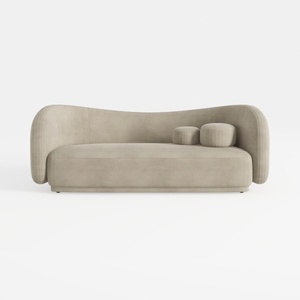
Minimalist Velvet Curved Living Room Sofa 3D Model
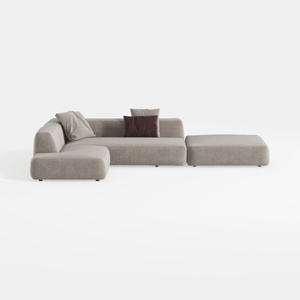
Minimalist Fabric L Shaped Sectional Sofa with Ottoman 3D Model
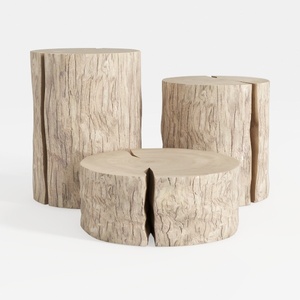

Rustic Solid Wood Stump Side Tables Set 3D Model
Discover the ease of interior design with Homestyler! This intuitive online platform features a powerful design tool, stunning 3D renderings, and an array of inspiring design projects and DIY video tutorials. Create your dream space effortlessly, no experience needed!
지금 무료로 디자인하세요
































