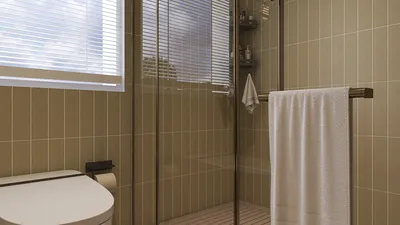


As more people rely on platforms like Shopify to manage their online stores, the integration of technology into daily life becomes essential. This shift towards digital commerce influences how we design our home offices and workspaces, emphasizing ergonomic furniture and efficient spatial layouts that support prolonged productivity and creativity. Creating a seamless blend of comfort and function at home fosters a more balanced lifestyle in our increasingly connected world.
Direct Answer
User-friendly home interior design software allows homeowners to swiftly map out room arrangements, test furniture placements, and preview changes in colors or materials without requiring expert design programs. The top beginner-friendly options typically feature drag-and-drop capabilities, extensive furniture catalogs, and straightforward 3D visualization.
For many homeowners, the main objective is rapid visual decision-making rather than technical detail before purchasing furniture or renovating spaces.
Quick Takeaways
Introduction
After over ten years working as an interior designer, I’ve observed a consistent trend. Most homeowners don’t require sophisticated CAD tools; instead, they benefit from simple home interior design software that helps test concepts before moving or investing in costly furnishings.
I frequently encounter scenarios where clients purchase sofas that look ideal in stores but dominate their living areas, or they assume tables will fit comfortably only to find circulation space severely limited.
Basic planning tools effectively address these challenges. Over time, I have recommended lightweight design applications—such as Homestyler—that allow clients to explore layouts independently before finalizing designs. Some of these platforms now provide usability comparable to entry-level professional software.
Below, I'll outline what defines "easy" interior design software, highlight the best beginner-friendly tools, and point out common pitfalls users often face.
What Makes Interior Design Software Easy for Beginners
Key Insight: The simplest tools eliminate technical obstacles and emphasize experimenting with layouts rather than precise architectural accuracy.
While powerful programs like AutoCAD or Revit cater to architects and trained professionals, most homeowners mainly seek straightforward answers: Will this sofa fit? Does this setup feel cramped? What happens if I rotate the room?
In my experience, clients find success when software incorporates three critical features.
Design platforms such as Planner 5D, Roomstyler, and particularly Homestyler have gained popularity because they focus on delivering immediate visual results over complicated technical details.
How Accurate Do Home Layout Tools Really Need to Be
Key Insight: For the majority of homeowners, accuracy within a few inches suffices to make confident design choices.
A common myth is that interior design software must provide architect-level precision. In practice, this level of accuracy is rarely necessary for furniture planning.
From my residential projects, I typically work in two stages:
Easy design software excels during the initial phase, allowing quick tests of layout variations such as:
Once a visually acceptable layout is determined, precise measurements are checked before completing any purchases. This two-step method prevents excessive complexity early on.
Best Easy Home Interior Design Software Options Today
Key Insight: The most effective beginner tools strike a balance between simplicity and sufficient furniture/material selections to create realistic room simulations.
Among the platforms I recommend to clients and students, a few consistently emerge as favorites.
Interestingly, popularity doesn’t always align with the most feature-rich software. Users typically favor solutions that deliver quick visual feedback within minutes.
Many design blogs overlook this critical point: ease of use frequently outweighs an abundance of features when selecting design tools like Homestyler.
Common Mistakes People Make When Using Design Software
Key Insight: The most frequent errors involve neglecting circulation space and failing to properly scale furniture relationships.
Reviewing client mockups commonly reveals two recurring issues, even when quality software is employed.
In real-world projects, I adhere to several vital spacing guidelines:
Applying these within design software significantly enhances the realism and functionality of layouts.
Can Simple Design Software Replace a Professional Designer
Key Insight: Easy home interior design software is excellent for exploring layout options but cannot substitute expert spatial planning.
These applications are superb for visualization and trial of ideas but do not analyze lighting harmony, material longevity, acoustics, or long-term usability.
Strengths of such tools include:
Professional necessity remains in areas like:
From my experience, the optimal results occur when clients first experiment with software like Homestyler, arriving at appointments with clearer concepts which streamline the professional design process.
Answer Box
User-friendly home interior design software enables homeowners to visualize room configurations and furniture placement prior to purchase. Leading tools emphasize drag-and-drop interfaces, quick 3D previews, and realistic furniture libraries instead of complex architectural functions.
Why Visualizing a Room First Saves Real Money
Key Insight: Visual planning prevents costly errors in layout and furniture selection.
An overlooked expense in interior design is furniture scale mismatches. Returning bulky items is often costly or unfeasible.
Layout software enables users to evaluate:
Retailers such as IKEA and Wayfair endorse this approach by offering room planners to reduce return rates through better visual understanding.
Final Summary
FAQ
What is the easiest home interior design software to use?
Planner 5D and Homestyler are generally regarded as the simplest options due to their drag-and-drop features and instant 3D visualization.
Is there free interior design software for beginners?
Yes, many easy home interior design software programs, including Planner 5D, Roomstyler, and SketchUp Free, offer free versions for beginners.
Can beginners design their own rooms with software?
Absolutely. Most novices can create basic room layouts within an hour using beginner-friendly platforms.
Does interior design software require measurements?
Initial layouts can be created with approximate dimensions, but accurate measurements yield better furniture placement results.
Is 3D visualization necessary for room planning?
3D views greatly enhance the understanding of scale and proportion compared to simple 2D plans.
Can interior design software help with furniture placement?
Yes, most easy home interior design software includes furniture libraries for testing diverse arrangements.
Do professional designers use these tools?
While professionals typically utilize advanced software, many also rely on simple tools for rapid conceptual visualization.
What rooms benefit most from design software?
Living rooms, bedrooms, and open-plan spaces benefit most since furniture placement greatly impacts their function.
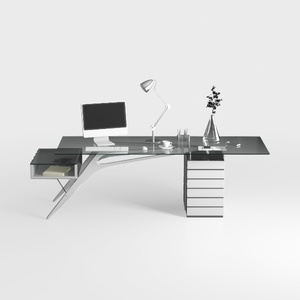
Modern Glass Top Metal Frame Office Desk 3D Model

Minimalist White Metal Solid Wood Office Desk With Drawers 3D Model


Minimalist Printed Fabric Office Chair 3D Model
Homestyler offers an easy-to-use online design tool with stunning 3D renderings, thousands of interior projects, and helpful DIY video tutorials. It’s perfect for anyone looking to create and visualize their dream home with professional-quality results.
Concevez maintenant gratuitement
































