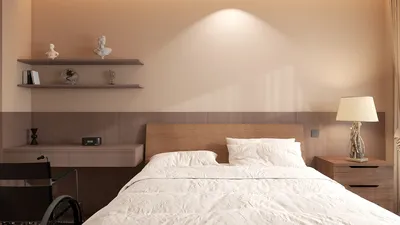


Transforming your design concepts into visual reality is now easier than ever with DIY 3D floor plans. The emergence of intuitive design tools allows individuals to create intricate and eye-catching floor plans without requiring expert knowledge. In this article, we’ll delve into the core elements of DIY 3D floor plans, the available tools, and some insights on how to realize your creative vision effectively.
Getting Started with 3D Floor Plans
3D floor plans provide a tangible view of a space, enabling you to plan layouts, furniture placements, and the overall feel of the area. Unlike conventional 2D representations, 3D visuals facilitate a better understanding of the spatial dynamics and proportions in a room. For those interested in DIY projects, utilizing platforms like Homestyler can significantly ease the process, offering user-friendly templates and drag-and-drop functionality.
Key Software for DIY 3D Floor Plans
To successfully craft your 3D floor plans, you’ll need dependable software solutions. Here are a few popular choices: 1. Homestyler – Ideal for newcomers, enabling seamless transitions from 2D to 3D. 2. SketchUp – A powerful option for experienced users with extensive features. 3. Room Planner – Excellent for visualizing room designs and furniture layouts. Select a tool that aligns with your skillset and project requirements.
How to Develop Your Own DIY 3D Floor Plan
The process of creating a 3D floor plan can be simplified into several straightforward steps: 1. Accurately measure your space. 2. Select your design software. 3. Start with a foundational 2D layout. 4. Add in walls, windows, and doors. 5. Transition to 3D for layout visualization. 6. Experiment with colors, materials, and furniture arrangements. 7. Review your design and refine as necessary. This journey not only assists in planning but can also serve as an enjoyable and creative endeavor!
Frequently Asked Questions
Q: Are these tools suitable for professional projects? A: Definitely! Many architects and designers utilize similar software for their professional tasks. The versatility of these applications can cater to a variety of requirements.
Q: What if I make an error during the design process? A: Most design platforms, such as Homestyler, provide features to undo actions or reset designs conveniently, making it easy to correct mistakes.
Welcome! Experience Free 3D Floor Planning
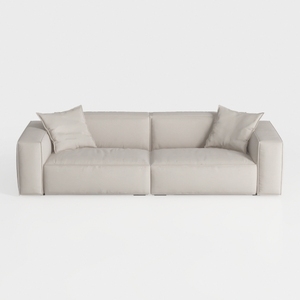
Minimalist Beige Fabric Modern Sofa with Throw Pillows 3D Model
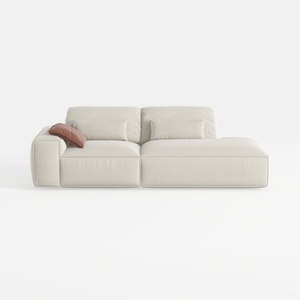
Minimalist Beige Fabric L-shaped Chaise Sofa 3D Model


Discover Homestyler, your ultimate online home design companion! With an easy-to-use design tool, stunning 3D renderings, and a wealth of DIY video tutorials, you can effortlessly unleash your creativity and transform your space into a masterpiece. Start designing your dream home today!
Concevez maintenant gratuitement
































