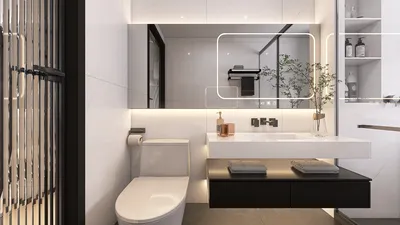


Are you in search of captivating 3D architectural floor plans? Whether you are a homeowner aiming for renovations or a designer looking for fresh ideas, having the right tools at your disposal can prove invaluable. Here’s an all-encompassing guide to the best free platforms where you can explore and design breathtaking 3D architectural layouts using tools like Homestyler.
1. SketchUp Free
SketchUp Free is a widely recognized online 3D modeling software that makes it easy to create and modify architectural designs. Featuring an intuitive interface, you can begin to craft your space even without previous experience. The free version provides essential tools to kickstart your basic design projects.
2. Floorplanner
Floorplanner is another fantastic platform for developing detailed 3D floor plans. It enables you to visualize your area, experiment with various layouts, and incorporate furniture and decoration. The free version includes basic tools suitable for simple undertakings.
3. Roomstyler 3D Home Planner
Roomstyler delivers a straightforward design experience, allowing you to create and furnish your space in stunning 3D. The platform offers an extensive array of furniture and decorative options, helping you see how each piece fits into your overall design. It is free and very user-friendly, making it ideal for novices.
4. Sweet Home 3D
Sweet Home 3D is a free interior design application that allows you to draw house plans and arrange furniture in a 3D environment. Available both as a downloadable program and an online tool, it boasts versatility and accessibility. Additionally, you can upload extra 3D models to enhance your design capabilities.
5. Homestyler
Homestyler is an excellent resource for crafting 3D floor plans and interior designs. The platform offers a complimentary version that allows users to design elegant spaces effortlessly. With a vast library of 3D furniture and decor, you can visualize your home like never before.
6. Planner 5D
Planner 5D is a design tool that empowers you to produce both 2D and 3D floor plans. Its free version comes equipped with various design elements, making it simple to visualize your area. The easy drag-and-drop functionality enables you to quickly create impressive layouts.
Tips for Utilizing 3D Design Tools
1. Begin with a Clear Objective: Before you start designing, ensure you have a clear vision of your desired space. Gather inspiration from numerous resources.
2. Take Advantage of Tutorials: Most of these platforms provide tutorials to assist you in getting started. Use these guides to familiarize yourself with the basics.
3. Experiment Freely: Do not hesitate to try various layouts and designs. One of the advantages of these tools is that you can make modifications at no cost.
FAQ
Q: Can I utilize these tools for professional designs?
A: Yes, many of these platforms feature professional-grade capabilities that can be suitable for client projects, though some restrictions may apply in the free versions.
Q: Are there any costs related to these tools?
A: While the fundamental features are available at no charge, certain tools provide premium options with advanced features for a fee.
Welcome to Explore Free 3D Floor Planner
Design Now for FREE
































