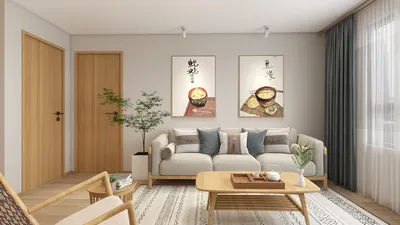


Constructing an upper level in Homestyler can significantly enhance your home design project. Whether you're aiming to enlarge your living area or incorporate a snug retreat, this guide will help you navigate the steps to design an impressive second floor layout. Let's explore the process together! To start, you need to open your current project or initiate a new one in Homestyler. It's beneficial to operate in the 2D view, as it simplifies the visualization of your second floor layout. Once prepared, find the 'Add Floor' icon in the toolbar, which allows you to effortlessly add another level to your design. After hitting 'Add Floor', a prompt will appear for you to specify the details of your new level. Here, you can define the dimensions of the second floor based on your design preferences. Be mindful of where to position the staircase, as it plays a crucial role in providing access to the upper level. After entering the measurements, click 'OK' to continue. The exciting next phase is designing your second floor! You can install walls, windows, and doors just like on the ground level with Homestyler’s intuitive tools. It's essential to consider both functionality and flow when arranging rooms. Next, adorn your second floor with furnishings from the vast library within Homestyler. You can drag and drop items into your layout, rearranging them as needed, and even resize them to align with your artistic vision. Experiment with diverse styles and materials to make the space distinctly yours. After completing your design, transition to the 3D view to observe how everything harmonizes. This step is vital, as it enables you to visualize the area and implement any required adjustments. If something doesn’t seem quite right, revert to the 2D view and refine your design. Lastly, ensure you regularly save your project. Homestyler allows for the exporting of your designs, making it simple to share with friends or showcase on social media. You can also generate high-quality renderings of your second floor to share with potential clients or collaborators. In summary, creating a second floor in Homestyler is a simple yet rewarding process that opens up a world of possibilities for your home design endeavors. With a touch of creativity and the right tools, you can craft a beautiful, functional space that elevates your overall design. Enjoy your designing journey!
Tips 1:
Keep in mind the transition between the first and second floors to achieve a unified living environment.
FAQ
Welcome to Homestyler

Minimalist Concrete Potted Dried Foliage Plant 3D Model

Rustic Solid Oak Square Coffee Table with Geometric Inlay Pattern 3D Model
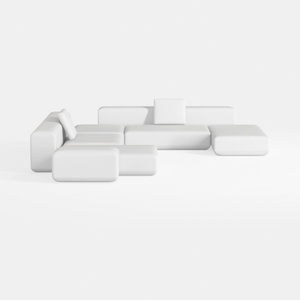

Minimalist Modern White Fabric Modular Sectional Sofa 3D Model
Homestyler is the ultimate online home design platform for everyone! With its user-friendly design tool, stunning 3D renderings, and a wealth of DIY video tutorials, you can effortlessly transform your space. Explore creative design projects and bring your vision to life today!
Design Now for FREE
































