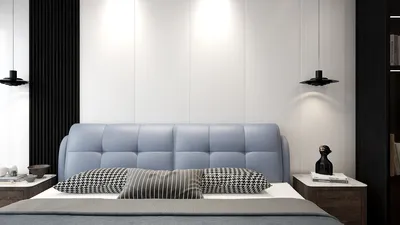


Designing your own floor plans for free using Google tools can be an exciting project! Whether you aim to revamp a compact apartment or carefully plan a new office layout, the right resources can greatly enhance the process. This guide will delve into how you can effectively design your ideal layout by utilizing Google tools along with other complimentary options, including the versatile Homestyler platform.
Initially, it's crucial to grasp the significance of space optimization. In smaller areas, meticulous planning is essential since every square foot counts. This is where strategic floor plan applications come into play, enabling you to envision and modify your design before making any definitive decisions.
1. Selecting the Appropriate Tool
While Google does not offer a dedicated floor planning application, you can make use of Google Drawings or Google Slides for basic floor plans. For more elaborate designs, you might want to explore third-party software such as SketchUp or Homestyler, both of which often provide free versions. Have you tried any of these options? What features stand out to you?
Google Drawings is particularly approachable, allowing users to create rectangles for rooms and lines for walls with ease. Although it may not boast advanced functionalities, it is ideal for simpler layouts. Do you find yourself leaning towards straightforward designs or do you seek out more complex configurations?
2. Outlining Your Space
The next phase involves accurately sketching the overall dimensions of your area. Take precise measurements of the length and width of each room. When creating your digital floor plan, use a scale to ensure that every measurement is reflected accurately. As you construct this plan, contemplate the flow and usability. Where will your furniture best fit? How can you facilitate smooth movement throughout your environment?
Once you have your space defined, take note of the positions of windows and doors as they play a crucial role in your design decisions. Are there any impediments you need to consider? Drawing inspiration from various design sources can significantly optimize your floor plan's functionality.
3. Integrating Furniture and Finishing Touches
As your floor plan begins to materialize, it's time to incorporate your furniture. Measure your existing pieces and represent them in your layout while keeping the flow in mind. Utilizing distinct colors or icons can simplify this phase. How does your current furniture arrangement influence your daily routine? Could reconfiguring it enhance your space?
Consider leveraging virtual room design tools, like Homestyler, that allow you to visualize your furniture in a three-dimensional context. This approach will give you a clear understanding of how all elements will interact in real life. What items are crucial for your living or working environment, and what could be adjusted for improved spatial flow?
FAQ
Q: Can I utilize Google tools to create a floor plan? A: Yes, you can utilize Google Drawings or Google Slides for basic designs or opt for specialized software like Homestyler for a more comprehensive approach.
Q: What benefits arise from using a floor planning tool? A: These tools facilitate visualization of your room layout, promote effective space utilization, and allow for easy modifications prior to implementing physical changes.
Tips 1:
To enhance your design process, consider enlisting friends or family to participate in the planning stages. Their viewpoints may provide valuable insights that help illuminate elements of your space that you might have missed.


Rustic Solid Oak Round Coffee Table Unique Geometric Base 3D Model
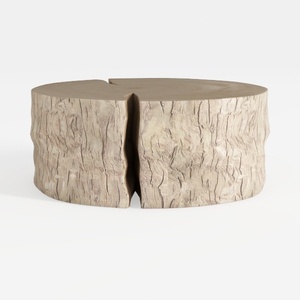
Rustic Solid Wood Split Log Coffee Table 3D Model
Homestyler is your go-to online home design platform! With its user-friendly design tool, stunning 3D renderings, and a wealth of design projects and DIY video tutorials, you can easily create and visualize your dream spaces—no prior experience needed!
Design jetzt kostenlos
































