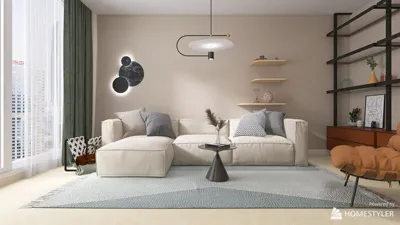


Having crafted numerous gaming bedrooms and versatile teen spaces, I've come to realize a crucial insight: the most effective Minecraft-themed rooms exude a sense of playability, order, and tranquility rather than chaos. The intention isn't to cover every surface with green creepers; instead, the aim is to create a layered environment that pays homage to biomes, blocks, and adventure. This can be achieved while making the space ergonomic, bright, and resilient for daily use.
Good lighting and ergonomic design are essential for any gaming area. WELL v2 suggests having task lighting providing around 300–500 lux for reading and focused tasks, while the lighting for relaxation can be around 150–300 lux. For those gaming sessions, I typically target warm-neutral LED lighting between 2700–3500K to alleviate eye strain and maintain an accurate color representation for creative projects. Research from Steelcase has shown that posture support and adjustable seating significantly affect focus and energy. Thus, even a cost-effective ergonomic chair with lumbar support can be beneficial during extended late-night sessions. For more specific lighting standards, the IES standards library serves as an excellent resource.
Color Choices for Blocks
The psychology of color plays a significant role in thematic rooms. Greens, reminiscent of creepers and forest biomes, foster calmness and rejuvenation when used in moderation. According to a color psychology overview by Verywell Mind, green is connected to balance and growth, making it ideal for study areas. Base your color palette on neutral "stone" (gray) or "wood" (warm brown) shades, and sprinkle in vivid "ore" accents (like diamond cyan, redstone red, and gold yellow) sparingly on items such as cushions and trims. A distribution of approximately 60–70% neutral bases, 20–30% earth tones, and 10% ore accents helps maintain visual balance and prevents fatigue.
Create a Pixel Mural: Impactful Geometry Made Simple
Design a pixelated mural with 6–10 different paint colors, arranged in large 6–8 inch squares. Select a theme—such as a diamond sword, heart icons, or a landscape from the game—and lightly grid it using a level and painter’s tape. Utilize matte finishes to minimize glare; for high-touch surfaces like cabinet doors, semi-gloss is a better choice. If painting isn’t feasible, consider using removable fabric tiles or felt squares mounted on foam boards, which can also aid in sound absorption.
Zone Your Space: Functional Layouts for Gaming and Relaxation
Create defined micro-zones like the Overworld (for desk and task lighting), Nether (a console or PC station against a darker backdrop to minimize screen contrast), and Village (a corner for sleeping or relaxation). A small rug can help delineate the "Village" area, while dark acoustic panels behind monitors can reduce glare and enhance contrast. When arranging furniture and ensuring smooth circulation, using a room layout tool can assist in visualizing cable runs, sightlines, and reach distances.
Organize with DIY Storage: Modular Shelving Solutions
Craft storage "blocks" with square cube shelves wrapped in adhesive vinyl featuring grass, stone, or ore patterns. Label each storage bin with block icons for easy identification (e.g., controllers, cables, and assorted building materials). Aim for an even ratio of open display cubes to closed bins to keep clutter under control. If budget permits, opt for soft-close hinges for frequently accessed drawers to ensure safety during those late-night building sessions.
Illuminating Your Space: Task Lights and Glowing Accents
Layered lighting is key: include diffuse overhead lighting for general brightness (aiming for 300 lux), LED strip "redstone" accents around shelving, and a focused desk lamp providing 400–500 lux for crafting or studying. Use warm to neutral white lighting (2700–3500K) for ambient settings, and neutral white (3500–4000K) for task-oriented areas. Position LED strips behind monitors to soften edge contrast—this bias lighting helps stabilize perceived brightness and allows your eyes to adjust more comfortably.
Textures and Materials: From Natural to Crafty
Incorporate a variety of textures—think oak-look laminates, cozy wools, canvas, and low-VOC paints. Felt tiles or cork can serve as simple DIY soundproofing upgrades, while also providing a surface for pinning inspiration or build ideas. For added durability, choose washable covers and furniture with rounded edges to ensure kid-safe usability, reflecting the block theme without harsh corners.
Creating a Cozy Bed Area: Villager Comfort
Construct a straightforward headboard from wooden slats stained in a warm brown, applying subtle pixel designs in a slightly darker shade for depth. Layer a green duvet reminiscent of the grass biome with stone-gray pillows and a single ore accent cushion. If you're designing a bunk bed, include under-bed storage that resembles game "chests," which is a practical and thematic touch.
Ergonomic Desk Setup: Adventure Meets Comfort
Position your monitors at eye level using an adjustable arm mount. Maintain wrist neutrality with a low-profile keyboard and a soft gel pad. Implement a cable management system utilizing adhesive clips shaped like blocks. Hanging a small pegboard above the desk can creatively display collectible mini-figures in a neat grid, achieving a clean appearance while echoing Minecraft aesthetics.
Sound Control and Comfort: Achieving Quietness in Your Space
Gaming audio can be overwhelming in small spaces. Introduce a rug with underlay, use felt wall art, and hang fabric curtains to absorb mid and high frequencies. Isolate your speakers with pads to reduce desk vibrations. If streaming, a ceiling cloud made of foam panels wrapped in fabric above your desk will help manage sound reflections while keeping the overall design consistent.
Creative DIY Art and Accessories
- Create pixel weapon silhouettes from black foam board
- Frame in-game maps printed to scale for decoration
- Design potion bottle displays with safe LED backlighting
- Craft custom coasters using laser-cut MDF with ore inlays
- Build a wall-mounted "crafting table" corkboard for schedules and project ideas
Budgeting and Upcycling Ideas
Give thrifted furniture a makeover by sanding edges and adding vinyl wraps; paint drawer fronts in ore-inspired colors for a quick upgrade. Repurpose shipping boxes into organizer blocks wrapped in kraft paper with green tops. Replace traditional plastic desk mats with cork for an inviting look as well as acoustic benefits.
Safety and Maintenance Considerations
Utilize cable sleeves and Velcro ties; ensure that surge protectors are accessible yet elevated from the floor. Opt for flame-retardant LED strips from trusted manufacturers. Keep your PC area ventilated by maintaining at least 2–3 inches of clearance behind towers for airflow. Lastly, applying a washable clear coat to painted murals helps shield them from scuffs over time.
Designing Small Spaces and Shared Rooms
In compact areas, maximize vertical space with wall grid shelving, ceiling-mounted light strips, and fold-down desks that can double as doors to secret nooks. In shared environments, maintain a light and modular theme—using accent pillows, art boards, and interchangeable cubes allows the room to adapt away from gaming themes when visitors arrive.
Project Blueprint: From Concept to Creation
Draft your color palette and pixel motif, establish a budget, and outline DIY steps by zone. Use a layout simulation tool to prototype the design, assessing movement paths and sightlines, before proceeding with painting and construction phases: focusing on lighting first, storage second, and decorative elements last. This ensures the space remains functional, even while under construction.
Frequently Asked Questions
Q1: What is the optimal brightness for a gaming space?
A: Aim for approximately 300 lux for ambient lighting and 400–500 lux for task lighting at your desk. Utilizing warm-neutral LEDs (2700–3500K) can help mitigate eye strain during prolonged gaming periods.
Q2: Which Minecraft-inspired colors create a calming bedroom environment?
A: Shades of green and earth tones (like grass and wood) have calming effects and aid restoration; employing ore colors (like diamond and redstone) as 10% accent elements helps avoid visual fatigue.
Q3: How can I minimize screen glare with my lighting choices?
A: Position LED strips behind or alongside monitors to create bias lighting, select matte finishes for adjacent walls, and dim overhead lights during gameplay to reduce glare.
Q4: What are some simple DIY storage solutions that align with the Minecraft theme?
A: Build cube shelves designed to resemble blocks, complete with labeled bins for easy organization—think in terms of stone, grass, and ore designs to maintain the thematic feel without clutter.
Q5: Can you suggest ergonomic practices for long gaming sessions?
A: Position your monitor at eye level with your elbows bent at roughly 90 degrees, maintaining neutral wrists, and opt for a chair with lumbar support. Taking short breaks every 45–60 minutes can greatly assist in maintaining proper posture.
Q6: How can I implement sound control measures without compromising aesthetics?
A: Use pixel-patterned felt or cork tiles, incorporate a rug with underlay, and hang fabric curtains. A discreet ceiling cloud above the desk can effectively dampen sound without disrupting the overall look.
Q7: What is the best method for planning my room layout prior to painting?
A: Use an interior layout planner to prototype zoning and cable placement; ensure adequate clearances around desks and beds while testing lighting setups virtually before committing to any changes.
Q8: Is there a cost-effective lighting scheme that retains an immersive feel?
A: Combine a dimmable overhead fixture with two runs of LED strips (one behind the monitor and another along a shelf) along with a task lamp. This fulfills ambient, accent, and workstation needs efficiently.
Q9: How can I make the bed area cozy while still reflecting the Minecraft theme?
A: Enhance the space with a green duvet, stone-gray pillows, and a wood-look headboard adorned with subtle pixel stencils. Including a small "chest" drawer adds seamless storage for bedtime necessities.
Q10: Can I maintain a flexible theme in my room as my preferences change?
A: Establish a neutral base with wood and gray tones; rely on easily changeable accent pieces—such as pillows, art prints, and vinyl wraps—making updates quick and affordable as your tastes evolve.
Discover your inner designer with Homestyler! This user-friendly online platform offers a powerful design tool, stunning 3D renderings, and a wealth of DIY video tutorials. Whether you're planning a full renovation or just refreshing a room, Homestyler makes it easy and inspiring to bring your vision to life!
Design Now for FREE
































