

Creating a student room that effectively enhances focus, comfort, and healthy habits begins with recognizing how our environment influences behavior. Throughout my decade of designing study spaces, I’ve discovered that the most effective rooms blend ergonomic principles with a tranquil atmosphere and adaptable areas. Research from Steelcase indicates that having a variety of postures and proper support significantly boosts sustained attention, with some studies showing that ideal task seating can provide up to a 17% increase in perceived productivity when ergonomics are thoughtfully applied. Likewise, the WELL v2 guidelines suggest maintaining a light level of 300–500 lux at workstations for reading and writing tasks, to minimize eye strain and cognitive exhaustion, thereby enhancing accuracy.
The impact of color and noise is more significant than many realize. According to Verywell Mind, cooler colors such as soft blues and muted greens create a calming environment conducive to concentration, whereas vibrant warm shades can lead to increased distraction. Correspondingly, research by Herman Miller shows that managing acoustic distractions can enhance task performance and alleviate stress. Techniques to mitigate noise include using soft textures and implementing sound-absorbing areas around the study desk. These insights guide design decisions that prioritize measurable outcomes over mere aesthetics.
Map the Space: Zones That Support Different Modes
When organizing student rooms, I typically identify three primary zones: focus, relaxation, and storage. The focus zone is anchored by a suitably sized desk (ideally 24-30 inches deep) accompanied by an adjustable task chair that provides lumbar and pelvis support. It’s essential to keep the main work surface devoid of non-study materials; auxiliary surfaces like a credenza or wall shelf can hold devices, chargers, and reference documents. If you face spatial challenges, employing a room design visualization tool can assist in determining optimal desk placement relating to natural light and electrical access. The relaxation zone should include a small lounge chair or floor cushion, allowing for mental breaks and brief reading sessions without screens. For storage solutions, pair vertical shelves with a mobile pedestal to keep current materials within easy reach while preserving an organized space for archival items.
Lighting Strategy: Layers for Precision and Comfort
Lighting plays a crucial role in establishing the cognitive atmosphere of a study space. Initiate with ambient lighting that provides 200-300 lux to avoid glare and stark contrasts. Incorporate a quality task light that delivers illumination of 300-500 lux directly at the desk surface, aligning with IES task recommendations. Selecting a correlated color temperature of 3500-4000K will achieve a harmonious clarity without the harshness of cooler bulbs. Position the task light opposite your dominant hand to reduce shadows over notebooks or keyboards. A dimmable lamp can adjust the light in the evening, signaling a transition to relaxation while maintaining clear visibility for reading. If the desk is situated near a window, utilize sheer blinds to soften daylight and prevent glare on screens.
Ergonomics That Keep You Studying Longer
A chair equipped with an adjustable seat height (allowing for a 90-100° knee angle), lumbar support, and adjustable armrests significantly reduces strain during extended periods of studying or typing. Set the desk height so that forearms parallel the work surface while maintaining relaxed shoulders. Use a laptop stand to elevate the screen to eye level, coupled with an external keyboard and mouse to ease neck tension. Research by Herman Miller on posture variation underscores the necessity of minor movements; if space permits, add a sit-stand converter and change positions every 30-45 minutes. For shorter users, a footrest can help stabilize posture and alleviate lower back pressure.
Color Psychology and Material Calm
The use of color can subtly enhance performance. Calm colors like muted blues and greens foster sustained attention, while warm neutrals provide comfort without causing overstimulation. To minimize visual noise, limit high-chroma accents to a single small wall or select accessories. In terms of materials, combine soft textiles—such as a wool-blend rug or a felt pinboard—with matte finishes to absorb light and control glare. Opt for sustainably sourced wood or recycled materials for desk surfaces, ensuring they offer tactile warmth and durability. Keep reflective surfaces to a minimum near monitors to help reduce eye strain.
Acoustic Comfort: Quiet Without Isolation
Enhancing sound dampening can boost cognitive endurance. Incorporate a dense rug, curtains, and upholstered seating to diminish reverberation. A fabric-wrapped pinboard can also serve as an acoustic treatment near your desk. If you share a space, a compact white-noise machine at a low volume can effectively mask intermittent sounds without added distraction. Ensure noisy devices, like printers or external drives, are positioned away from the focus zone, preferably within a ventilated cabinet.
Layout Patterns That Reduce Friction
Position the desk to face the door at an angle, which helps prevent surprise reactions while keeping it from dominating the space. Maintain clear pathways, avoiding obstructions such as chair legs or bins in circulation areas. If feasible, separate screens from analog work surfaces using a slim side table or return, allowing a designated area for handwriting, flashcards, and textbooks. For those who are iterating plans, a room design visualization tool can help assess distances for reach zones and chair clearance before making purchases.
Storage Logic: Visual Order Equals Mental Order
Utilize a two-tier storage system: open shelving for frequently used materials (like textbooks and notebooks), while closed storage is reserved for everything else. Clearly label bins according to the course or project. A rolling cart positioned near the desk functions as a transient buffer—store only active tasks on the upper shelf. Additionally, install a weekly overview board at eye level to align deadlines and study sessions with color-coded sticky notes, helping to visualize your workload without overcrowding the work surface.
Tech Hygiene and Cable Management
Clutter can detract from focus. Organize cables with adhesive clips along the desk underside, placing power strips where they're accessible but not visible. Establish a dedicated charging area to keep devices from encroaching on your study space. A matte desk pad can help stabilize peripherals and dampen keystroke sounds.
Routine Cues and Behavioral Design
Your environment can trigger habits. Set a small timer on or near your desk for focused intervals of 25-50 minutes, then transition to the relaxation zone for 5-10 minutes to reset your posture and attention. Establish a consistent lighting routine—brighter light in the morning and softer light before bedtime—to support your circadian rhythms. Have a water carafe within reach to minimize unnecessary trips that could interrupt concentration.
Budget-Smart Upgrades
Prioritize investing in the chair and task lighting first, as they offer the most significant improvement in performance. Next, introduce sound-absorption elements and basic cable management solutions. Finally, enhance color and decor with cost-effective textiles and a pinboard. Focus on materials that are durable and easy to clean, allowing for seamless transitions to future living spaces.
Authority Resources
For comprehensive insights into workplace productivity and student ergonomics, consider exploring resources like Steelcase Research. For guidance related to lighting standards that align with health and task clarity, refer to the WELL Building Standard v2 Light.
FAQ
Aim for a lighting level of 300–500 lux at your task area, maintaining ambient light around 200–300 lux to avoid glare and harsh contrasts. Selecting a lamp with a color temperature of 3500–4000K will provide clear and comfortable reading conditions.
Ensure that your chair has adjustable height, lumbar support, and substantiated armrests. Keep your elbows close to a 90-degree angle, maintain relaxed shoulders, and change up your posture every 30-45 minutes.
Colors like muted blues and greens are effective for promoting calm and focus. Warm saturations can be used moderately to reduce overstimulation.
Incorporate dense rugs, curtains, and upholstered seating to dampen noise, and relocate loud devices away from the study area. A subtle white-noise machine can help mask disruptive sounds.
Position yourself near manageable daylight while facing the door at a slight angle to minimize surprises. Keep primary pathways unobstructed and utilize a room design visualization tool for layout testing.
While posture variation is beneficial, a sit-stand converter is a compact upgrade that supports movement during longer periods of study.
Organize cables underneath the desk using adhesive clips, keep power strips positioned out of sight, and establish a dedicated charging area to protect your study surface.
Adopt open shelving for frequently accessed items and closed bins for archived materials. Clearly label all containers by course or project, and utilize a rolling cart for current tasks.
3500K color temperature is effective for detailed tasks, being bright enough while remaining softer than cooler lamps. Slight dimming before bedtime can help signal transition to relaxation.
Keep your monitor positioned perpendicular to windows, use sheer blinds to diffuse sunlight, and choose matte finishes for areas close to the display.
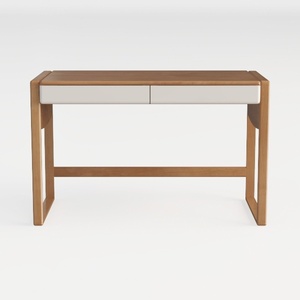

SAFAVIEH Couture Collection Gabrietta Natural/Blac
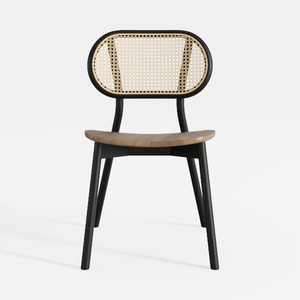
EALSON Mid Century Modern Dining Chairs Set of 4
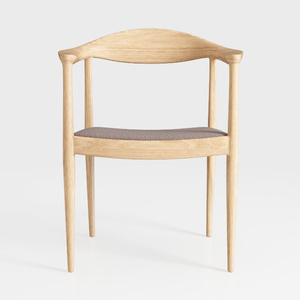
Etlegor Armchair Upholstered Dining Chair
Homestyler is the ultimate online home design platform for anyone looking to transform their space. With its intuitive design tool, stunning 3D renderings, and a wealth of DIY video tutorials, you can easily create and visualize your dream home—no matter your skill level!
Progetta ora GRATIS
































