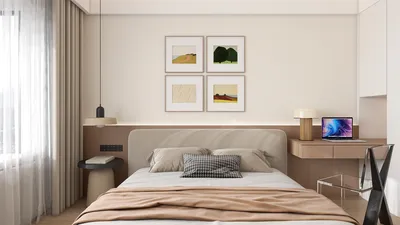


An AV room, which stands for "Audiovisual room," is a specially designed area that captures, processes, and delivers top-notch audio and video specifically for meetings, presentations, training sessions, telemedicine, and broadcast-style productions. In my approach, an AV room transcends the mere collection of equipment; it's an environment carefully calibrated for clarity, control, and consistency, where elements like acoustic management, lighting quality, and ergonomic design harmonize with one another. Incorporating a tool like Homestyler can greatly enhance the planning process for these spaces.
Establishing performance baselines is critical. As outlined by WELL v2's Sound concept, enclosed areas should focus on achieving Speech Privacy and Sound Reduction through effective leakage control. In meeting spaces, aiming for a signal-to-noise ratio around +15 dB and reverberation times between 0.3 to 0.6 seconds can significantly improve clarity. Research from Steelcase indicates that inadequate acoustics and frequent interruptions are among the primary culprits that diminish productivity among knowledge workers, emphasizing the importance of sound management in driving performance. Furthermore, studies from Gensler correlate well-designed collaborative environments with enhanced team outcomes, highlighting the need for meticulous planning in AV room design—insights that can be enriched by utilizing Homestyler.
AV rooms operate as hybrids: they function both as studios and conference areas. They integrate sound isolation, controlled lighting, camera-ready sightlines, dependable connectivity, and user-friendly control systems. In my design process, I prioritize elements that contribute to speech intelligibility, equal visibility to displays, and unimpeded signal paths—both in terms of physical (like cable management) and logical connections (involving switching, DSP, and network quality of service). A well-designed AV room should feel effortless, yet it hinges on meticulous attention to detail and standards, which can be effectively visualized using tools like Homestyler.
Core Functions of an AV Room
- Presentation and conferencing: Facilitating seamless transitions between local content, video calls, and interactive displays.
- Recording and streaming: Utilizing high-quality microphones, acoustically optimized backdrops, and stable camera placements.
- Training and demonstrations: Featuring dual displays, confidence monitors, and content annotation solutions.
- Telemedicine / remote production: Ensuring consistent color temperature lighting, secure network configurations, and redundant audio paths.
Key Acoustic Principles
Acoustic comfort is fundamental to achieving clarity. I target a reverberation time (RT60) of approximately 0.3 to 0.5 seconds for small to medium-sized rooms, employing broadband absorption techniques (like wall panels and ceiling clouds), bass management (using corner traps when necessary), and limited diffusion to prevent a "dead" sound. To maintain speech clarity, background noise levels caused by HVAC and other systems should be minimized, aiming for a noise floor within the NC-25 to NC-30 range. Layout also influences sound quality: primary microphones should be positioned away from airflow and reflective surfaces.
Lighting That Serves Cameras and People
Lighting plays a crucial role in both atmosphere and fidelity. For effective face-to-face and video communications, I aim for illumination levels between 300 and 500 lux at the task areas, with color temperatures ranging from 2700 to 3500K for warmer, conversational environments, or 3500 to 4000K for neutral settings conducive to video production. It's important to avoid harsh direct lighting over individuals; instead, I recommend using soft, directed front fill lighting combined with ambient illumination. Controlling glare is also vital; following IES guidelines on luminance ratios can help mitigate reflections on screens. Additionally, color choices impact mood—neutral colors stabilize skin tones while manageable accent hues enhance energy without distracting on camera.
Human Factors and Ergonomics
Ergonomic considerations ensure smooth interactions. Sightline angles to the main display should remain within ±30° horizontally, with the screen’s center at roughly seated eye level. Placing cameras at eye level promotes natural eye contact during calls. It is essential that controls are both accessible and easy to learn; single-touch presets for lighting adjustments, screen shades, and source selections help avoid technical confusion. Comfort in seating, adequate elbow space, and proper table depth (700–800 mm to accommodate laptops and notes) are vital for maintaining good posture and minimizing cable clutter in the workspace.
Spatial Ratios and Layout Logic
Proportions significantly influence audio clarity. In smaller AV spaces, it’s essential to avoid extreme narrowness (e.g., width/length less than 0.6) which can lead to flutter echoes. For a chamber accommodating 6 to 10 seats, dimensions of 3.6 to 4.5 meters in width, with a length of 5.5 to 6.5 meters and a ceiling height of 2.7 to 3.0 meters, often yield an optimal balance between acoustics and sightlines. It's advisable to position the primary display on the shorter wall to limit angled viewing, placing the first row of seating 1.5 to 2.0 screen heights away. When designing furniture and equipment zones, a room layout tool like Homestyler can effectively assist in visualizing clearances, sightlines, and cable routing.
Technology Stack: From Mics to DSP
- Microphones: Selecting cardioid or beamforming arrays for either table or ceiling installation, ensuring consistent distances to participants.
- Loudspeakers: Aiming for uniform coverage while minimizing spill into microphones; ceiling-mounted speakers can benefit from zoning.
- Signal processing (DSP): Implementing acoustic echo cancellation and automatic mixing tailored to each room's acoustic response.
- Cameras: Utilizing PTZ (pan-tilt-zoom) cameras with presets aligned to seating arrangements; avoiding backlighting and cluttered backgrounds.
- Displays: Adopting 4K panels for clarity, or projection screens with a gain adjusted to counter ambient lighting.
- Control systems: Developing intuitive UIs, well-labeled presets, status indicators, and lockouts for critical pathways.
- Infrastructure: Employing shielded cabling, VLANs for AV traffic management, and UPS systems for uninterrupted operation.
Materials and Sustainability
Selecting materials strikes a balance between performance and sustainability. Opting for low-VOC finishes, durable fabrics with NRC-friendly backing, and acoustic ceilings with defined absorption characteristics enhances both comfort and longevity. Carpets can diminish footfall noise, while wall panels made from recyclable PET or mineral fiber provide consistent absorption. Wood elements can add warmth; however, matte finishes are recommended to minimize reflections. Equipment racks should be designed with proper ventilation to reduce noise and energy consumption.
Workflows and Behavioral Patterns
Effective AV rooms anticipate user behaviors. Individuals typically favor intuitive seating layouts, visible cable management systems, and effortless content sharing. Including staging zones—such as a preparation counter, a docking area for visiting technology, and a clear signage panel indicating connection standards—improves functionality. Precanned settings—such as Presentation, Video Call, and Recording—help minimize decision fatigue. Regular users tend to rely on consistency, whereas occasional users appreciate guidance, making small visual aids with icons beneficial.
Commissioning and Measurement
The commissioning process validates the effectiveness of the design. It involves measuring RT60, Speech Transmission Index (STI), and background noise levels. Cameras should be calibrated for white balance relative to the lighting of the space. Display luminance and color uniformity must be verified, and DSP settings should be logged, with physical connections clearly labeled. Training users through a simplified runbook, along with secure storage of backup configurations on a server, rounds out the commissioning.
Common Pitfalls and Fixes
- Comb filtering and echo from parallel wall configurations can be mitigated by adding absorbent panels and introducing asymmetry through furniture or diffusers.
- Excessive harsh lighting over individuals requires the introduction of soft front fill and adjustable lighting layers.
- Inconsistent microphone pickup can be addressed by standardizing distances from seats to microphones and implementing automatic mixing capabilities.
- Glare on displays necessitates adjustments to luminance ratios along with appropriate shading solutions.
- Confusion among users can be alleviated through consolidation of interface points, while employing clear language for presets enhances usability.
FAQ
An AV room is designed for optimizing high-quality sound and video during meetings, training sessions, streaming, and recording activities.
Aim for approximately 300 to 500 lux on work surfaces with a color temperature of 2700 to 4000K, adjusted based on mood and camera requirements. Managing glare and providing soft front fill for individuals is essential.
For rooms of small to medium size, a reverberation time around 0.3 to 0.5 seconds, coupled with a low noise floor (in the NC-25 to NC-30 range), supports speech intelligibility and produces clean recordings.
Position cameras near eye level and aligned with primary sightlines. Minimize backlighting and keep backgrounds uncomplicated to decrease visual clutter and compression issues.
Generally, remember to place the front seating row 1.5 to 2.0 screen heights away. For a viewing distance of 4 to 5 meters, 75 to 98-inch 4K displays or a suitably tuned projection setup works well.
Implement broadband absorption techniques on walls and ceilings, minimize parallel hard surfaces, and appropriately optimize DSP settings with acoustic echo cancellation and automatic mixing features.
Key aspects like comfortable seating, sightlines kept within ±30° towards the display, easily reachable controls, and a table depth of around 700 to 800 mm to accommodate laptops and documents are essential for user comfort.
Utilize relevant lighting guidelines from IES and consider the WELL v2 Sound concepts to establish measurable acoustic performance goals.
Indeed, neutral color schemes help stabilize skin tones for video; controlled accents can instill energy without causing distractions. Keeping finishes matte is important to prevent glare.
Separate power and signal conduits, prefer shielded cables when necessary, ensure everything is clearly labeled, provide strain relief at the tables, and manage routing to ventilated racks equipped with UPS for uninterrupted service.
Defined presets such as Presentation, Video Call, Recording, and Idle/Clean-up configure lighting, audio pathways, camera settings, and display inputs automatically.
Yes, creating a successful AV room involves implementing acoustic treatments, managing lighting, standardizing mic and camera placements, and planning an effective workflow. A simple layout simulation tool like Homestyler can greatly assist in visualizing necessary adjustments.
Looking to transform your space? Homestyler offers an amazing online design tool that allows you to visualize your ideas in stunning 3D. Explore numerous design projects and learn through user-friendly video tutorials. It's the ultimate platform for both novice and experienced designers!
Progetta ora GRATIS
































