


Designing a 3D model of a diamond structure is an exciting endeavor that combines scientific principles, creativity, and technical expertise. The crystal lattice of a diamond, recognized for its unique tetrahedral arrangement of carbon atoms, offers a fantastic opportunity to explore molecular geometry and sophisticated modeling techniques. This journey usually starts with selecting suitable software, grasping the geometry involved, and translating atomic positions into a clear visual representation. As a designer, my approach always balances scientific precision with the visual allure of the final product, often enhanced by tools like Homestyler to showcase intricate details.
To begin, choose the right 3D modeling software such as Blender, SketchUp, or specialized molecular visualization platforms like Avogadro or ChemDraw 3D. Start with a thorough study of the face-centered cubic (FCC) structure of diamond, where each carbon atom covalently bonds with four others in a tetrahedral shape. Use the software's basic geometrical shapes and snapping tools to accurately place atoms according to their crystallographic coordinates. For educational displays or presentations, emphasize tetrahedral bonding by using visual connectors (lines or sticks) and employing varied colors to enhance understanding.
From a design perspective, effective spatial organization is crucial: arrange the model for maximum visibility, ensuring lighting and material settings accurately reflect the diamond's facets and symmetry. If the goal is to highlight the diamond's captivating nature, rendering the model with glossy surfaces that replicate the gem's distinctive sparkle can be very effective. Moreover, exporting the model in formats that are compatible with other applications, including Homestyler, enables easy integration into virtual presentations and interior design visualizations, where realistic 3D objects can significantly enrich any space's aesthetic.
When discussing interior visualization, utilizing cutting-edge tools like a 3D Render Home platform like Homestyler allows designers to effortlessly insert custom 3D models into residential designs, making it easy to showcase exceptional decorative elements—such as a diamond structure sculpture—that could serve as a breathtaking centerpiece in modern living spaces or studies.
Tips 1:
Always confirm the atomic coordinates and molecular structure prior to modeling, particularly for scientific integrity. For a more lifelike appearance, consider experimenting with transparent and refractive materials within your rendering software to faithfully replicate diamond's optical characteristics.
FAQ
Q: What is the fundamental geometry of a diamond crystal?
A: The crystal structure of diamond is a face-centered cubic (FCC) lattice where each carbon atom establishes four bonds in a tetrahedral formation.
Q: Which software is optimal for crafting a 3D diamond lattice model?
A: Blender and Avogadro are excellent choices for fulfilling both artistic and scientific modeling requirements.
Q: How can I enhance the realism of my diamond model during rendering?
A: Incorporate high-gloss or transparent materials, and fine-tune the lighting to accentuate its facets and brilliance.
Q: Can I export my diamond model to use in different design applications?
A: Most modeling software supports formats like OBJ or FBX, which work well with visualization and planning tools.
Q: In what ways are diamond 3D models utilized in interior design?
A: Designers frequently integrate bespoke 3D objects—such as a diamond lattice sculpture—into environments to add visual interest and foster a luxurious atmosphere.
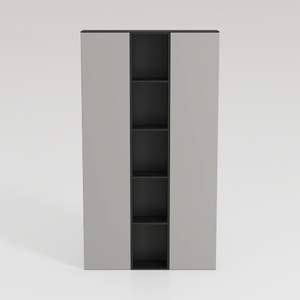
Minimalist Two Tone Open Shelf Storage Cabinet 3D Model



Modern Black Oak Arched Glass Display Cabinet 3D Model
Discover your design potential with Homestyler! This outstanding online platform features an easy-to-use design tool, stunning 3D renderings, a wealth of design projects, and informative DIY video tutorials. Whether you’re a novice or an expert, Homestyler empowers you to create your dream home effortlessly.
Design jetzt kostenlos
































