

When designing conference rooms, my primary aim is to ensure that every seat provides comfort, fosters productivity, and promotes connectedness. Achieving the right dimensions is essential as it lays the groundwork for vital aspects such as sightlines, sound quality, cable management, and traffic flow. In a hybrid work scenario, it’s crucial to adapt room sizes to accommodate various activities including quick stand-up meetings, video calls, interactive workshops, and formal board sessions.
Decision-making regarding scale should be data-driven. Research from Steelcase indicates that a significant portion, about 40–50%, of meetings include remote participants, making it vital to consider elements like camera angles, viewing distances, and seating arrangements for a fully inclusive experience. Furthermore, the WELL Building Standard highlights the importance of acoustic comfort, recommending strategies to minimize reverberation and background noise, thereby alleviating cognitive load. These insights guide my dimensional and material selections to enhance communication clarity.
Lighting is fundamentally linked to how spacious a room feels and impacts fatigue levels. The Illuminating Engineering Society (IES) suggests maintaining task illuminance between 300–500 lux in meeting areas and uniformity ratios between 0.6 to 0.8 to prevent glare and eye strain. From a color perspective, incorporating blue-green hues can help promote focus and tranquility, while warmer wood finishes can add psychological warmth without excessively elevating the color temperature—ideally maintained between 3500–4000K for optimal visual comfort.
Essential Dimensional Guidelines
The dimensions of a room are largely determined by seating configurations, table shapes, and display sizes. Below are the typical ranges I frequently utilize:
These dimensions are based on rectangular room designs, typical door sizes, and ADA compliance. For irregular shapes or structural columns, it's advisable to plan for an increased footprint of approximately 10–15% to maintain ergonomic standards.
Seating Comfort and Flow Ratios
Comfort can diminish rapidly if the aisle widths are cramped or if there’s interference between chair arms. I ensure the following clearances are maintained:
The most critical human factors are at the perimeter: if seats at the ends can’t view the display without craning their necks beyond a 30° angle, it's time to reevaluate the room's geometry.
Table Configurations, Seating Quantities, and Viewing Angles
The shape of the table significantly influences both dialogue and sightlines:
When determining display sizes, adhere to a common rule: for standard text presentation, a comfortable viewing distance is approximately 1.2 to 1.6 times the diagonal size of the display. For a 75" screen, aim to have primary seats positioned between 7.5 and 10 feet away. When prioritizing video, it’s crucial to place cameras at eye level and along a central line. If the room's depth exceeds the ideal viewing distance, consider utilizing dual displays to minimize head movement and ensure a clear sightline cone.
Integrating AV and Acoustic Quality in Hybrid Environments
Meetings with a remote focus often reveal insufficient room proportions: elongated or narrow spaces can amplify the voices of those nearer while diminishing the clarity for those seated farther away. It is advisable to maintain width-to-length ratios within 1:1.3 to 1:1.6 for improved acoustic equilibrium. Reverb times should ideally be kept between 0.5 and 0.7 seconds in small to medium rooms, using sound-absorptive ceilings, upholstered seating, and strategic wall panel placements.
Strategic Door Locations, Storage, and Service Areas
Set doors at a distance from the main display to mitigate backlighting and distractions. A clear path of at least 36 inches must lead from the entrance to the table's head. It’s wise to include a 24–30" deep credenza for technical equipment, cabling, and related components. Ensure power/data conduits are set at a 12–18" distance from the table edge, while also leaving room for future equipment needs. Don’t forget to ensure airflow in equipment cabinets to avoid overheating and noise from fans.
Optimizing Lighting: Brightness, Color Temperature, and Glare Management
A well-thought-out layered lighting design is crucial for both note-taking and video transmission. Utilize indirect ambient lighting to achieve the recommended 300–500 lux on surfaces designated for work (as per IES standards), while also incorporating low-glare task downlights outside of the glare cones visible on cameras. Opt for LED lights in the 3500–4000K range to ensure true skin tones on video, and consider dim-to-warm options for enhanced comfort during extended meetings. Avoid high-gloss finishes on tables that could reflect light into the cameras.
Material Choices, Sustainability, and Maintenance Considerations
Choosing materials extends beyond aesthetic preferences. Opt for low-VOC products and acoustic-friendly textiles that satisfy performance standards. Matte laminates or open-pore woods reduce glare effectively. For high-traffic meeting rooms, upholstery should have abrasion ratings exceeding 50,000 double rubs to withstand regular use. We can promote sustainability by employing recycled PET acoustic panels and modular carpet tiles, ensuring easier replacements. Effective cable management also remains crucial; a cluttered room can quickly become outdated.
Layout Planning and Simulation Tools
Before moving forward with construction, it’s vital to model furniture, clearances, and AV sightlines. Rapid prototyping with an interior layout planner can help visualize circulation paths, camera placements, and display readability. For a quick way to visualize different configurations and assess clearances, consider utilizing a layout simulation tool such as Homestyler.
Room Specifications and Types
8' x 10' to 10' x 10'; single 55–65" display; compact round table; 36" rear clearance; optional ceiling microphone.
10' x 12' to 12' x 14'; single 65–75" display; rectangular or oval table; 48" main aisle; wall panels to reduce flutter effects.
12' x 16' to 14' x 18'; 75–86" display; preferred boat-shaped table; dual ceiling speakers; indirect ambient lighting at 3500K.
16' x 20' minimum; movable tables; writable wall spaces; dual displays; robust floor power solutions; 60" clear space from table to walls on main sides.
20' x 30' to 24' x 36'; executive seating arrangements; comprehensive AV setups including camera tracking; sound-absorbing ceiling tiles; vestibule for privacy.
Understanding Color Psychology and Visual Harmony
Utilizing muted color schemes with vibrant accents can help maintain focus without causing distractions. Research indicates that shades of blue are often associated with tranquility and concentration, while green tones promote equilibrium—these colors should ideally be placed on side or rear walls rather than directly behind the display to prevent color distortion. Combining a mid-tone finish on tables with slightly lighter wall colors facilitates visual hierarchy while preventing strong designs within camera views to avert moiré effects.
Common Mistakes and My Preventive Measures
FAQ
For dimensions, aim for 10' x 12' to 12' x 14' to maintain a clear path of 48 inches behind seating in the main aisles and to accommodate a 65–75" display.
Maintain a comfortable viewing distance of 1.2 to 1.6 times the diagonal dimensions of the screen. For a 75" display, target seats roughly 7.5 to 10 feet away.
The IES recommends maintaining 300–500 lux on work surfaces. This can be achieved by pairing indirect ambient lighting with well-controlled downlights and keeping color temperatures in the 3500–4000K range for optimal visual appearance during video calls.
Ensure at least 48 inches of space for primary circulation and 36 inches for secondary paths to avoid chair clashes and traffic bottlenecks.
Incorporate sound-absorbing ceiling tiles, upholstered seating, and strategically placed wall panels to optimize acoustics; aim for a reverb time of approximately 0.5 to 0.7 seconds.
Boat-shaped tables can enhance visibility for participants seated far from the display. Alternatively, rectangular tables with tapered ends can also improve camera capture of all speaking engagements.
Keep doors positioned away from the primary display wall with a clear entry path of at least 36 inches, which helps to mitigate distractions caused by backlighting in the camera's view.
Position floor boxes approximately 12 to 18 inches from the table edges and include additional conduits for future expansion. Ensure that cable trays remain accessible and that equipment cabinets have effective ventilation.
Opt for mid-value neutrals paired with blue or green accents to promote calm and concentration, while avoiding reflective finishes that could lead to glare in video feeds.
Utilize an interior layout planning tool to simulate arrangements for seating, clearances, and visual angles. Iterative designs will help identify potential pinch points before actual construction begins.
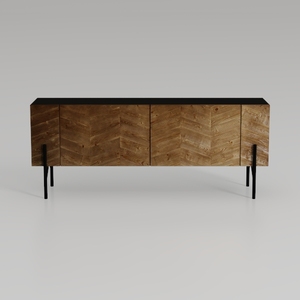
Modern Chevron Solid Wood Metal Sideboard 3D Model
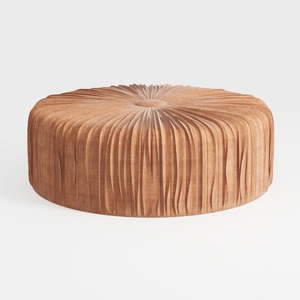
Minimalist Round Tufted Fabric Ottoman 3D Model

Wood Bookshelf with Adjustable Shelves, 72" Tall
Homestyler is your go-to online home design platform, perfect for any DIYer! With an intuitive design tool, stunning 3D renderings, tons of inspiring design projects, and helpful video tutorials, you can easily create the home of your dreams—no design experience needed!
지금 무료로 디자인하세요
































