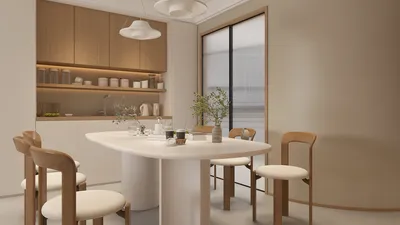


I focus on designing committee rooms that harmonize clarity, speed, and comfort—since poor sightlines, acoustics, or seating can hinder decision-making. In well-organized spaces, participants can effortlessly follow discussions, feel comfortable, and transition seamlessly between various modes like presentations, debates, and quick breakouts.
Research supports this investment. According to Gensler’s workplace study, diverse settings enhance effectiveness, with rooms designed for multiple work styles significantly boosting focus and collaboration quality (Gensler Research Institute). Similarly, Herman Miller's findings emphasize the importance of adjustable chairs and proper posture support to mitigate musculoskeletal issues and maintain engagement in lengthy meetings—essential for extended committee sessions (Herman Miller Research). To ensure optimal visibility, I adhere to IES illumination guidelines, achieving illumination levels of 300-500 lux on tables while minimizing glare from screens (Illuminating Engineering Society standards).
I also incorporate WELL v2 principles to reduce acoustic stress and promote cognitive comfort, particularly by managing background noise and selecting materials that absorb and disperse sound without rendering the room completely silent. It’s vital for committees to experience both clarity and a sense of natural presence. As layouts change—from U-shaped for discussions to hollow-square for consensus—careful spacing and display placement keep focus on central conversations and ensure balanced voices. If you're exploring layout options, utilize a layout simulation tool like Homestyler to assess sightlines and traffic flow prior to construction.
Key Spatial Ratios And Sightlines
Committees depend on facial expressions, not just presentations. I aim for a distance of 1.5–2.0 m between opposing seats in a hollow-square arrangement to maintain eye contact without raising voices. For optimal screen readability, the text height should be a minimum of 3.3 mm for each meter of viewing distance; therefore, a participant sitting 6 m away requires text at least 20 mm high on critical slides. Ensure the farthest viewer is positioned within 6-7 times the height of the displayed image. Avoid placing seats directly outside the 60–70° central viewing area, as peripheral viewers may quickly become fatigued and disengaged.
Seating Ergonomics And Flow
Opt for chairs with synchronous tilt, adjustable lumbar support, and 4D armrests to reduce fidgeting and promote attentive listening during long meetings. Tables should be 710–740 mm high, offering 600–700 mm per person, allowing laptops and documents to coexist without elbow clashes. I prefer to create aisles of 1,000–1,200 mm to facilitate quiet entry and exit, minimizing interruptions from late arrivals. For sessions exceeding 90 minutes, consider incorporating micro-breaks and provide a leaner counter at the outskirts for posture variation.
Lighting: Layered, Dimmable, And Glare-Controlled
Integrate indirect ambient lighting at 300–400 lux with focused task lighting at 400–500 lux on the table surface during document reviews. Maintain a color temperature in the 3500–4000K range for alertness without harshness. Utilize fixtures with low UGR (Unified Glare Rating), cross-blade baffles, or indirect uplighting to minimize reflections on glossy papers and laptop screens. Dimming capabilities near 3000–3500K can assist in transitioning to deliberative discussions or late-day meetings without causing visual fatigue. Adjust the lighting for display walls to be slightly dimmer than the table level for optimal screen contrast.
Acoustic Comfort And Speech Intelligibility
Aim for reverberation times around 0.5–0.7 seconds in small to mid-sized committee rooms. By combining broadband absorbers (such as fabric-wrapped panels and mineral wool behind micro-perf wood) with diffusion techniques (like slatted timber and bookshelves), flutter echo can be minimized. Soft flooring finishes or carpeting with acoustic properties help mitigate footstep noise. If recording is required, ensure HVAC diffusers are detached from the table zone and maintain an NC/RC rating of around 25–30 to achieve quietness without it feeling eerie. Position table microphones outside the direct paths of laptop fan exhausts and away from reflective edges by 100–150 mm.
Technology And Display Strategy
Mount the primary display at eye level for seated participants; the center of the screen typically rests around 1,100–1,200 mm AFF based on seat height. In hybrid meetings, pair a wide-angle camera centered on the long axis with additional cameras to capture participant reactions—crucial for ensuring equitable involvement. Employ beamforming microphones that include DSP echo cancellation, but retain some strategically placed wired microphones for reliability. Use cable pass-throughs every 1.2–1.5 m along the table to limit device clutter. Ensure at least two charging outlets per seat (a mix of USB-C/PDU) to alleviate power concerns.
Color Psychology And Materiality
Committee spaces thrive on low-saturation, mid-value colors that draw attention to people and content. Neutral tones (like warm gray or taupe) paired with desaturated accents, such as muted teal or moss, help lower arousal levels while maintaining clarity. Research in color psychology indicates that high-saturation reds can heighten arousal and even aggression, so I reserve these for subtle accents rather than predominant wall colors (Verywell Mind: color psychology). Textured finishes—like veneered wood edges and woven textiles—soften acoustics and provide sensory appeal. Select durable, cleanable fabrics with a noise reduction coefficient (NRC) of around 0.7 for specific wall areas.
Layouts That Facilitate Decision-Making
Each committee has its unique requirements. For policy review, a hollow-square setup creates equal power dynamics and maintains clear sightlines. For presentations followed by discussions, a U-shape aids concentration while promoting dialogue. In evaluative assessments, a linear table facing the audience ensures clarity in proceedings. I prototype each alternative using an interior layout planner to confirm viewing angles, door access, and catering service paths—small details that prevent interruptions during meetings.
Utilize a room design visualization tool like Homestyler to quickly experiment with configurations, simulating camera views, participant sightlines, and acoustic panel distribution before making hardware investments. Minor adjustments—such as rotating the table slightly to minimize backlight from windows or repositioning displays to avoid door swings—can significantly enhance meeting dynamics.
Wellness, Accessibility, And Equity
Ensure that adjustable lighting and clear acoustic cues cater to neurodiverse individuals. Provide at least one sit-stand option and extra spacious chairs with higher weight capacities to uphold dignity for various body types. Make certain that circulation paths adhere to ADA standards and that knee clearances are provided at accessible positions. Set up a paper/materials station near the entrance with large-print agendas for visibility. For hybrid meetings, position the remote participant gallery close to the speaker’s line of sight so in-person attendees remember to engage with virtual participants.
Sustainability And Maintenance
Choose low-VOC paints, Greenguard-certified furniture, and replaceable components—chairs often wear at the arms and casters. Opt for LED fixtures that are efficient and have field-replaceable drivers. Select durable table surfaces (such as HPL with hardwood edges or high-density veneer) paired with stain-resistant upholstery. Standardizing a limited materials palette simplifies maintenance and repairs. Digital signage reduces paper use and enhances booking management.
Budget Priorities That Pay Off
Invest in areas that enhance the participant experience: ergonomic seating, acoustic solutions, and dependable AV technology. You can save costs on cabinetry by utilizing modular credenzas and cable management systems instead of customized casework. Set aside extra funds for commissioning controls; poorly calibrated dimming and DSP can undermine high-quality hardware. Plan for spare conduits for future camera or microphone placements—this foresight pays off after leadership changes or policy review cycles.
Commissioning And Iteration
I confirm design choices through a soft launch: execute a real agenda in the finished room, document any issues, and refine the setup. Measure light levels at both the table and screen, check RT60 using an app, and capture camera perspectives with full room occupancy. Minor adjustments—such as increasing ambient light by 50 lux, adding a diffuser panel near the chairperson, or redesigning seating arrangements to improve sightlines—often transform a good space into an effective one.
References For Standards And Research
For lighting benchmarks and glare management, I consult IES standards (ies.org/standards). When examining ergonomics and cognitive comfort, I refer to insights from Herman Miller research (hermanmiller.com/research) and align them with elements recognized in WELL v2 (wellcertified.com). For effectiveness and hybrid work insights, I utilize findings by the Gensler Research Institute (gensler.com/research). For color considerations, I rely on Verywell Mind’s color psychology summaries (verywellmind.com/color-psychology).
FAQ
Aim for a width of 600–700 mm per participant along with a working depth of at least 400–450 mm, plus shared central space for microphones and refreshments. Maintain clear aisles of 1,000–1,200 mm around the table.
Keep ambient lighting around 300–400 lux with localized task lighting on tables at 400–500 lux. Maintain a color temperature of 3500–4000K to support alertness without glare.
Incorporate fabric-wrapped wall panels at initial reflection points, using heavier rugs or carpets with acoustic backing, alongside diffusive elements like slatted wood. Set HVAC to maintain NC/RC ratings of 25–30.
A U-shape is a recommended choice. It directs attention toward the display while facilitating interaction. Aim for viewing angles of 15-20° toward the screen and avoid seating beyond the central viewing cone.
Chairs should feature adjustable lumbar support, seat depth, synchronous tilt mechanisms, and 4D armrests. Breathable mesh backs offer thermal comfort during extended sessions.
Position the primary camera at eye level in alignment with the chairperson, include an additional view for participants, and ensure the remote attendee display is near the speaker's line of sight. Utilize echo cancellation and clear boundary microphones or beamforming systems.
Select low-saturation neutral tones with muted greens or blues. Avoid dominant fields of high-saturation reds, as they can increase arousal; reserve vivid colors for small accents instead.
Target NC/RC ratings of 25–30 to maintain clarity without creating an overly silent atmosphere. If duct sounds or hissing are detected, collaborate with mechanical engineers to reduce airflow velocity or incorporate lined duct runs.
Ensure the most distant viewer is within 6-7 times the height of the display. For a seating distance of 7 m and the far viewer around 6.5 m away, a screen height of 1.0-1.1 m (approximately 65-75 inches, depending on format) serves as a solid baseline.
Invest in seating options, several square meters of acoustic treatment, and lighting control dimmers. Use modular credenzas for storage and cable routing flexibility. Calibrate existing AV setups prior to purchasing new equipment.
Modular tables allow for various configurations—U-shape, hollow-square, or classroom styles—without cumbersome lifting. Require locking casters and consistent cable management grommets for functionality.
Assess light levels at the table and display, validate RT60 around 0.5–0.7 seconds, test all seating for sightlines, simulate a mock session to confirm camera framing and microphone coverage, and ensure power availability at 100% occupancy.

Modern Black Oak Arched Glass Display Cabinet 3D Model
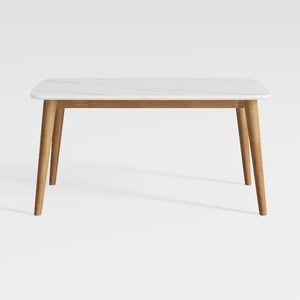

Modern Minimalist Faux Marble Solid Wood Dining Table 3D Model
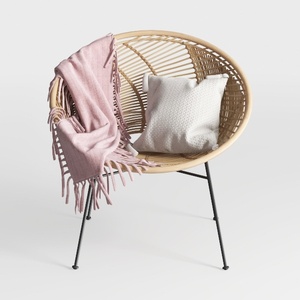
Bohemian Rattan Woven Accent Chair With Metal Legs 3D Model
Homestyler is your go-to online home design platform! With its user-friendly design tool, stunning 3D renderings, and a wealth of DIY video tutorials, you can transform your ideas into reality effortlessly. Join the creative community and elevate your home decor projects today!
تصميم الآن مجانا
































