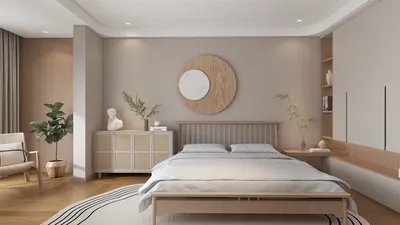


In my experience, a client once emphatically declared that their home office required a velvet chaise for ideal “creative lounging.” This became notably humorous during a Zoom call when the chaise nearly turned into a cape. This little scenario taught me two lessons: small spaces encourage bold choices, and it's possible to maintain chic aesthetics without compromising practicality. When designing a compact workspace, I recommend starting with a visual layout mockup to explore daring concepts without the ensuing drama.
1. Optimize Natural Light and Reflective Surfaces
I always try to position desks to face windows whenever feasible and incorporate mirrors or glossy backsplashes to enhance natural light penetration throughout the room. This strategy not only lifts your mood but also diminishes eye strain. That said, having adjustable blinds is essential to prevent screen glare. It's a cost-effective method with a significant positive impact — I particularly love placing a slender, horizontal mirror above a low shelf.
save pin
2. Layered Lighting for Functionality and Ambiance
In any stylish office, ambient, task, and accent lighting are indispensable. Using a dimmable ceiling fixture, an adjustable desk lamp, and warm accent lighting makes lengthy work sessions more bearable and enhances the visual appeal of video calls. A small hurdle involves the planning of wiring and switches, but the comfort and aesthetics provided by good lighting are well worth the effort.
save pin
3. Integrated Storage That Enhances Design
I have a fondness for floor-to-ceiling cabinets because they conceal clutter while creating a polished backdrop reminiscent of luxury hotels. Although built-in units can seem expensive, selectively incorporating open shelving keeps the atmosphere airy and budget-friendly. For apartments that share space with the kitchen, a thoughtfully designed kitchen nook office can appear both well-integrated and functional. Homestyler allows you to visualize such integrations effortlessly.
save pin
4. Versatile Furniture for Multi-Use Spaces
Folding desks, nesting tables, and mobile storage units make it easy to transition a room from office to guest area without clashing styles. My clients appreciate this flexibility, although some options may compromise depth for portability. A pro tip is to select a uniform finish (either a wood tone or matte paint) to ensure that all pieces coordinate as intentional decor.
save pin
5. A Striking Backdrop for Video Calls and Focus
Creating a background with a gallery wall, textured panel, or bookshelf establishes a professional and soothing presence during Zoom meetings. This approach ensures you present well, even if your desk is in disarray. To visualize color and composition before making decisions, I often utilize an advanced 3D rendering tool like Homestyler; this way, you can see the outcome ahead of time, saving paint and potential headaches.
save pin
FAQ
Q1: What’s the ideal desk size for a compact home office?
I generally suggest a width of at least 48 inches (120 cm) if you plan to use one monitor, and 60 inches (150 cm) for two monitors. A narrow depth of 18–24 inches keeps the footprint minimal while fitting your essentials.
Q2: How can I select an ergonomic chair that also looks good?
Look for features like adjustable lumbar support, seat height, and tilt lock. Then, choose upholstery and design that complement your overall decor. Prioritize ergonomic comfort first, as a stylish chair that's uncomfortable will not last long.
Q3: Is it feasible to blend work and dining in the same area?
Absolutely — utilize multipurpose furniture, such as extendable tables or foldable desks, to easily switch between functions. Visual separation (using an area rug or a floating shelf) helps your mind transition from work to relaxation.
Q4: What color schemes make a small office seem elegant yet spacious?
Soft neutrals, warm whites, and gentle pastels can open up a space, while a single deep accent wall adds an element of sophistication. Different textures (like wood, linen, or matte metals) can introduce richness without constraining the room's visuals.
Q5: How can I minimize screen glare caused by windows?
Install adjustable blinds or sheer curtains and position your monitor away from direct sunlight. A monitor hood or an anti-glare screen can also serve as an inexpensive solution for persistent reflections.
Q6: Are standing desks a worthwhile investment in a small office?
Yes, especially sit-stand converters that can be added to an existing desk — these save space while promoting better circulation. The trade-off is additional surface layering, so look for a model with a smaller footprint.
Q7: How can I achieve organized cable management?
Utilize adhesive cable channels, mount a power strip beneath your desk, and use velcro ties to bundle wires together. Planning outlet placements during setup is key to minimizing visible clutter and maintaining a neat aesthetic.
Q8: What ergonomic principles should I follow?
Adhere to expert recommendations: for example, OSHA advises that your monitor should be at eye level and wrists should remain in neutral positions. These fundamental guidelines help prevent strain and improve long-term comfort in your workspace.
save pin
Discover the joy of home design with Homestyler! This user-friendly platform offers an innovative online design tool, stunning 3D renderings, and a wealth of inspiring design projects. Plus, with DIY video tutorials, you’ll have everything you need to create your dream space effortlessly!
تصميم الآن مجانا
































