


Transforming an object into a 3D model suitable for printing entails a series of steps, regardless of whether you're replicating a physical item or creating a design entirely in the digital space. First, clarify your starting point: do you have an existing physical object to reproduce, or are you embarking on a new creation? If you are replicating an item, utilizing 3D scanning technology is essential. Popular scanning devices capture the shape and texture of the object, producing a digital mesh file typically saved in formats like .STL or .OBJ. For those venturing into design from a blank slate, applications such as Blender, Tinkercad, or Fusion 360 provide powerful tools to create models using geometric shapes and sculpting techniques. After finalizing your digital model, it's crucial to optimize it for 3D printing. This optimization includes ensuring watertight geometry (no holes or gaps), accurate scaling, and confirming printability according to the specific requirements of your 3D printer. You might need to employ mesh repair applications or slicing software to finalize the file, making necessary adjustments to settings such as infill percentage, supports, and layer heights. From a design standpoint, consider the interaction of the object with its surroundings. For instance, if you're designing a piece of furniture, envision how its proportions and style will appear in a virtual room. Modern design tools like Homestyler facilitate this visualization by allowing users to drag and drop models into simulated room layouts, letting you assess aesthetics and fit prior to printing. For those looking to orchestrate a comprehensive spatial experience for their designs, utilizing specialized 3D floor planning software can greatly enhance the visualization of how your printed objects will blend into their environment, improving both versatility and efficiency in the design process.
Suggestions
When scanning real-life objects, ensure that your item is clean and stationary for optimal results. In the realm of digital modeling, steer clear of overly intricate details unless your printer is capable of producing high-resolution outputs. Always check for non-manifold edges or inverted normals, as these can compromise print quality.
Frequently Asked Questions
Q: What file formats are typically required by 3D printers?
A: The most frequently used formats include .STL, .OBJ, and .3MF, with .STL being the standard for most hobbyist printers.
Q: Is it possible to transform a photograph directly into a 3D model?
A: Not directly, but photogrammetry software can compile several photographs to generate a textured 3D mesh.
Q: What free modeling tools are suitable for beginners?
A: Tinkercad and SketchUp are excellent beginner-friendly options, featuring numerous tutorials and robust community support.
Q: How can I repair or refine my 3D models ahead of printing?
A: Use mesh repair software such as Meshmixer, or utilize the built-in tools of your slicer (for example, Cura) to check and rectify geometry issues.
Q: Should I consider print orientation when constructing my 3D model?
A: Absolutely, optimizing the print orientation can minimize the need for supports and enhance the surface quality of your printed object.
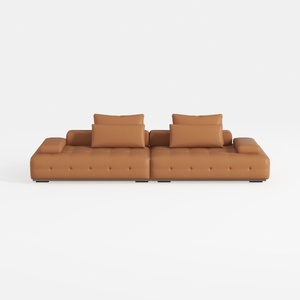

Modern Tufted Leather Oversized Sectional Sofa 3D Model
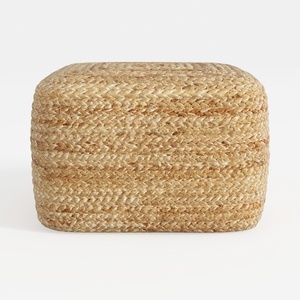
Natural Rattan Woven Square Ottoman 3D Model

Rustic Solid Wood Geometric Octagonal Coffee Table 3D Model
Discover the joys of home design with Homestyler! This innovative online platform offers a user-friendly design tool, stunning 3D renderings, and a wealth of inspiring decoration projects and DIY video tutorials. Perfect for transforming your creative ideas into reality, all with ease and fun!
Design Now for FREE
































