


Delving into the world of 3D printing through Maya unveils a wealth of imaginative opportunities for both designers and artists. By harnessing the powerful features of Maya, it is possible to create intricate 3D models specifically designed for efficient printing, utilizing tools that enhance the creative process.
Understanding the Basics of 3D Printing in Maya:
The first step in the 3D printing journey is ensuring that your model adheres to specific standards to facilitate successful printing. This entails verifying that the mesh of your model is flawless, free from non-manifold edges or inverted normals, which can obstruct the printing process.
In addition, it’s crucial to pay attention to the scale of your design. When using Maya, always ensure your model's dimensions correspond with the intended real-world print size. This meticulous approach ensures that your exported model accurately represents its intended dimensions, enhancing print accuracy.
Exporting Your Design for Ideal 3D Printing:
Once your model is perfected, the next vital step is to export it. The common file formats used for 3D printing include .STL and .OBJ. You can effortlessly export your creation by navigating to File > Export Selection and selecting your desired format. It’s essential to opt for the correct export settings to maintain your model’s fidelity.
Next, it is wise to employ slicing software to prepare your model for printing. This software is responsible for generating the G-code, which instructs the printer on how to build your object, essentially bridging the gap between your design in Maya and the physical model.
Navigating Common Issues with 3D Printing from Maya:
Even experienced users may run into hurdles during the 3D printing workflow from Maya. Common problems often arise from improper settings, such as incorrect infill density or insufficient layer height. To avoid these pitfalls, it’s crucial to thoroughly inspect your printer settings and conduct test prints whenever possible.
Furthermore, maintaining the structural integrity of your model can be challenging. For designs that incorporate fragile elements, consider the addition of support structures or reassess the scale to ensure stability throughout the printing process, promoting a successful output.
Frequently Asked Questions (FAQ)
Q: Is it possible to 3D print any model designed in Maya? A: Not all models are suitable for printing; ensure that your model features a closed mesh and is free of defects.
Q: What is the best file format to export from Maya for 3D printing? A: The most recommended file formats for 3D printing tend to be .STL or .OBJ.
Q: How can I reduce the risk of print failures with my 3D printer? A: It’s vital to check your model for discrepancies, fine-tune your printer settings, and consider performing test prints to ensure quality results.

Small Desk Chair Round Rolling Chair with Back


48 in. Rectangular Red Glass Writing Desk
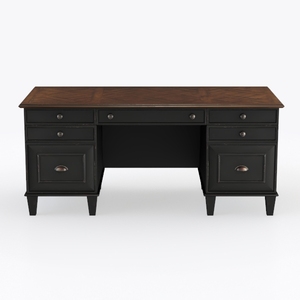
Starlight Canyon Home Executive Desk – Brown Woode
Discover the creativity of home design with Homestyler! This user-friendly platform offers an intuitive online design tool, stunning 3D renderings, and a wealth of inspiring design projects. Plus, enhance your skills with DIY video tutorials. Transform your space effortlessly today!
تصميم الآن مجانا
































