

The process of printing 3D models designed in Blender requires several key steps to effectively transform a digital creation into a tangible object. Below is a detailed guide to assist you in getting started with this journey:
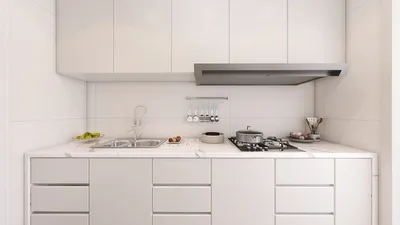
As a designer, I've discovered that visualizing your model within realistic settings, as well as experimenting with lighting and texture materials before you print, can help identify potential problems early on. High-quality 3D renders at this phase not only prevent printing failures but also enhance client confidence by providing attractive previews. Utilizing a 3D Render Home solution, such as Homestyler, can ensure your design remains both functional and visually captivating before you proceed to the print stage.
Tip 1:
Always conduct a mesh analysis in Blender to identify any flipped normals, non-manifold geometry, or intersecting meshes. The “3D Print Toolbox” add-on in Blender can facilitate a thorough pre-print examination, reducing unexpected issues during the slicing and printing phases.
FAQ
Q: What file formats are compatible for 3D printing from Blender?
A: The most commonly used formats are STL and OBJ, both of which are supported by the majority of slicing software for 3D printers.
Q: How can I verify that my Blender model is manifold?
A: You can utilize Blender's “3D Print Toolbox” to check for non-manifold edges or holes and correct any geometric issues prior to exporting.
Q: Is it necessary to scale my model in Blender before printing?
A: Absolutely. Ensure that your model corresponds to the desired real-world dimensions and is suitable for your 3D printer's build area.
Q: Which slicing software should I consider for Blender models?
A: Popular choices include Cura, PrusaSlicer, and Simplify3D, all of which can process STL and OBJ files exported directly from Blender.
Q: Can I include supports directly in my Blender model?
A: While this is feasible, it is generally advisable to add supports using your slicer software, as this provides greater control over their positioning and removal.
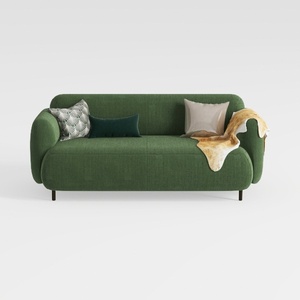

Minimalist Dark Green Fabric Loveseat Sofa with Decorative Pillows 3D Model


Minimalist Linen Fabric Slipcover Three Seater Sofa 3D Model
Homestyler is your go-to online home design platform, perfect for transforming ideas into reality! With its easy-to-use design tool, stunning 3D renderings, and a wealth of DIY video tutorials, you can effortlessly create beautiful spaces that reflect your style. Dive into your next design project today!
Concevez maintenant gratuitement
































