


Crafting 3D representations of solids, liquids, and gases serves as an exciting method to illustrate and comprehend the distinct characteristics of each state of matter. Whether you are an educator, student, or designer seeking to convey scientific principles, there are numerous accessible tools and design strategies to effectively represent these states in a visually engaging manner. Here’s a thorough guide on how to model each state in 3D using innovative applications like Homestyler:
For those who are students or lack design experience, many online solutions boast user-friendly interfaces that facilitate the creation and visualization of these concepts. These platforms enable users to experiment with various arrangements, scaling, and even simulating movement, allowing anyone to construct precise and informative models that reflect the traits of each state. As a professional interior designer, I consistently seek tools that offer both precision and creative freedom. Integrating scientific modeling into design projects, interactive displays, or educational environments becomes significantly easier with intuitive applications. Utilizing a 3D Floor Planner, such as Homestyler, aids in not just creating scientific models but also translating these abstract concepts into functional spatial designs or learning scenarios that provide immersive experiences.
Suggestions for Success:
Enhance your 3D models by incorporating animations or interactive elements to vividly illustrate the dynamic characteristics of liquids and gases. This technique is particularly beneficial for educational presentations or captivating exhibit designs, showcasing how molecules move and interact over time.
Frequently Asked Questions
Q: Which software is ideal for crafting 3D models of solids, liquids, and gases?
A: Popular choices for both novices and experts include Blender, Tinkercad, and SketchUp. For educational purposes, explore online 3D modeling platforms that provide drag-and-drop capabilities and simple particle duplication features.
Q: How can I depict molecular motion in my 3D gas model?
A: Leverage animation features or particle systems available in your 3D software to mimic the random, swift movements that represent the molecular activity found in gases.
Q: What’s the simplest method to illustrate the distinctions between liquid and solid states in 3D?
A: Use a structured arrangement of spheres to represent solids, while a looser, more chaotic layout can depict liquids. Adding transparency and subtle animations can further highlight the differences between these states.
Q: Can 3D models of matter states be utilized in classroom presentations?
A: Definitely! 3D models facilitate the visualization of abstract ideas, making them excellent tools for teaching and promoting interactive learning in science classrooms.
Q: Are there specific tools available for designing scientific visualizations within architectural settings?
A: Yes, there are specialized interior design platforms that allow for the integration of scientific modeling into spatial planning, perfect for museums, educational venues, or interactive displays.
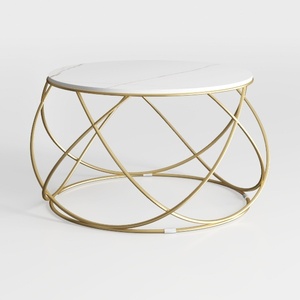
LITTLE TREE Modern White Dining Table for 4, 47-In

Modern Marble Top Black Metal Round Coffee Table 3D Model
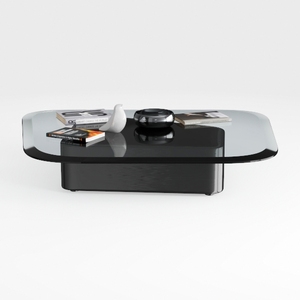
Modern Black Glass Top Solid Wood Base Coffee Table 3D Model
Homestyler is your go-to online home design platform! With a user-friendly design tool, stunning 3D renderings, and a wealth of DIY video tutorials, you can effortlessly create and visualize your ideal space. Transform your home design dreams into reality today!
Progetta ora GRATIS
































