


Creating 3D laser-cut models is an exhilarating method to transform your concepts into tangible objects using advanced cutting technology. Whether you're a DIY enthusiast or a seasoned designer, this comprehensive guide will help you navigate the journey of designing and producing 3D laser-cut models with ease.
Grasping the Fundamentals of 3D Laser Cutting
3D laser cutting utilizes a laser cutter to intricately engrave or slice materials into detailed designs. The fantastic part is that you can work with a variety of materials, including wood, acrylic, and even cardboard. The first step is to devise a solid plan. What are you aiming to create? Is it a model, a decorative feature, or even a product prototype?
Begin by sketching your thoughts on paper. Take into account the dimensions, forms, and methods for assembly. Getting your design right at this stage will be invaluable in saving you time down the line. Once your sketch is finalized, you can move into digital design.
Utilizing Software for Designing
There are multiple software options available for crafting 3D designs that are perfect for laser cutting—popular names include AutoCAD, Adobe Illustrator, and Inkscape. These applications empower you to create vector graphics that the laser cutter will execute accurately.
When working within the software, maintain layer separation in your design to streamline the cutting process. Each layer can represent distinct aspects of your model. Don’t forget to modify the dimensions of your components to guarantee they fit together correctly during assembly. Once you’re finished, export your design in a format that’s compatible with your laser cutter (like .dxf or .svg).
Configuring the Laser Cutter
Now, it’s time to turn your designs into reality! Before you begin, confirm that your laser cutter is accurately set up according to the specifications of your material. This includes adjusting parameters like speed, power, and frequency. Different materials may necessitate varying settings, so always refer to the manufacturer’s instructions for optimal results.
Position your material on the bed of the laser cutter and ensure everything is properly aligned. Once everything is set, upload your design file and get ready to cut. It is advisable to conduct a test cut on a spare piece of material first to ensure everything is operating correctly.
Constructing Your Model
After cutting, carefully extract your pieces from the laser cutter. You may need to perform minor clean-ups, such as sanding edges or eliminating surplus material. Assemble the components following your design. For more complicated designs, consider using adhesive to fasten the pieces securely together.
Finally, enhance your model by applying paint, stain, or a protective sealant. This not only boosts durability but also gives your model that polished, professional finish that will impress!
Essential Materials and Tools You May Require
To summarize, here's a quick checklist of what you will require: a laser cutter, design software, various materials (wood, acrylic, etc.), adhesive, assembly tools (like clamps or small weights), and finishing supplies. Additionally, utilizing tools like Homestyler can greatly aid in visualizing your design before you cut.
Frequently Asked Questions
Q: Which materials are suitable for laser cutting? A: Common materials you can use include wood, acrylic, cardboard, and in some cases, metals.
Q: Is a specific type of laser cutter required for 3D models? A: While a standard laser cutter will suffice, a machine with optimized power settings and precision will significantly enhance your outcomes.
Q: Is it permissible to sell my laser-cut models? A: Absolutely, provided you adhere to copyright laws and licensing agreements for the designs you incorporate.

70.8” Tall Arched Bookcase, 5 Tier Tall Bookshelf,
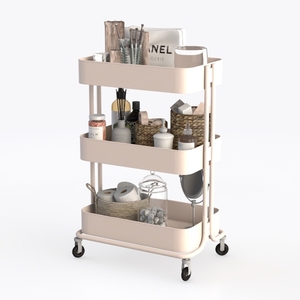
Minimalist Blush Metal Rolling Utility Cart 3D Model

White Dresser for Bedroom, 48'' Modern 6 Drawer
Homestyler is your go-to online home design platform! With its user-friendly design tool, stunning 3D renderings, and a wealth of design projects and video tutorials, you can unleash your creativity and transform your space effortlessly—perfect for both novices and seasoned designers!
立即免费设计
































