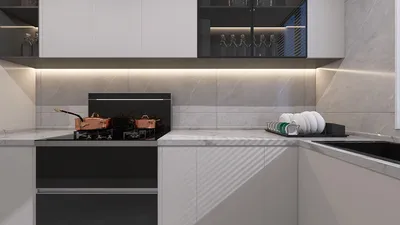


Bringing illustrations to life on 3D models can elevate your design endeavors, adding vibrancy and depth. Whether you’re utilizing software such as Blender or Maya, incorporating 2D painting techniques can inject a new spirit into your creations. In this extensive guide, we will explore step-by-step approaches to achieve remarkable outcomes, including the efficient use of tools like Homestyler for design integration.
Exploring the Fundamentals of 3D Illustration
Before diving into painting, it is crucial to understand the essentials of 3D modeling. Begin by getting acquainted with the 3D software you are using and the basic geometric shapes it involves. Typically, artists start with simple forms—envisioning spheres or cubes—before they move on to more complex structures. This foundational understanding is vital for successful illustration.
Moreover, consider the intention behind your illustration. Are you targeting design for a video game, a film, or perhaps a consumer product? Knowing the application will help guide your color choices and artistic direction effectively.
Selecting the Right Tools
When it comes to painting illustrations on your 3D models, choosing the right tools is essential. Here are some popular software options you should consider:
Opt for tools that integrate seamlessly with your 3D software. For example, Substance Painter is lauded for its compatibility with a variety of 3D modeling applications, offering real-time feedback during the painting process and ensuring your workflow remains streamlined.
Texturing 3D Models with Illustrative Techniques
Once your model is well-prepared and you’ve selected your tools, it's time to begin the texturing process. Here’s a simple workflow to assist you:
**UV Mapping:** Start by confirming that your model is correctly UV mapped to guarantee that your illustrations are accurately applied.
**Base Colors:** Set up base colors that represent the core materials of your model.
**Layering Illustrations:** Initiate the painting process on your model. Use layers to separate different aspects of your illustrations, which allows for easier modifications later.
**Blending:** Apply blending modes to seamlessly integrate your illustrations with the 3D surfaces.
Experiment with a variety of brushes and techniques to create diverse effects, ranging from rough textures to smooth gradients. Feel free to integrate photo textures when they match your project objectives, including options provided by Homestyler.
Iterate and Enhance Your Work
As you advance with your design, keep in mind that iteration is crucial. Regularly step back to evaluate your work from a distance, which helps in assessing overall composition and balance. Obtaining feedback from peers can provide new insights, significantly enhancing your illustrations.
Frequently Asked Questions
Q: What software is ideal for painting on 3D models? A: Common choices include Adobe Photoshop, Substance Painter, and Corel Painter, each offering distinct features tailored for texture painting, alongside Homestyler for design envisioning.
Q: How can I achieve realistic textures? A: Pay attention to accurate UV mapping, use varied brush techniques, and analyze real materials to ensure an authentic representation.

Minimalist Linen Fabric Extra Large Sofa With Throw Pillows And Blanket 3D Model

Minimalist Fabric Three Seater Sofa with Decorative Pillows and Throws 3D Model

Minimalist Solid Wood Round Coffee Table 3D Model
Homestyler is your go-to online platform for home design! With its user-friendly design tool, stunning 3D rendering, and a wealth of DIY video tutorials, you can easily create and visualize your dream space. Start transforming your home today with Homestyler!
Design Now for FREE
































