

Designing a 3D representation of a bird nest can be a captivating endeavor for anyone, whether you are passionate about nature, a student, or a designer aiming to introduce natural elements into your projects. This undertaking merges observation, creative design processes, and digital software to emulate the complex form of a nest. Begin by exploring various bird species—like sparrows, robins, and swallows—all of which construct distinctive nests. Pay attention to the textures, materials (such as twigs, leaves, and mud), and the overall shapes. It’s prudent to sketch your idea on paper first to evaluate the layout and desired textures you hope to create.
With the help of 3D modeling software such as Blender, SketchUp, or Tinkercad, you can start crafting the foundational structure, which is generally a rounded bowl. Utilize tools like "curve" or "array" to create overlapping twigs, arranging them in layers. For a more organic feel, vary the thickness and positioning of each strand to achieve a lifelike appearance. Incorporate finer details, such as leaves or feathers, for added realism. When you’re content with your design, apply realistic materials and textures that include wood grain, dry grass, and subtle mud stains. If your objective is to situate the nest within a home setting or a space inspired by nature, consider using natural lighting and shadowing effects for rendered images to enhance the decor themes. From a designer's viewpoint, this process transcends mere technicality; it’s about achieving a seamless integration of elements that resonate with the aesthetic you intend to express. Utilizing a specialized platform like Homestyler for 3D rendering can considerably elevate your project, yielding photorealistic outcomes and user-friendly customization of scenes.
Tips 1:
Examine real nests closely or consult high-resolution images for reliable references. Experimenting with lighting in your renders at different times of the day can invoke mood variations or accentuate materials effectively. When incorporating the nest into an interior design scheme, think about the interaction between natural textures and the surrounding decor; this balance can amplify the visual story of your space.
FAQ
Q: Which software is ideal for modeling a bird nest in 3D?
A: Popular choices for robust modeling include Blender and SketchUp due to their capability for organic shapes, while Tinkercad is excellent for beginners because of its intuitive design.
Q: How can I achieve a realistic appearance for my nest in the 3D model?
A: Implement randomization strategies, position strands at various angles, and apply textures mindfully, such as wood grain, dry grass, and subtle dirt impressions.
Q: Is it feasible to print my 3D bird nest model?
A: Yes, many 3D models can be saved in formats like STL or OBJ, which are compatible for standard 3D printers, though intricate twig details may require support during printing.
Q: Can I replicate natural lighting for my bird nest design?
A: Most 3D modeling applications allow for lighting adjustments; opting for a system with advanced rendering capabilities can help achieve photorealistic results.
Q: What applications does a 3D model of a bird nest have in interior design?
A: It can function as an artistic focal point, an educational display, or an element in nature-themed designs, merging organic textures with contemporary decor.
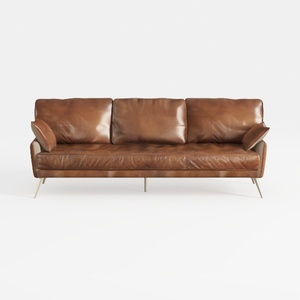
Modern Vintage Leather 3 Seater Sofa With Metal Legs 3D Model

Minimalist Solid Wood Fabric L Shape Sectional Sofa 3D Model
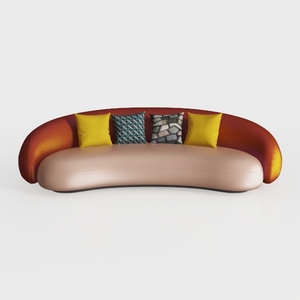
Modern Two Tone Fabric Curved Sofa With Decorative Throw Pillows 3D Model
Homestyler is your go-to online home design platform! With an easy-to-use design tool, stunning 3D renderings, and a treasure trove of inspiring projects and video tutorials, you can effortlessly create and visualize your dream space, no matter your skill level!
立即免费设计
































