


Crafting a 3D tree house model can be a thrilling endeavor that allows you to tap into your creative side and design flair. Whether it’s intended for a garden escape or a fantastical play area, a tree house can awaken the childlike wonder within us. In this tutorial, we will guide you through the essential steps to design an ideal 3D tree house model that aligns with your imaginative vision.
Select Your Design Aesthetic:
The first task is to choose a design aesthetic that resonates with your style. Are you picturing a quaint wooden cabin, a contemporary structure, or a whimsical tree house inspired by fantasy? This choice lays the groundwork for your 3D modeling journey. Remember, your tree house should embody your personal style while harmonizing with its surroundings.
Collect Inspiration and Resources:
Next, gather creative inspiration from a variety of sources such as magazines, architectural websites, or even actual tree houses. Compile a collection of images that ignite your design ideas. Additionally, gather the necessary resources for your 3D model. This may include software like Homestyler, which offers a robust platform for 3D modeling, along with digital assets like textures and tree models.
Draft Your Design:
Before diving into digital modeling, create preliminary sketches of your tree house’s layout. This includes floor plans, elevations, and perspective drawings. Sketching is instrumental in visualizing the space and layout, ensuring both functionality and aesthetics come together according to your vision.
Begin Modeling with 3D Software:
Now, it's time to bring your sketches into a digital format! Utilize a 3D modeling software like Homestyler to construct your tree house model. Start by defining the basic shapes, such as a tree trunk and a platform for the house. Gradually incorporate walls, windows, and other architectural details, ensuring your design maintains structural integrity.
Enhance with Textures and Colors:
After establishing your basic framework, enhance your model with textures and hues. This phase is where your design truly begins to emerge; select wooden textures for a rustic appearance or bright colors for a playful look. Play with various finishes to add depth and realism to your creation.
Integrate Landscaping Features:
Don't overlook the environment surrounding your tree house. Introduce landscaping features like trees, shrubs, and flowers to craft a captivating scene. Thoughtful landscaping can significantly enhance the overall beauty of your 3D model, making it feel intrinsically connected to nature.
Conclude and Showcase Your Design:
Upon completing your model, double-check all elements to ensure they fit together harmoniously. Showcase your design through high-quality renders or animations to highlight the unique characteristics of your tree house. Sharing your creation on social media platforms can also foster feedback and spark inspiration from fellow enthusiasts.
FAQs
Q: Which software is best for creating 3D tree house models? A: Homestyler provides user-friendly tools that empower aspiring designers to craft impressive 3D models, including tree houses.
Q: How long does it typically take to design a 3D tree house? A: The duration varies depending on complexity and detail, but many individuals can create remarkable models in just a few hours.
Q: Is it possible to create a tree house model without advanced design skills? A: Definitely! Many 3D modeling software programs, including Homestyler, are designed to be intuitive and accessible for beginners.
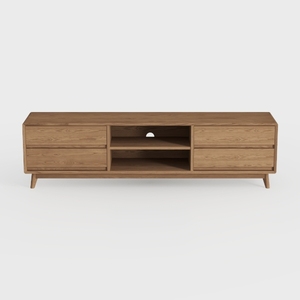
OKD TV Stand for 75+ Inch TV, Mid Century Modern
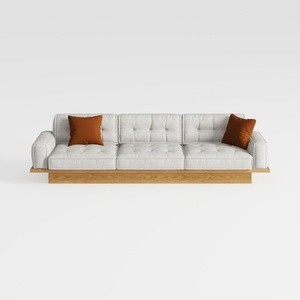
Modern Solid Wood Frame Tufted Fabric Three Seat Sofa 3D Model
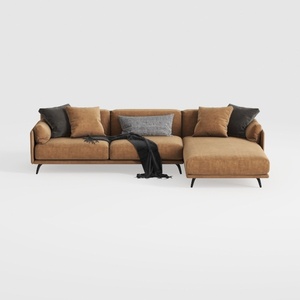

Coaster Home Furnishings - Camacho - Upholstered C
Homestyler is your go-to online home design platform! With an intuitive design tool, stunning 3D renderings, and a wealth of inspiring design projects and video tutorials, you can easily create your dream space with confidence. Discover endless possibilities in home decoration today!
Progetta ora GRATIS
































