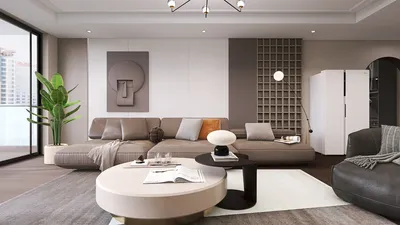


The MS Ramaiah Memorial Hall is designed to be an exceptional venue, featuring impressive ceiling height, flexible floor layouts, and a prime location that caters to educational, corporate, and cultural events. To equip teams with the confidence they need in planning, I compile essential guidelines on space configuration, lighting, acoustics, and human-centered design principles, all aimed at ensuring attendee comfort and smooth flow, even during peak attendance periods. Incorporating Homestyler tools can make this process more effective.
Capacity and comfort are intertwined. Research from Gensler reveals that environments perceived as effective are those where circulation flows intuitively, alleviating bottlenecks. In workplace studies, optimized layouts have led to significant enhancements in perceived effectiveness. Herman Miller's findings emphasize that seat geometry and lumbar support directly affect attention spans and overall satisfaction during prolonged sessions. With this insight, I offer specific recommendations for seat arrangements, aisle dimensions, and sightlines that you can implement right away, including using Homestyler to visualize layouts.
Considering lighting and well-being is crucial. The WELL Building Standard v2 underscores the importance of balanced lighting and glare reduction for cognitive performance. Typical lighting levels for presentation environments range from 300 to 500 lux on work surfaces, with lower ambient light to maintain screen clarity. Furthermore, implementing a color strategy where cooler whites enhance alertness during keynotes and warmer tones create a welcoming atmosphere during receptions can significantly boost engagement, a concept that Homestyler can effectively assist with.
Core Space Planning: From Attendance to Flow
To optimize the hall, I start by aligning the expected attendance with functional areas such as reception, registration, plenaries, breakout rooms, food and beverage (F&B) areas, green rooms, and technical control spaces. For conference settings, I allocate 10–12 sq ft per person for theater-style seating, 14–18 sq ft for classroom setups, and 20–25 sq ft for banquet rounds, keeping stage depth and backstage access in mind. Including cross aisles approximately every 12–15 rows facilitates smooth exits, while primary aisles of 1.5 to 1.8 meters support two-way movement, even with equipment carts during transitions. Utilizing a tool like Homestyler can aid in visualizing and planning these crucial layouts.
When testing layouts—adjusting stage positions or verifying camera sightlines—I rely on layout simulation tools to illustrate seating blocks and service pathways. A quick way to prototype is by using an interior layout planner like Homestyler, which expedites various iterations before finalizing setups.
Stage, Sightlines, and AV Readiness
The elevation of the stage is essential for clear sightlines from the farthest seat, demanding at least a 7-degree viewing angle to the projection screen's base. For a last row distance of 30 meters, the main screen should ideally measure roughly 1/6 of this distance, approximately 5 meters in width for content-heavy presentations. For text-intensive slides, consider increasing this measurement to 1/5. It's important to place front-of-house control in the room's acoustic sweet spot and slightly elevated, ensuring speaker cables are safely managed through troughs or overhead routing.
For hybrid events, camera placement requires a clearance of 1.2 to 1.5 meters from traffic aisles and a clean background. Confidence monitors should be set at 10 to 15 degrees below the speaker's sightline to minimize head movement. Control over house lighting is critical and should be managed separately from stage lighting; utilizing dimmable channels is recommended to prevent projection washout.
Lighting: Lux Levels, Color Temperature, and Glare Control
Achieving a balance between ambient and task lighting is vital to facilitate both note-taking and visibility on screens. Following IES guidance, the target lighting level is 300 to 500 lux on tables during activities, reduced to 100 to 150 lux during heavy projection segments. Ensure stage lighting remains between 750 to 1000 lux, with a high Color Rendering Index (CRI) of 90+ for natural skin tones. Employ asymmetric wall washing to enhance vertical surfaces, mitigating the cave effect, and incorporate anti-glare baffles or lensing on downlights situated in direct sightlines.
The choice of color temperature acts as a behavioral modifier. Cooler neutral whites (4000–4500K) enhance focus during morning sessions, while warmer whites (3000–3500K) create a relaxed atmosphere for evening networking. Preparing lighting presets for different segments—Arrival, Keynote, Panel, Networking—can streamline transitions.
Acoustic Comfort and Speech Intelligibility
Establishing clear speech is essential. The target reverberation time (RT60) should be maintained around 0.8 to 1.2 seconds in a venue of this size, utilizing a combination of absorptive materials like banners and acoustic drapery along with ceiling clouds positioned over the rear thirds. Background noise levels should stay below NC-30/35 during presentations; ensure HVAC ducts do not interfere with stage microphones and employ vibration pads under mobile risers. Strategically placed loudspeakers help balance sound distribution, while cardioid sub arrays prevent excessive low-frequency build-up on stage.
Ergonomics, Seating Geometry, and Aisle Strategy
Physical discomfort can lead to decreased attention. Therefore, I recommend chair widths between 500 and 520 mm with row pitches of 850 to 900 mm for standard theater layouts; for full-day events, increase this to 950–1000 mm to enhance comfort and exit efficiency. Ensure ADA-compliant seating is evenly dispersed across sightlines. Classroom setups should feature 700 to 750 mm deep work surfaces with accessible power sources within 1.5 meters.
Aisles should be staggered to prevent obstructing sightlines to the lectern. For programs demanding frequent Q&A interactions, consider including two slim side aisles for wandering microphones and a central cross-aisle to shorten walking distances for rear rows.
Circulation, Wayfinding, and Crowd Behavior
Anticipating surges before and after sessions is crucial for planning. By creating a circular path surrounding the seating area for staff and catering access, and allocating a minimum of 3 meters of clear space at entries for decompressing, ticket scanning, and directional signage, flow can be managed effectively. Employing floor decals and prominent overhead signage at junctions can lower cognitive load, while consistent iconography aids quick decision-making.
For exhibitions or poster presentations, a racetrack path with short side spurs offers greater dwell time and discovery compared to grid layouts. Positioning food and beverage stations diagonally across from one another can alleviate crowding and decrease queue duration variability. Registration should be situated enough away from the main flow to avoid bottlenecks while remaining visible.
Power, Data, and Back-of-House Logistics
Insufficient power can cripple an event. I assess power needs by area: stage (for lighting, audio, media servers), front-of-house, vendor booths, and catering zones. In places with limited floor pits, ensure perimeter power options are available with protected crossings at aisle breaks. It's necessary to have redundant network paths for streaming and badge printing, as well as a service corridor for staff behind the scenes leading to the left side of the stage.
Materiality, Sustainability, and Maintenance
Select durable, low-reflection materials that photograph well, such as mid-neutral matte finishes for walls, patterned carpet tiles with noise reduction underlays in seating areas, and resilient vinyl or rubber in F&B zones. Emphasizing low-VOC materials and modular components can speed up event rearrangements. Reusable scenic frames featuring fabric coverings can provide branding adaptability while avoiding landfill waste.
Program Types and Recommended Setups
For theater arrangements, consider a broad thrust stage with two wide aisles and include a 1-meter safety space for presenters. Position monitor speakers slightly off-axis to reduce feedback risks.
Utilizing classroom or chevron classroom layouts can improve sightlines, with 2-person tables set at 1500 mm apart, power outlets integrated beneath table edges, and mobile writable surfaces located at intervals of 6 to 8 meters to facilitate note-taking.
Deploy 66 to 72-inch round tables accommodating 8 to 10 people, with service corridors measuring 1.8 to 2.1 meters, and plan for satellite drink stations to minimize wait times. Shift lighting to warmer tones and enhance vertical illumination to optimize photography quality.
Scheduling, Turnovers, and Risk Planning
I recommend adding an extra 20 to 30 percent more time than vendor suggestions for adjustments involving seating reconfigurations. Ensure for smooth execution, all preset settings—lighting cues, audio scenes, and media playbacks—are tested before doors open. Keep spill kits near F&B areas, additional signage at crucial points, and at least one alternative entry point for latecomers.
Measurement: What I Track During the Event
During the event, I monitor seat occupancy heatmaps, the lengths and wait durations of queues at peak times, ambient dB levels, and any glare-related complaints. After the event, I correlate session feedback with seating regions to identify persistent issues, whether they stem from mixed positioning, problematic downlights, or underwhelming projector performance.
Trusted Research You Can Lean On
To create designs aligned with human performance, I utilize trusted references like Gensler Research for insights on spatial effectiveness and Herman Miller's research for ergonomic seating and posture recommendations. Both sources consistently confirm that well-planned layouts and evidence-backed ergonomic principles enhance satisfaction and engagement for audiences and teams.
FAQ
Q1. How many guests can the hall accommodate in theater versus banquet formats?
A1. For theater-style seating, estimate 10 to 12 sq ft per person; for banquets, 20 to 25 sq ft per person, adjusting for stage presence, aisles, and technical zones. This approach allows for comfortable movement while maximizing capacity.
Q2. What lighting levels should I aim for during presentations?
A2. Seating surfaces should be illuminated at 300 to 500 lux, dimmed to 100 to 150 lux for projections; stage lighting should be set between 750 to 1000 lux with a CRI of 90+ for maintaining natural appearance on camera, all in line with IES guidelines.
Q3. What aisle dimensions ensure smooth exits?
A3. Keeping primary aisles at 1.5 to 1.8 m accommodates two-way traffic with equipment; secondary aisles can be set between 1.2 to 1.4 m. Implement cross-aisles every 12 to 15 rows to facilitate quicker exit paths.
Q4. How do I determine the size for the projection screen?
A4. Aim for a screen width of 1/6 of the distance to the last row for diverse content; increase to 1/5 for text-heavy slides. Ensure at least a 7-degree viewing angle from the back row to the bottom of the screen's edge.
Q5. What seating configuration is best for extended sessions?
A5. Use chairs that measure 500 to 520 mm in width, with row pitches between 900 and 1000 mm, bolstering lumbar support to minimize fatigue. Research from Herman Miller shows that adequate support directly correlates with enhanced attention during lengthy events.
Q6. How should I manage reverberation and noise levels?
A6. Maintain a reverberation time around 0.8 to 1.2 seconds using sound-absorbing banners and ceiling clouds; aim for background noise levels below NC-30/35 during speeches. Implement distributed loudspeakers for even sound distribution without overwhelming the front rows.
Q7. What color temperature is suitable for various segments?
A7. Utilize 4000–4500K for focus during keynotes, and 3000–3500K for warmth during receptions. Establish scene presets (Arrival, Keynote, Panel, Networking) for efficient transitions.
Q8. How can I prevent congestion at entry points?
A8. Create a 3 m clear zone at entryways, relocate registration out of the direct flow, and balance food and beverage stations to opposite sides. Consistent, high-contrast signage expedites movement and lessens hesitation.
Q9. What is the optimal strategy for placing cameras in hybrid events?
A9. Ensure camera positions have a clearance of 1.2 to 1.5 m from main aisles for smooth traffic, while keeping a clear backdrop. Confidence monitors should be placed subtly below eye level to stabilize the speaker's gaze.
Q10. When should I finalize power and data arrangements?
A10. Lock in plans a minimum of 3 to 4 weeks in advance. Assess power usage by area, confirm capacity for extra requirements, and maintain redundant network paths for streaming and badge systems.
Q11. What layout offers the best experience for poster presentations?
A11. Implement a racetrack loop with short side spurs to enhance interaction and crowd management as opposed to a grid layout. Ensure aisles are 1.8 to 2.1 meters wide for comfortable browsing and service movement.
Q12. What materials balance durability and acoustic performance?
A12. Opt for patterned carpet tiles with sound-absorbing layers in seating regions, durable rubber or vinyl in food areas, and mid-matte wall finishes to minimize glare while enhancing visual quality.



Unlock your creativity with Homestyler! This user-friendly online home design platform offers a powerful design tool, stunning 3D renderings, and a plethora of inspiring design projects. Plus, with DIY video tutorials at your fingertips, transforming your space has never been easier. Start your home design journey today!
Design jetzt kostenlos
































