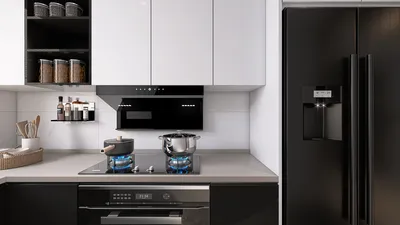


Rendered floor plans are vital for visualizing the potential of any area, particularly in compact spaces. Creating a detailed rendered floor plan helps you understand how furniture and design components will fit together for an efficient design process. So, how can you develop a breathtaking rendered floor plan that optimizes your limited space? Let’s explore!
Understanding Rendered Floor Plans
A rendered floor plan functions as a visual depiction of a space, illustrating the layout while emphasizing colors, textures, and materials. It transcends mere lines and measurements, as it brings your design concepts to fruition. Utilizing software like Homestyler enables you to easily craft a rendered floor plan, giving you the freedom to experiment with various layouts and design aesthetics.
When addressing small spaces, a rendered floor plan guides you in making wise choices regarding furniture arrangement and design elements. Are you leaning towards an open layout? Or would you prefer to establish distinct zones for different activities? A rendered floor plan effectively visualizes these alternatives.
Steps to Create a Rendered Floor Plan
1. Measure Your Space: Begin with precise measurements of your room. Accurate scaling is crucial for effective design in your rendered floor plan.
2. Choose Your Software: Opt for intuitive rendering software like Homestyler, which provides user-friendly tools for creating captivating floor plans.
3. Input Your Measurements: Enter the dimensions of your room in the software and start organizing your floor plan. Don't forget to factor in windows and doors!
4. Add Furniture and Design Elements: Test out various furniture placements and design components. This stage is where your vision can truly come alive. Think about using multi-functional furniture to make the most of your space.
5. Render and Review: After finalizing your layout, render your floor plan to obtain a realistic visual representation. Assess it to confirm it aligns with your design objectives.
Tips for Effective Rendered Floor Plans
To create a striking rendered floor plan, keep the following tips in mind:
- Employ a harmonious color palette that resonates with your style and contributes to an illusion of a larger space.
- Integrate lighting components into your design to enhance the atmosphere of your compact area.
- Remember storage solutions. Smartly designed storage options can keep your area organized and highly functional.
FAQ
Q: What software is ideal for crafting rendered floor plans?
A: Homestyler stands out as an excellent option for designing rendered floor plans, given its user-friendly interface and efficient functionality.
Q: How can I enhance the perception of space in my rendered floor plan?
A: To achieve a sense of spaciousness, emphasize the use of light colors, versatile furniture, and thoughtfully placed lighting.
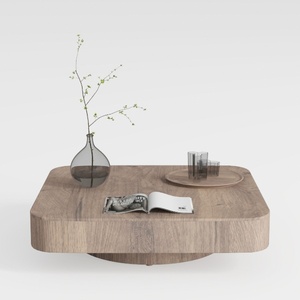
Minimalist Solid Oak Square Floating Coffee Table 3D Model


Modern Green Twisted Base Side Table 3D Model

Minimalist White Solid Wood TV Stand Cabinet 3D Model
Homestyler is the ultimate online home design platform for anyone looking to transform their space effortlessly. With its user-friendly design tool, stunning 3D renderings, a plethora of design projects, and helpful DIY video tutorials, you’ll have everything you need to create your dream home!
立即免费设计
































