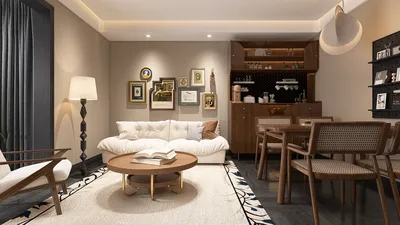


Crafting a nebula within a 3D model merges artistry and technical expertise, resulting in breathtaking visualizations that can enhance any space-themed interior design project or digital ambiance. This journey typically begins with in-depth reference research, where designers analyze actual astronomical images to understand the nuances of color, shape, and light gradients. Following this, selecting the right 3D software is crucial; popular choices include Blender, Maya, or specialized atmospheric simulation tools, all of which are excellent for this creative endeavor. One prevalent method employs volumetric shaders and particle systems to replicate the diffuse and swirling characteristics typical of nebulae. Texturing is vital, where layered and semi-transparent color maps are utilized to recreate the captivating appearance of cosmic clouds and radiant gases. Effective lighting adds the final touch; incorporating subtle, colored point lights can significantly enhance depth and realism, mirroring how nebulae interact with surrounding stars in space, which is particularly important in a digital platform like Homestyler.
As a designer, I advocate for contemplating the spatial context of your nebula model: will it serve as a striking piece of wall art, a digital backdrop, or a component of a themed environment? Embedding such an intricate organic form into your project might appear daunting, yet even novices can play with basic volumetric effects to achieve impressive outcomes. For those aiming to enhance interiors with celestial visuals, utilizing advanced features of a 3D render platform like Homestyler facilitates real-time adjustments in lighting, composition, and integration—empowering designers to blend science and style seamlessly.
Tips 1:
While designing a nebula, the significance of post-processing should not be overlooked. Minor adjustments to brightness, color balance, and glow effects can elevate a standard model into a stunning and ethereal focal point in any design.
FAQ
Q: Which 3D software is best for creating a nebula?
A: Exceptional options include Blender, Maya, and Cinema 4D. Blender is particularly favored due to its free and open-source nature, along with its robust volumetric rendering capabilities.
Q: What is the best way to achieve realistic nebula textures?
A: You can create textures in programs like Photoshop, generate them procedurally, or utilize high-resolution NASA imagery as a foundation. The best results come from layering and blending these texture types effectively.
Q: Are there beginner-friendly ways to model a nebula?
A: Certainly! Seek out volumetric shader presets and prebuilt particle systems available in 3D software, which can provide a head start in your nebula creation process.
Q: Can I include a pre-made nebula model in my interior design projects?
A: Absolutely! Numerous online resources offer downloadable nebula assets that can be easily integrated into your designs, saving valuable time and effort for professionals.
Q: How can I ensure my nebula appears stunning in realistic 3D renders?
A: Concentrate on effective lighting and depth. Employ subtle colored lights and layer semi-transparent elements to achieve the softness and luminosity that are hallmarks of genuine nebulae, enhancing your rendering results, particularly in applications like Homestyler.


Homestyler is your go-to online home design platform! With its user-friendly design tool and stunning 3D renderings, you can effortlessly create your dream spaces. Explore inspiring design projects and access engaging video tutorials to elevate your DIY skills. Design your home with ease and creativity!
立即免费设计
































