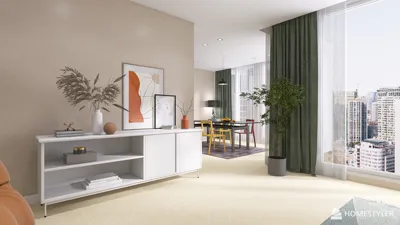


Enhancing your projects with 3D rendered designs in SVG can bring a visually striking and engaging element. SVG, which stands for Scalable Vector Graphics, is a flexible format that accommodates intricate designs and animations. In this article, we will delve into the process of creating captivating 3D rendered SVG images that will draw your audience's attention.
Exploring SVG and Its Advantages
SVG is a vector image format based on XML, allowing for interactivity and animation. Unlike traditional raster images, SVG files can be scaled without sacrificing quality, making them ideal for responsive designs. Below are some advantages of utilizing SVG:
Step 1: Crafting Your 3D Model
Before you start creating your SVG, design your 3D model using programs like Blender or Adobe Illustrator. Aim to construct an object that exhibits depth and dimension. Incorporate lighting and shading effects to improve the 3D look.
Step 2: Exporting to SVG
After finalizing your design, save it as an SVG file. If you're using Adobe Illustrator, simply choose to save your document in SVG format. Make sure that your paths are accurately defined to preserve the design's quality.
Step 3: Incorporating 3D Effects in SVG
To achieve a 3D look within SVG, utilize gradients and shadows. Applying radial gradients can help you create an illusion of depth. Here’s how you can do that:
Step 4: Adding Interactivity
SVG supports JavaScript integration, allowing you to introduce interactive features. For instance, you could animate your SVG elements on hover or click events using tools like Snap.svg or GSAP, enhancing user engagement.
Step 5: Testing and Enhancing Performance
When your SVG is ready, test it across various browsers and devices to confirm compatibility. Optimize the SVG file by stripping unnecessary metadata and minimizing points in your paths.
Conclusion
Crafting 3D rendered designs in SVG unlocks a plethora of opportunities for your digital content. With its scalability and interactivity, SVG can significantly elevate your visual storytelling. Start experimenting with designs today, and consider using platforms like Homestyler for inspiration!
Frequently Asked Questions
Q: Is it possible to animate SVG graphics? A: Absolutely, SVG graphics can be animated through CSS or JavaScript libraries.
Q: Which software is suitable for creating 3D models for SVG? A: Software such as Blender, Adobe Illustrator, or Sketch can be employed to design your 3D models.
welcome to Use Homestyler for your Home Design Needs
Design Now for FREE
































