

Crafting an impressive 3D nebula model can be a thrilling venture for enthusiasts, educators, and digital creators alike. This article will guide you through the pivotal steps using user-friendly 3D software, ensuring your nebula is truly captivating. Let’s dive into the journey—from gathering inspiration and planning your color scheme to leveraging volumetric lighting and perfecting your final render with tools like Homestyler.
Begin by examining actual astronomical nebulae. Gather numerous high-quality images of nebulae such as the Orion Nebula or Crab Nebula to use as visual guides. These references will help shape your color choices, scale perception, and the overall essence of your model. After this, select a 3D software capable of handling volumetric effects—Blender is highly regarded for its free accessibility and powerful rendering features.
In your selected software, initiate a new scene and introduce a basic mesh; either a sphere or a cube will do. Transform this mesh into a volumetric body by assigning a volumetric shader. Incorporate noise and cloud textures to create delicate wisps and gradients, lending your nebula a gentle, organic feel. It’s important to layer different colors—like teal, orange, and purple—to achieve a celestial and dynamic appearance.
Lighting plays a crucial role: Experiment with point lights, spotlights, and emission shaders to replicate the glow of gases and stars within the nebula. Carefully tweak transparency and density settings, as these elements significantly influence the nebula's “cloudiness.” Render your scene using high sample rates to eliminate grain and ensure a polished, high-quality result.
In my experience as a designer, the allure of a breathtaking 3D nebula arises from meticulous composition and detailed layering. In my interior design projects, I often employ advanced 3D visualization tools to create radiant environments. For example, platforms like Homestyler allow for precise manipulation of light and space, teaching principles of rendering depth and realism—skills that are directly transferable to nebula modeling.
Tip 1:
To achieve a richer blend of colors in your 3D nebula, employ gradient maps along with multiple layers of noise. This approach helps avoid a flat appearance. Subtle overlays of various hues will produce a more lifelike, multi-dimensional effect. Remember to always render in higher resolutions to fully capture the intricate details of your volumetric textures.
FAQ
Q: What is the best software for crafting a 3D nebula model?
A: Blender stands out as a popular choice due to its free availability and robust volumetric rendering functionalities. Other professional alternatives include Maya and 3ds Max.
Q: What reference images are ideal for nebula modeling?
A: High-quality images from NASA’s Hubble Telescope gallery and similar astronomical databases provide excellent inspiration and ensure accuracy.
Q: How can I enhance the depth of my 3D nebula?
A: Utilize layered volumetric shaders with varying densities and noise patterns. Strategically position light sources to highlight specific areas within the cloud for added depth.
Q: What are some tips for rendering nebula models?
A: To minimize noise, increase render samples, incorporate emission materials for glowing effects, and experiment with diverse camera angles for dramatic visual compositions.
Q: Is it possible to animate my 3D nebula?
A: Absolutely, you can animate textures, adjust light movements, or modify the nebula’s density fields to create captivating motion effects.
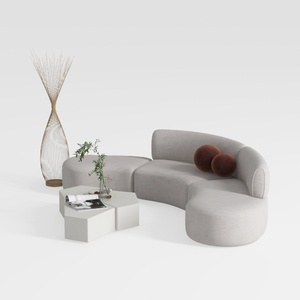
Minimalist Fabric Curved Sectional Sofa 3D Model


Bohemian Rattan Fabric Round Daybed with Decorative Throw Pillows 3D Model

Homestyler is an exceptional online home design platform perfect for anyone looking to create beautiful spaces. Its user-friendly design tool, stunning 3D renderings, inspiring project ideas, and helpful video tutorials make it easy to turn your dream home into a reality. Get started today!
Zaprojektuj teraz za darmo
































