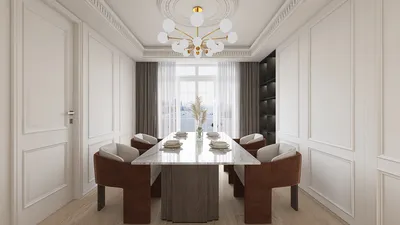


Bringing music to life through the creation of 3D models of music notes can significantly enhance the understanding of musical concepts. Whether for educational use, home decor, or interactive platforms, using the right software is crucial. Programs such as Blender, Tinkercad, and SketchUp are excellent choices, especially for those who are just starting their journey into 3D modeling. Start off by reviewing sheet music to understand the structure of the specific note you wish to create, such as a quarter note or a treble clef. Utilize the pen or curve tool to trace the basic shape, and then extrude or add depth to convert this 2D outline into a full 3D object. Paying close attention to the details, like the stem and flag, will enhance the accuracy and visual appeal of your model. After finishing, you can export your design in formats such as .OBJ or .STL, making it suitable for rendering, animation, or 3D printing projects with platforms like Homestyler.
As a designer, I believe that incorporating music-themed elements, such as 3D note sculptures or personalized wall decals, can significantly enhance the ambiance of creative studios or music classrooms. Prior to finalizing your designs, it's wise to visualize how your 3D note models will appear within a realistic setting. This practice, especially when using tools like Homestyler, ensures that your designs meet professional standards and allows you to evaluate their aesthetic effect in context.
Tips for Designing 3D Music Notes:
Opt for high-contrast materials and finishes for your 3D-printed music notes to guarantee they become eye-catching features, whether as wall art or as decorative items on a desk.
Frequently Asked Questions
Q: Which software is the best for beginners to create 3D music notes?
A: For newcomers, Tinkercad and Blender are recommended due to their user-friendly interfaces and supportive communities, making the modeling of simple music notes quite approachable.
Q: Is it possible to 3D print music note models?
A: Absolutely! You can export your models in .STL or .OBJ formats, which are widely accepted by most 3D printers, just be sure to adjust parameters for size and material as necessary.
Q: Are there any resources where I can download free 3D models of music notes?
A: Yes, websites like Thingiverse and Sketchfab provide a plethora of user-generated 3D music note files that you can easily download and modify according to your needs.
Q: How can I ensure the accuracy of my 3D music notes?
A: Reference images from sheet music are essential for accuracy; many 3D modeling applications allow you to import images as backgrounds, which can assist in perfecting your outlines.
Q: What advantages does rendering 3D music note models in home design software provide?
A: Utilizing rendering software, such as Homestyler, enables you to visualize how your music note decor will fit within real-life spaces, allowing for adjustments in size, color, and positioning prior to production.
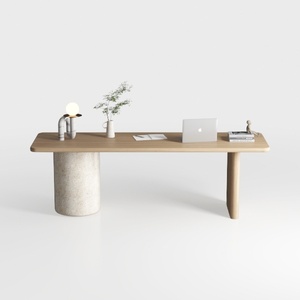
Minimalist Japandi Solid Wood Concrete Office Desk 3D Model
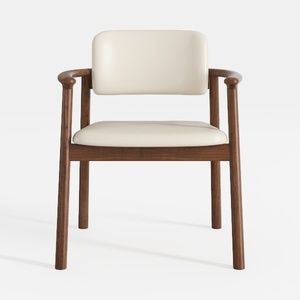
Minimalist Walnut Wood Faux Leather Upholstered Armchair 3D Model

EALSON Upholstered Dining Chairs Set of 4 Modern
Homestyler is your go-to online home design platform! With its user-friendly design tool, stunning 3D rendering, and a wealth of DIY tutorials, transforming your space has never been easier. Get inspired and bring your design dreams to life today!
Progetta ora GRATIS
































