

Designing a 3D representation of chlorine can greatly benefit chemistry students, educators, and enthusiasts keen on molecular visualization. Chlorine can be depicted in various forms, ranging from an individual atom to its diatomic molecular configuration (Cl₂). To begin, collect essential reference data: chlorine has an atomic number of 17, categorizing it within group 17 (the halogens) on the periodic table, with its most prevalent molecular form as Cl₂—a configuration of two chlorine atoms joined by a single covalent bond. Incorporating tools like Homestyler can enrich the visualization process.
To start your modeling journey, select appropriate software for molecular design. Free software solutions such as Blender, Tinkercad, and online chemistry platforms like Avogadro, ChemSketch, or MolView are excellent starting points for 3D modeling. Once you open your software, arrange your workspace accordingly. If creating a basic atomic model, depict the chlorine atom using a sphere representing its atomic radius (approximately 99 pm), colored green—this is a standard convention in molecular representations. For modeling Cl₂, designate two spheres as “Cl,” interconnect them using a stick or cylinder representing a single bond (typically around 198 pm between the spheres), and ensure symmetry in their positioning.
For more sophisticated visual representations, delve into the electronic structure of chlorine, showcasing its seven valence electrons as dots or orbitals around the spheres. The artistic value of these 3D molecular models extends beyond education; they can be incorporated into interactive textbooks, augmented reality applications, or even serve as inspiration for decorative elements in interior design. As a designer, I apply similar meticulousness in visualization tasks as I would in spatial planning or the creation of 3D objects within virtual platforms. If you wish to weave scientific models into your interiors—whether through educational artwork, 3D printed objects, or tailored lighting fixtures—utilizing a versatile design tool such as Homestyler can effectively transform molecular ideas into large-scale decor.
Tips for Successful Modeling:
When constructing your 3D chlorine model, opt for realistic colors to enhance clarity, and consider labeling essential elements (such as atoms, bonds, and electrons). For models intended for printing or educational displays, export your creation in STL or OBJ format, as these are compatible with a wide range of 3D printers and visualization applications. If your design leans towards decor, feel free to modify the aesthetics: emphasize symmetry, contrast in colors, or artistic arrangements that align with your space.
Frequently Asked Questions
Q: Which tools are suitable for 3D modeling chlorine?
A: Tools like Blender, Tinkercad, Avogadro, ChemSketch, and MolView are widely recognized for 3D molecular modeling tasks.
Q: What is the standard color for chlorine atoms in molecular representations?
A: Typically, chlorine is depicted as a green sphere in molecular models.
Q: What is the process to model the Cl₂ molecule?
A: To model Cl₂, create two green spheres for the chlorine atoms, connect them with a cylinder to represent a single covalent bond, ensuring the distance between them is about 198 pm, and position them symmetrically.
Q: Is it possible to 3D print my chlorine model?
A: Absolutely, you can export your model in STL or OBJ format, which is supported by most 3D printers.
Q: How can molecular models influence interior design?
A: The shapes and symmetry of molecular structures can inspire designs for wall art, lighting fixtures, decor items, or educational displays in modern home environments or learning spaces.


Modern Green Velvet L Shaped Sectional Sofa 3D Model
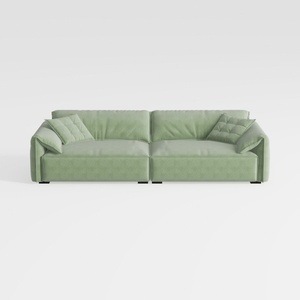
Minimalist Sage Green Fabric Large Sofa 3D Model

Minimalist Sage Green Fabric Tufted Three Seater Sofa 3D Model
Looking to transform your space? Homestyler offers an intuitive online design tool that empowers you to create stunning interior designs. With impressive 3D renderings, a wealth of design projects, and engaging DIY video tutorials, bringing your vision to life has never been easier!
立即免费设计
































