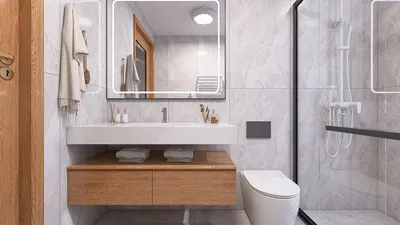


Designing a 3D model in Adobe Illustrator is a seamless experience, thanks to its powerful vector tools and the latest updates to its 3D functionality. Begin by crafting your initial shape using tools like the Pen Tool, Shape Tool, or by importing an existing vector graphic. Once your design is prepared, select it and head to Effect > 3D and Materials. Here, various options like 'Extrude', 'Revolve', or 'Inflate' allow you to start your transformation. The 'Extrude' function creates depth by extending the shape along the z-axis, whereas 'Revolve' spins your shape around an axis, making it ideal for forms like bottles or vases. You can fine-tune aspects such as depth, rotation, and lighting to enhance the look of your model. To add more realism, utilize Illustrator’s mapping features found in the 'Materials' panel, where you can incorporate textures, alter colors, or introduce environmental lighting. Once you are content with the outcome, you can render your 3D object or export it for use in other applications. As a designer, I highly encourage experimenting with 3D mockups to better understand spatial dynamics within interior spaces—this method proves especially effective for showcasing furniture placements, fixtures, and decor settings. If you seek a more user-friendly approach to spatial visualizations, consider platforms like Homestyler that are specifically tailored for 3D home rendering, helping you seamlessly transition from concept to a lifelike presentation.
Tips for Better 3D Models:
To make your 3D creations truly captivating, manipulate the direction and intensity of lighting to enhance realistic shadow effects. Merging Illustrator’s gradient capabilities with the 3D features can add significant depth and dimension, yielding results that are more lifelike.
Frequently Asked Questions
Q: Can Adobe Illustrator export 3D models for use in other software?
A: Yes, Illustrator can export 3D models as OBJ files, which are compatible with various 3D visualization and rendering applications.
Q: Does Illustrator support comprehensive 3D modeling?
A: While Illustrator is excellent for quick 3D mockups and basic shapes, it is not designed for detailed modeling tasks like those achievable in Blender or SketchUp.
Q: What distinguishes the Extrude tool from the Revolve tool?
A: The 'Extrude' tool adds depth to flat designs, while the 'Revolve' tool rotates a path around an axis to create cylindrical objects.
Q: Are the 3D features available in all Illustrator editions?
A: The advanced 3D and Materials tools are accessible in Illustrator CC versions starting from 2022.
Q: How can I incorporate 3D Illustrator models into my interior design presentations?
A: Utilizing these models can significantly aid in visualizing furniture arrangements, decor elements, and spatial relationships prior to finalizing your design strategy.
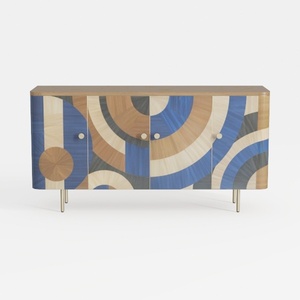
Art Deco Geometric Pattern Solid Wood Sideboard with Metal Legs 3D Model

Minimalist Fluted Solid Wood 6 Drawer Dresser 3D Model
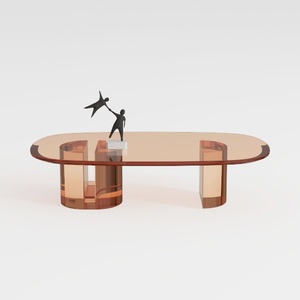

Modern Amber Glass Oval Coffee Table 3D Model
Transform your home design dreams into reality with Homestyler! This user-friendly online platform features an intuitive design tool, stunning 3D renderings, a plethora of inspiring design projects, and helpful DIY video tutorials. Perfect for anyone looking to create beautiful interiors effortlessly!
Design Now for FREE
































