

Designing 3D models for Minecraft resource packs unlocks fantastic opportunities for enhancing visual storytelling and customization. To embark on this journey, having a solid grasp of Minecraft's resource pack layout is essential—particularly the way models are specified through JSON files. Start by selecting a modeling software that works well with Minecraft, such as Blockbench, which is highly regarded for its direct compatibility with Minecraft’s model format. As you create your desired item, block, or entity, keep in mind the pixel-art style that defines Minecraft's unique aesthetic. Once your design is complete, export it as a .json file and place it into the resource pack’s "models" directory, ensuring the folder structure aligns with Minecraft’s specifications. Don’t forget to update the “textures” folder within your resource pack with your custom textures, linking them appropriately through your model's JSON file. Finally, make sure to test your resource pack within the game for compatibility and tweak aspects like scale, rotation, or texture mapping as necessary.
Design Tips
As a designer, I always suggest that you focus on both visual harmony and practical usability when creating resource pack models. For example, whether you’re designing a unique sword or a novel block, it’s crucial to consider how it affects gameplay clarity and maintains thematic consistency. For intricate details, utilizing a tool like Homestyler for 3D rendering can be incredibly beneficial for previewing complex designs before they are exported to Minecraft. This ensures that every angle and surface matches your vision perfectly.
Frequently Asked Questions
Q: What software is best for creating 3D models for Minecraft?
A: Blockbench is a popular choice because it is specifically designed to cater to Minecraft’s model formats, providing user-friendly pixel-art modeling tools.
Q: How can I apply textures to my Minecraft 3D model?
A: After exporting your 3D model as a JSON file, link a PNG texture within the "textures" section of the JSON file and place the image in the resource pack’s "textures" folder.
Q: Is Blender suitable for creating Minecraft models?
A: While Blender is a powerful tool, Minecraft requires models to be in JSON format. You would need to convert or recreate your design in software that supports Minecraft’s specifications like Blockbench.
Q: Where should I place my custom model files in a resource pack?
A: You should position your model JSON files in the relevant subfolder within the "models" directory, such as "models/item" for items or "models/block" for blocks.
Q: How do I test my resource pack in Minecraft?
A: You can install your resource pack through the settings in Minecraft, then launch the game to review your items and blocks, ensuring they appear and function correctly.
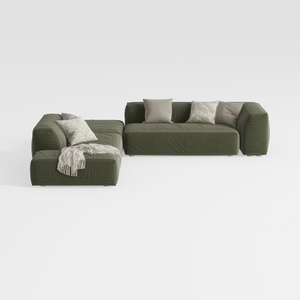
Minimalist Modern Fabric L Shaped Sectional Sofa with Throw Pillows 3D Model

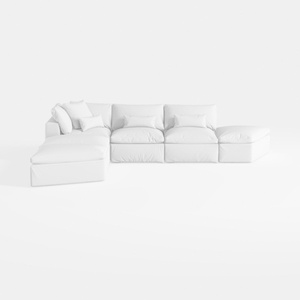

Minimalist White Fabric L Shaped Sectional Sofa 3D Model
Discover your creative potential with Homestyler! This user-friendly online home design platform offers an intuitive design tool, stunning 3D renderings, a wealth of design projects, and helpful DIY video tutorials. Bring your home ideas to life effortlessly, regardless of your experience level!
تصميم الآن مجانا
































