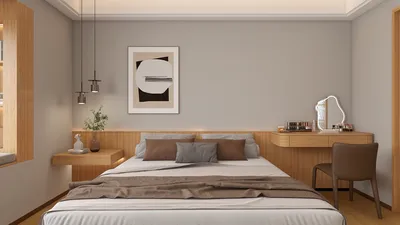


Crafting 3D models for Minecraft items has emerged as a popular method for enhancing the game's visual aesthetics among players and modders alike. Whether you're looking to tweak an existing texture or design a brand-new custom item, mastering the fundamental steps and prerequisites is essential for creating professional-grade models that are compatible with the game. Leveraging tools like Homestyler can also inspire your creativity in this process.
Initially, you should determine which version of Minecraft you intend to focus on, since the requirements for resource packs and model formats can differ significantly. Minecraft employs the JSON format for 3D item models, which dictates how textures are applied to the shapes within the game. You'll require a text editor, such as Notepad++ or Visual Studio Code, along with a modeling assistant tool. Popular options are Blockbench and Cubik Studio, which offer user-friendly interfaces to construct voxel-style models and automatically generate the necessary JSON files.
To begin, sketch your intended item on paper or gather reference images. Within your chosen modeling software, build the shape by adding or removing cubes to match your vision. Apply textures to each face or component of the item; these textures typically use simplistic PNG files. Make sure the dimensions adhere to Minecraft standards, often around 16x16 or 32x32 pixels for each item face. Once you are satisfied, export the model as a .json file and place the corresponding textures in your Minecraft resource pack, ensuring correct directory organization. Finally, run a test in-game, make any necessary adjustments, and enjoy your custom-designed creations in Minecraft!
As an interior designer, I can express that the joy of crafting harmonious and visually appealing models for Minecraft bears resemblance to designing real-world environments. If you're aiming to construct more intricate, life-like structures within the game or require advanced visualizations for interiors, utilizing a professional 3D Rendering tool like Homestyler can serve as inspiration for both your Minecraft designs and actual home decor projects.
Tips 1:
Always ensure that the complexity of your Minecraft models is optimized; too much detail can lead to performance issues, particularly in multiplayer settings. Stick to simpler shapes and textures, and regularly check your items in-game to confirm they render correctly from all perspectives.
FAQ
Q: What tools are necessary for crafting 3D models of Minecraft items?
A: Suggested tools encompass Blockbench (free), Cubik Studio (paid), and a quality image editor like Photoshop, GIMP, or Paint.NET for texture creation.
Q: Is it possible to design 3D models for Minecraft without programming skills?
A: Absolutely! Platforms such as Blockbench offer a visual interface, which means coding is unnecessary for basic model creations. The software conveniently exports .json files that Minecraft can directly utilize.
Q: Where should I position my custom 3D models within a Minecraft resource pack?
A: Models should be placed in the "resourcepack/assets/minecraft/models/item" directory, while textures should go in "resourcepack/assets/minecraft/textures/item". Ensure the file names correspond with the items you're looking to replace.
Q: Which versions of Minecraft are compatible with 3D item models?
A: 3D item models in JSON format are supported in Minecraft Java Edition 1.8 and onward. It's crucial to check compatibility for your target version.
Q: Are there any legal considerations regarding the sharing or use of custom 3D models in Minecraft?
A: You are permitted to share your original custom models, but if utilizing content created by others, it's important to credit the original creator and confirm any licensing permissions.
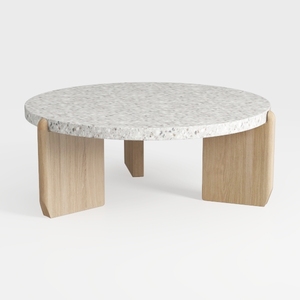
Minimalist Terrazzo Solid Oak Round Coffee Table 3D Model
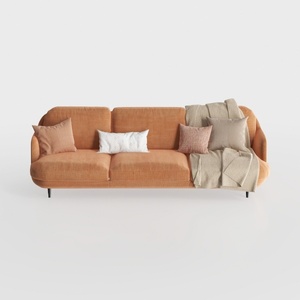

Modern Minimalist Orange Fabric Three Seater Sofa With Throw Pillows 3D Model
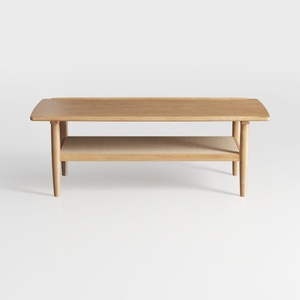
Minimalist Solid Oak Two Tiered Coffee Table 3D Model
Homestyler is your go-to online home design platform that empowers you to create stunning interiors effortlessly. With its easy-to-use design tool, captivating 3D renderings, a plethora of design projects, and engaging DIY video tutorials, transforming your space has never been more fun and inspiring!
Дизайн сейчас бесплатно
































