


Designing a 3D representation of a hot air balloon is a thrilling venture for enthusiasts, students, or design experts keen on honing their digital modeling skills. To kick off your project, choose a suitable 3D modeling software—from Blender and SketchUp to user-friendly online tools like Homestyler—and gather reference images showcasing various hot air balloon designs and colors to spark your creativity. Start by shaping the main envelope into a symmetrical, elongated sphere using tools like ‘lathe’ or ‘revolve’ and accentuate its seams for a realistic touch. Subsequently, create the basket, which is typically a straightforward rectangular or cylindrical form, utilizing mesh editing techniques or basic geometric shapes. Connect the envelope and the basket using ropes or lines; these can be designed with splines or thin cylinders. To bring your 3D hot air balloon to life, apply bright materials or textures. Finally, make sure your completed model is UV-mapped correctly for realistic rendering and saved in a format suitable for your purpose, whether that's for visualization, animation, or 3D printing.
Advice 1:
As an interior design professional, I’ve found that mastering spatial planning tools significantly aids in the 3D modeling of objects. For those aiming to enhance their design capabilities—be it for airborne designs or the environments we inhabit—leveraging a 3D floor planner like Homestyler provides an excellent groundwork in digital modeling, visualization, and rendering. These platforms instill precision in proportion, spatial insight, and material application, all crucial when crafting any 3D object.
Frequently Asked Questions (FAQ)
Q: Which software is best for creating a 3D model of a hot air balloon?
A: Renowned software choices include Blender, 3ds Max, Maya, and SketchUp. Newcomers might favor Tinkercad or the intuitive online 3D floor planner Homestyler for a smoother introduction.
Q: What steps should I take to make my hot air balloon model look realistic?
A: Concentrate on getting the proportions right, incorporate details such as seams and ropes, and utilize high-quality textures. Also, setting up proper lighting and materials in your rendering engine will significantly boost realism.
Q: Can I 3D print the model of my hot air balloon?
A: Certainly! You can export your model in file formats like STL or OBJ, ensuring the geometry is manifold and adjusting the scale based on your 3D printer's specifications.
Q: Are there available templates for hot air balloon 3D models?
A: Numerous online 3D asset repositories provide ready-made hot air balloon models, but crafting your own is a fantastic way to learn modeling techniques and add personal customization.
Q: Is it possible to animate my 3D hot air balloon?
A: Yes, indeed! Most 3D modeling software, including Homestyler, supports animation options—allowing you to simulate floating, wind effects, or engage in more intricate movements through keyframes and physical simulations.

Minimalist Fabric Solid Wood Dining Chair 3D Model

Modern Solid Wood L Shaped Office Desk With Storage Cabinet 3D Model
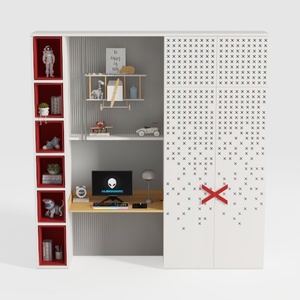

Modern Minimalist Multi functional Kids Study Wardrobe Cabinet 3D Model
Discover your inner designer with Homestyler! This user-friendly online home design platform offers a powerful design tool, stunning 3D renderings, and a wealth of inspirational design projects and video tutorials. Whether you're a beginner or a seasoned pro, bring your vision to life effortlessly!
Diseño ahora GRATIS
































